 TechBlonhub A new digital technology era.
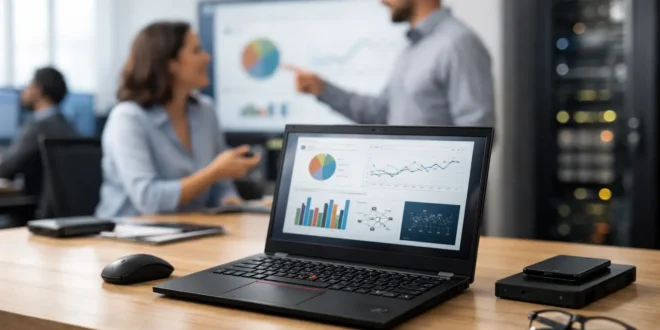

A laptop can look impressive on a spec sheet and still become a daily frustration when the webcam is weak, the keyboard feels shallow, or the IT team cannot manage it efficiently. That is why a Lenovo ThinkPad review needs to look beyond processor names and benchmark numbers. ThinkPads remain a serious option for professionals, developers, students, and organizations that need dependable hardware, practical ports, and security features that fit real work.
The catch is that ThinkPad is a broad family, not one laptop. An ultraportable X1 Carbon, a mainstream T14, an entry-level E series model, and a mobile workstation such as the P1 solve very different problems. Choosing the badge alone is not enough.
Why ThinkPads Still Matter for Business Use
ThinkPads have kept their place in business fleets because Lenovo focuses on the details that affect long-term usability. The chassis designs are usually understated, but many models offer durable materials, spill-resistant keyboards, strong hinges, serviceable components, and security options that consumer laptops often treat as upgrades.
For IT teams, the bigger advantage is consistency. ThinkPads are available in predictable product lines with business-class support options, commercial docks, firmware controls, and configurations built around common enterprise requirements. That can reduce deployment headaches when an organization needs to image, secure, and support dozens or hundreds of devices.
They are also comfortable machines to use for long stretches. The keyboard remains a core strength of the lineup, with more travel and clearer key feedback than many thin-and-light competitors. The TrackPoint, the small red pointing stick in the middle of the keyboard, still has dedicated fans among users who work in spreadsheets, terminals, and remote sessions without moving their hands away from the home row.
Lenovo ThinkPad Review: Performance Depends on the Series
The right ThinkPad depends less on the logo and more on the workload. Lenovo’s product naming can be confusing, but the families have clear roles once you know what to look for.
The X1 Carbon is built for mobility. It is a strong choice for executives, frequent travelers, consultants, and anyone who values a lighter bag. Its trade-off is price and, in some configurations, fewer upgrade options. The T14 and T14s sit closer to the practical center of the lineup. They balance portability, performance, ports, and enterprise features well, making them a sensible default for many office workers, IT staff, and developers.
The L series is often the value-focused business option. It may use less premium materials and have a thicker design, but it can make sense for budget-conscious deployments where durability and manageability matter more than having the thinnest laptop in the room. The E series is aimed more at small businesses and individual buyers. It can offer good value, but buyers should review the warranty, display, battery, and security configuration carefully because those details vary more by model.
For engineering, 3D work, software builds, data analysis, and content creation, the P series is where ThinkPad becomes a workstation. A ThinkPad P1 offers more portability, while larger P models prioritize CPU power, dedicated graphics, and cooling capacity. These systems can handle demanding tasks, but they are heavier, louder under sustained load, and more expensive than a standard business laptop.
A useful rule is simple: do not pay for workstation hardware if your heaviest task is video conferencing and browser-based productivity. On the other hand, do not put a developer running containers, virtual machines, and local test environments on a low-memory configuration simply because it was the cheapest quote.
Keyboard, Build Quality, and Everyday Comfort
ThinkPads continue to earn their reputation through everyday ergonomics. The keyboards generally feel precise and stable, which matters more after eight hours of writing documentation, responding to tickets, or working through code. Many models also include physical mouse buttons above the touchpad, a feature that remains useful for people who rely on the TrackPoint.
Build quality is generally high on T, X, and P series devices, though it is not identical across the portfolio. Premium models use lighter alloys, carbon fiber, or reinforced composite materials, while lower-cost lines may use more plastic. That does not automatically make an E or L series laptop a poor purchase. It means buyers should match expectations to budget and inspect the specific model rather than assuming every ThinkPad has the same construction.
The black, minimal design also has a practical benefit in office environments. It looks professional without attracting attention, and it tends to age better than trend-driven consumer designs. For business buyers, that matters when laptops stay in circulation for three to five years.
Ports and Connectivity Are a Real Advantage
Many ultralight laptops have pushed users toward adapters for Ethernet, USB-A devices, monitors, and storage. ThinkPads usually take a more practical approach. Exact port selection depends on the model, but the lineup often provides a useful mix of USB-C, Thunderbolt or USB4 on supported configurations, USB-A, HDMI, audio, and in some cases Ethernet.
That flexibility matters for IT administrators and hybrid workers. A laptop that connects directly to a conference-room display, a wired network, or an older peripheral saves time and eliminates another adapter that can disappear from a desk. Lenovo’s docking ecosystem is also a major reason ThinkPads work well in managed environments, especially where users move between office desks and home workspaces.
Wireless options deserve equal attention. Wi-Fi capability, Bluetooth version, and optional cellular connectivity can differ significantly between configurations. For remote staff who frequently work outside trusted networks, a cellular-equipped model can be more valuable than a slightly faster processor.
Security and Manageability Are More Than Checkboxes
A ThinkPad’s security value comes from how its features work together. Depending on the configuration, buyers can find fingerprint readers, IR cameras for facial sign-in, privacy shutters, discrete TPM hardware, smart card readers, and firmware-level protections. These tools support stronger access control, but they should complement, not replace, sensible identity and endpoint security policies.
For business deployments, look for models that support the management features your environment already uses. Processor platform options can affect remote management capabilities, and BIOS settings should be reviewed before a large purchase. Organizations also need to confirm that the selected dock, operating system image, endpoint protection agent, and device-management platform work cleanly with the final hardware configuration.
A privacy shutter is a small but worthwhile feature. It provides a physical confirmation that the webcam is covered, which is useful for employees handling sensitive calls or simply trying to reduce unnecessary exposure.
Display, Webcam, and Audio Need Careful Configuration
This is where ThinkPad buyers can make an avoidable mistake. Lenovo often sells the same chassis with several display options, and the least expensive panel is not always suitable for the job. A low-brightness screen can be frustrating near windows, while limited color coverage is a poor fit for design, photography, and video work.
For general office use, prioritize a bright IPS display with comfortable resolution and an anti-glare finish. For developers and analysts, extra vertical screen space can improve productivity with code, logs, and spreadsheets. OLED options can look excellent, but they may raise the price and can affect battery life depending on the workload and brightness settings.
Webcams have improved across newer ThinkPads, but quality still varies. If remote meetings are a large part of the job, verify the camera resolution, microphone features, and presence-detection options before purchasing. A premium laptop should not force users to buy an external webcam for every client call.
Battery Life and Thermals: Good, Not Magic
Battery results depend heavily on the panel, processor, battery size, brightness, wireless activity, and applications running in the background. Lightweight ThinkPads can last through much of a typical workday with moderate productivity use, but heavy compiling, virtual machines, video calls, and high-brightness displays reduce that number quickly.
The same applies to heat and fan noise. Thin models have less room to dissipate sustained workloads, so a compact laptop may throttle or become audible under long rendering jobs and complex builds. That is not necessarily a flaw. It is the physical compromise behind portability. Buyers who need consistent performance under load should favor a thicker T-series configuration or a P-series workstation with adequate cooling.
Who Should Buy a ThinkPad?
A ThinkPad is an easy recommendation for users who type all day, need practical connectivity, value security controls, or work in an organization with standard device-management processes. The T14 is often the safest all-around starting point. The X1 Carbon suits highly mobile professionals, while P series systems are better reserved for workloads that can justify their cost and size.
ThinkPads are less compelling for buyers focused mainly on gaming, ultra-low pricing, or high-end consumer media experiences. Some competing laptops offer better speakers, more dramatic displays, or stronger graphics value at the same price. Lenovo also frequently changes configuration options, so a deal that looks attractive can hide a weaker screen, insufficient memory, or a smaller battery.
Before ordering, decide how much RAM and storage the role will need over the laptop’s expected lifespan, then check whether those parts are upgradeable. For a business device, buying enough memory at the start is often cheaper than replacing underpowered systems early.
The best ThinkPad is not the most expensive one. It is the configuration that lets the user work securely, connect without adapters, and stay productive for years without turning every ordinary task into an IT ticket.





