 TechBlonhub A new digital technology era.
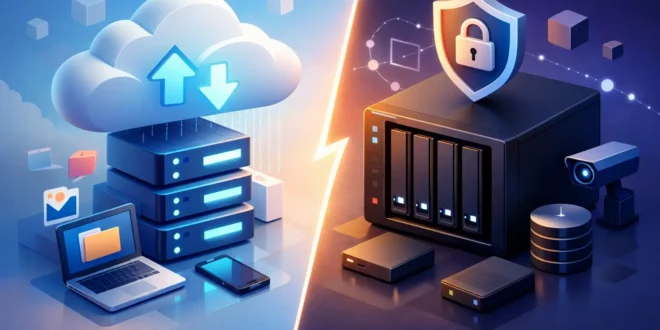

You usually find out your backup strategy is weak at the worst possible moment – after a drive fails, ransomware hits, or someone deletes the wrong folder. That is why the cloud backup vs nas debate matters more than most buyers think. Both can protect data, but they solve different problems, and picking the wrong one can leave a serious gap in your recovery plan.
For some users, a NAS feels like the obvious choice. It sits on your network, gives you fast local access, and can double as a file server, media hub, or small office storage pool. Cloud backup, on the other hand, looks less exciting until you need offsite recovery, version history, or protection from theft, fire, and local hardware failure. The real question is not which one is better in the abstract. It is which one fits the way you work, the amount of data you manage, and the kind of failure you are actually trying to survive.
Cloud backup vs NAS: The core difference
A NAS, or network-attached storage device, is a physical box on your local network that stores files on one or more hard drives or SSDs. You control the hardware, capacity, and access rules. In many setups, a NAS is always on and available to multiple users, which makes it attractive for homes with lots of devices and small businesses that need shared storage.
Cloud backup stores your data on infrastructure run by a third-party provider. Instead of relying on a box in your office or home, your files are copied to remote data centers. That gives you geographic separation, which is one of the biggest strengths of cloud backup. If your building loses power, gets flooded, or your equipment is stolen, your backup still exists somewhere else.
This is where many people get tripped up. A NAS is not automatically a backup just because it stores copies of files. If your PC syncs bad data, gets encrypted by ransomware, or a user deletes a shared folder that change can end up on the NAS too. Backup means recovery from bad events, not just extra storage.
When a NAS makes more sense
A NAS is strongest when speed, local control, and multi-device access matter most. If you regularly work with large video files, virtual machine images, raw photos, CAD projects, or office documents used by several people, a NAS can be far more practical than constantly pulling data from the cloud.
Local performance is the big advantage. On a fast wired network, restoring hundreds of gigabytes from a NAS is usually much quicker than downloading the same data from a cloud service. That matters if downtime costs money or if your internet connection is decent but not exceptional.
A NAS can also be more cost-effective over time for large storage needs. If you have terabytes of data and expect that footprint to grow, buying drives upfront may beat paying recurring cloud fees month after month. That is especially true for small businesses keeping media libraries, surveillance footage, project archives, or long-retention internal files.
There is also the control factor. IT admins often prefer a NAS because they decide the RAID layout, user permissions, snapshots, app support, and retention strategy. You are not tied to a provider’s interface or storage policy. For technically comfortable users, that flexibility is a major plus.
But the trade-off is responsibility. You have to maintain the device, monitor drive health, handle firmware updates, secure remote access, and plan for hardware replacement. If you neglect those jobs, local control turns into local risk.
When cloud backup is the smarter choice
Cloud backup is usually the safer pick when your top priority is disaster recovery and hands-off protection. It works especially well for laptops, remote staff, mobile users, and anyone who cannot rely on one physical location being available.
Its biggest advantage is offsite resilience. A NAS can fail. A home office can burn down. A burglar can walk off with your equipment. Cloud backup is designed to survive those local disasters. That alone makes it hard to ignore.
Cloud backup also tends to be easier for non-experts. Setup is often lighter, ongoing maintenance is lower, and the provider manages the storage infrastructure. For solo professionals, students, and smaller teams without dedicated IT staff, that simplicity matters.
Versioning and file recovery are another strong point. Many cloud backup platforms keep multiple file versions and allow point-in-time recovery. That helps with accidental deletions, overwritten files, and some ransomware events. You are not just storing data elsewhere. You are preserving a recoverable history.
The downside is speed and cost. Initial backups can take a long time, especially if you have terabytes of data and standard broadband. Large restores can also be slow when every file has to come back across the internet. On top of that, recurring fees can climb over the years, particularly for businesses with high-capacity storage needs.
Cloud backup vs NAS for security
Security is not automatically better on either side. It depends on setup.
A properly secured NAS can be very safe, but it is also easy to expose one by mistake. Weak passwords, outdated firmware, open ports, poor remote access settings, and lack of network segmentation can turn a NAS into an easy target. Ransomware groups know this. So do opportunistic attackers scanning the internet for misconfigured storage devices.
Cloud backup providers usually offer encryption, access controls, and managed infrastructure, which reduces some operational burden. But you are still trusting a third party with your data. If credentials are stolen or multi-factor authentication is not enabled, cloud accounts can still be compromised.
For most users, the safer option is the one they are more likely to manage correctly. A cloud backup platform with strong authentication and good retention settings may be more secure than a poorly maintained NAS. A well-administered NAS on a protected network may be more secure than a loosely managed cloud account shared across a team.
Cost is not as simple as it looks
A lot of buying decisions come down to price, but cloud backup vs nas is one of those comparisons where sticker price tells only half the story.
A NAS requires upfront spending on the enclosure, drives, and sometimes a UPS for power protection. If you want redundancy, better performance, or expansion, the cost rises quickly. Then there is replacement hardware, power consumption, and your time managing it.
Cloud backup spreads costs across a monthly or annual subscription. That is easier to budget at first, but long-term costs can exceed a local setup if your data volume is high. Some services also charge more for advanced retention, larger restore windows, or premium recovery options.
If your data set is small and your need for offsite recovery is high, cloud backup often wins on value. If you are storing many terabytes and need frequent local access, a NAS may deliver better economics over time.
The best answer for most people is both
This is the part many buyers skip because they want a clean winner. In practice, the strongest backup strategy is usually not NAS or cloud backup. It is NAS plus cloud backup.
A NAS gives you fast local restores, shared storage, and operational convenience. Cloud backup gives you offsite protection and a fallback when local hardware is damaged, stolen, or encrypted. Together, they cover each other’s weak spots.
That approach lines up with the common 3-2-1 backup rule: keep three copies of your data, on two different media types, with one copy offsite. A NAS can serve as the local recovery layer, while cloud backup handles the offsite part. For small businesses, home labs, content creators, and even families with lots of devices, this setup is often the most realistic way to reduce risk without making recovery painfully slow.
How to choose based on your situation
If you are a home user with a few laptops and irreplaceable photos, cloud backup is often the easiest place to start. It removes a lot of setup friction and protects against local disasters.
If you run a small office with shared files, large folders, and frequent restores, a NAS is usually worth it. You get speed, centralization, and more direct control.
If you manage critical business data, client files, development assets, or surveillance archives, relying on only one method is risky. A NAS without offsite backup leaves you exposed to physical loss. Cloud backup without local recovery can leave you waiting too long when you need data immediately.
The better question is not whether cloud backup or NAS is superior. Ask what recovery time you can tolerate, how much data you need to protect, what your internet connection can realistically handle, and who will maintain the system. Those answers point to the right design faster than any brand comparison or feature checklist.
A backup plan should feel a little boring when everything is working. That is a good sign. If you are still deciding between the two, choose the option you will actually maintain – and if the data matters enough, add the second layer before you need it.





