 TechBlonhub A new digital technology era.
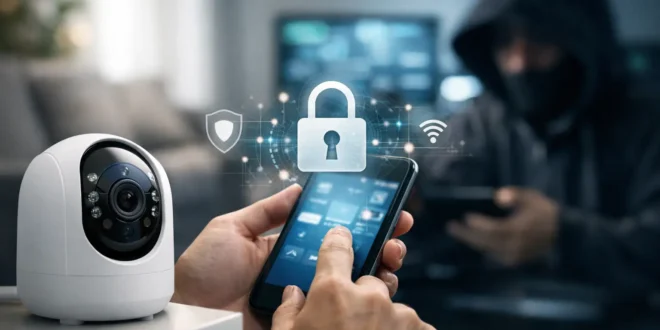

A home camera should tell you who is at the door, not give a stranger a view into your living room. Learning how to secure home cameras is no longer a niche task for IT professionals. Weak passwords, outdated firmware, exposed remote access, and poorly configured Wi-Fi can turn a useful security device into a privacy risk.
The good news is that most camera compromises are preventable. You do not need enterprise-grade hardware to make meaningful improvements, but you do need to treat every internet-connected camera as a computer with a lens. Start with the basics, then make deliberate choices about where your footage lives and who can reach it.
How to Secure Home Cameras From Common Attacks
Home cameras are usually targeted through the easiest available path. That may be a reused account password leaked in an unrelated breach, a camera still using its factory login, an unpatched software flaw, or a router setting that exposes the device directly to the internet. Attackers rarely need to defeat sophisticated encryption when a simple configuration mistake gives them access.
Your goal is to remove those easy paths. Focus first on account security, software maintenance, network separation, and access control. These measures also make the camera system more reliable, because they reduce the chance that an unknown device or unwanted traffic interferes with your network.
Replace default credentials immediately
If a camera, recorder, or mobile app account still uses a default password, change it now. Factory credentials are widely known, and automated tools routinely test them against internet-exposed devices. Use a unique password for the camera vendor account and, if the device has a separate local administrator login, use a different unique password there too.
A password manager is the practical answer here. It can create a long, random password that is difficult to guess and saves you from reusing the same credential across your email, shopping accounts, router, and security cameras. Reused passwords are particularly dangerous because an attacker may obtain one from a breach that has nothing to do with your camera brand.
Turn on multi-factor authentication whenever the vendor offers it. App-based authenticator codes are generally preferable to text messages, although SMS is still better than password-only protection. Secure the email account connected to the camera service with a strong password and multi-factor authentication as well. Email password resets are often the route attackers use after failing to guess a camera password.
Keep firmware and apps current
Camera makers release firmware updates to fix bugs, improve stability, and close known security holes. Check the vendor app or web management page for updates after installation, then enable automatic updates if you are comfortable with the camera downloading them on its own.
Automatic updates are usually the right choice for consumer cameras, especially for people who will not remember to check manually. The trade-off is that an update can occasionally change settings or introduce a temporary bug. If the camera protects a critical business entrance or records evidence for insurance purposes, review release notes when available and keep an eye on the system after updates are installed.
Do not overlook the phone app, desktop client, network video recorder, and router. A fully updated camera can still be exposed through an old management app or a router with an unpatched remote-management flaw.
Put Cameras on a Separate Network
One of the strongest improvements you can make is separating cameras from laptops, phones, work devices, and smart home hubs. Many modern routers support a guest network, an Internet of Things network, or VLANs. A guest or IoT network is the simplest option for most homes.
Place cameras on that separate network and prevent devices on it from freely reaching your primary network. If a camera is ever compromised, network isolation helps contain the problem instead of allowing the attacker to probe your personal computer, shared storage, or work laptop.
This setup has a practical limitation: some camera apps discover devices only when your phone is on the same local network. Before locking down traffic completely, verify that live viewing, two-way audio, notifications, and local recording still work. Better routers let you create specific rules that allow your trusted phone or recorder to communicate with cameras while blocking other unnecessary traffic.
Use WPA3-Personal for Wi-Fi if all your equipment supports it. Otherwise, WPA2-AES remains acceptable. Avoid obsolete WEP and WPA modes, and never leave the router’s guest network open without a password. An open or weakly protected wireless network undermines every other security decision you make.
Remove unnecessary remote exposure
Avoid port forwarding to a camera or network video recorder unless you fully understand the risk and have a specific operational need. Port forwarding can make a device directly reachable from the public internet, where automated scanners may find it within hours.
Some cameras use a vendor cloud service for remote viewing rather than direct port forwarding. That can be safer for typical users because it avoids exposing a local web interface, but it shifts trust to the vendor’s account security, cloud infrastructure, and privacy policies. Choose established vendors that provide clear support timelines, regular firmware updates, and multi-factor authentication.
For advanced users who want direct remote access to local footage, a virtual private network is generally a better approach than exposing camera ports. Connect to the VPN first, then access the camera as though you were at home. This takes more setup, but it gives you tighter control over who can reach the system.
Lock Down Privacy Settings and Sharing
Security is not only about stopping a remote hacker. It is also about controlling legitimate access. Review every account with access to your cameras, including family members, former tenants, contractors, and old phones or tablets. Remove accounts that no longer need access and revoke shared links after they have served their purpose.
Check whether the camera supports role-based permissions. A person who only needs to view a front-door feed should not automatically have permission to delete recordings, add users, change privacy zones, or alter account settings. Give the least access needed, especially in shared homes and small businesses.
Set privacy zones to block recording of sensitive areas, neighboring property, or public spaces where recording may be inappropriate. Indoor cameras deserve extra caution. Position them away from bedrooms, bathrooms, changing areas, and computer screens. If you only need indoor monitoring while away, use a physical privacy shutter or unplug the camera when you are home.
Cloud recording is convenient after a camera is stolen or damaged, but it comes with ongoing subscription costs and dependence on the vendor. Local recording to encrypted storage or a network video recorder gives you more control and may reduce monthly costs, though you become responsible for backups, drive health, and securing the recorder. A hybrid setup can make sense for high-value areas: local continuous recording plus limited cloud clips for critical motion events.
Secure the Router That Protects Everything
Your router is the gatekeeper for every connected camera. Change its administrator password, install firmware updates, and disable remote administration unless you actively use it. If remote administration is necessary, restrict it to VPN access or trusted addresses where possible.
Review the router’s connected-device list every month or two. Unknown devices may be harmless, such as a new smart TV or guest phone, but they are worth identifying. Rename cameras clearly so you can spot unexpected hardware quickly. If your router supports alerts for new devices, enable them.
Also disable Universal Plug and Play if your devices work without it. UPnP can be convenient because it lets devices request automatic port forwarding, but it can also create exposure you did not intend. Some camera ecosystems need it for certain features, so test live viewing and notifications after changing the setting rather than assuming one rule fits every setup.
Watch for Signs of Camera Compromise
A hacked camera does not always announce itself. Review account login alerts, unexpected password-reset emails, new sharing invitations, and changes to camera settings. Sudden data use, unexplained camera reboots, strange pan-tilt-zoom movement, or a microphone activating without your request can also justify investigation.
If you suspect unauthorized access, change the vendor account password and the camera’s local password from a trusted device. Sign out of all active sessions, remove unknown users, update the camera and router firmware, and inspect router settings for unfamiliar port forwards. If the device continues behaving strangely, factory-reset it, update it before reconnecting, and rebuild its configuration with fresh credentials.
A camera system is most secure when it is boring: no surprise login alerts, no exposed ports, no forgotten accounts, and no devices left behind on old firmware. Spend an hour securing it now, then set a recurring reminder to review accounts, updates, and network settings every few months. That small routine keeps a useful safety tool from becoming the weakest point in your home network.





