TechBlonhub A new digital technology era.
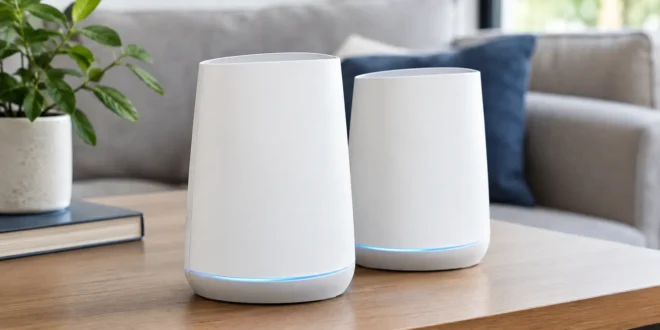

A weak Wi-Fi signal in the bedroom is annoying. A dropped video call in a home office, unreliable smart cameras, or a point-of-sale tablet losing connection is a bigger problem. That is the situation Netgear Orbi systems are designed to solve. This Netgear Orbi review looks past the premium packaging and big coverage claims to answer the practical question: does Orbi deliver enough performance and control to justify its higher price?
The short answer is yes for larger homes, demanding connected households, and small offices that need strong whole-building coverage without running a full enterprise wireless deployment. But the model matters. Orbi ranges from more affordable dual-band mesh kits to expensive Wi-Fi 7 systems with multi-gig ports, and the experience is not identical across the lineup.
Netgear Orbi Review: What It Gets Right
Orbi’s main strength is consistency. A conventional router can provide excellent speed in the same room, then fall apart through brick, plaster, floors, or several interior walls. An Orbi mesh kit uses a router and one or more satellites to place Wi-Fi capacity closer to the devices that need it.
Higher-end Orbi models typically use a dedicated wireless backhaul band between the router and satellites. That matters because a satellite that must use the same radio to communicate with both your devices and the main router can sacrifice usable throughput. With a dedicated backhaul, an Orbi satellite is more likely to deliver performance that feels close to being connected directly to the primary unit.
In practical use, this makes a difference for 4K streaming, video conferencing, cloud backups, gaming downloads, and homes with dozens of connected devices. The benefit is not just a higher speed-test result. It is fewer moments where a device stays attached to a distant access point even though a closer one is available.
Setup is another strong point. The Orbi app guides most users through connecting the router to the modem, naming the network, placing satellites, and updating firmware. For a typical home network, the process is considerably easier than configuring separate routers or business-grade access points.
Speed, Coverage, and Model Differences
Do not treat every Orbi system as interchangeable. Older and entry-level models can still improve coverage dramatically, but they may not have the port speeds, radio capacity, or backhaul design needed for a gigabit or multi-gig internet plan.
For many households, a Wi-Fi 6 Orbi system remains a sensible value. Wi-Fi 6 handles busy networks better than older Wi-Fi 5 equipment and supports current phones, laptops, TVs, and smart-home devices well. If your internet service is below 1 Gbps and your priority is reliable coverage rather than chasing maximum benchmarks, this tier can be enough.
Orbi Wi-Fi 6E and Wi-Fi 7 models make more sense in specific situations. Wi-Fi 6E adds access to the 6 GHz band, which can be cleaner than congested 5 GHz airspace, although only compatible devices benefit. Wi-Fi 7 systems add higher potential throughput, improved handling of modern clients, and, on many models, multi-gig Ethernet. They are the better fit for households with fast fiber, NAS storage, high-end PCs, or heavy simultaneous traffic.
Coverage claims also need a reality check. Manufacturers test in favorable conditions. A large open-plan house may be covered easily, while a smaller property with concrete walls, radiant heating, metal ductwork, or a detached office may need more thoughtful satellite placement. More satellites are not automatically better. Putting units too close together can create unnecessary overlap, while placing one at the far edge of an existing weak signal can limit its performance.
Wired Backhaul Changes the Equation
If Ethernet is available between floors or rooms, use it. A wired backhaul lets Orbi satellites communicate over cable instead of relying on wireless spectrum, improving stability and preserving wireless capacity for clients.
This is especially valuable for home offices and small businesses. A satellite placed near workstations, printers, security cameras, or a conference space can provide dependable local coverage without asking the mesh to push every packet through several wireless hops.
For a building that already has structured cabling, compare Orbi against a dedicated router plus wired access points. Orbi is easier to deploy and manage, but access-point ecosystems from business networking vendors often offer deeper controls, more predictable roaming settings, VLAN support, and easier long-term expansion. The right answer depends on whether simplicity or granular administration is the priority.
Management Is Simple, Not Deep
Netgear has made Orbi approachable for non-specialists, and that is a legitimate advantage. The app provides basic device visibility, guest networking, parental controls, firmware updates, and network health information. For a family or small team that does not have an IT administrator, this level of management is often enough.
The trade-off is limited advanced configuration compared with prosumer and enterprise platforms. Network professionals may want more detailed traffic insight, stronger VLAN segmentation, custom DNS controls, richer firewall policies, separate SSIDs for different device groups, and more control over radio behavior. Some settings are available through the web interface, but Orbi is not built to replace a managed switch, firewall, and business Wi-Fi platform.
That limitation matters if you are protecting sensitive business systems. A small office with staff laptops, guest devices, cameras, IoT equipment, and payment terminals should not assume that a consumer mesh system provides the segmentation required for every use case. Orbi can be an excellent coverage layer, but it may need to operate behind a proper firewall or in access point mode as part of a more deliberate network design.
Security Features and Subscription Costs
Most Orbi models support WPA3, guest networking, automatic firmware updates, and baseline protection features. Those are meaningful essentials, particularly when older routers are left unpatched for years. Keeping firmware current is one of the simplest ways to reduce exposure from known router vulnerabilities.
Netgear also promotes Armor, its optional security service, along with premium parental-control features in some packages. These services can be useful for households that want centralized device protection, alerts, and easier content controls. However, recurring subscription costs are a real downside.
Before buying, separate the functions you receive permanently from the functions tied to a trial or paid plan. A strong mesh system should remain useful without a subscription. If you already use endpoint security, DNS filtering, or a firewall with threat protection, you may not need to pay for overlapping services.
Who Should Buy an Orbi System?
Orbi is a good choice for users who want premium mesh Wi-Fi with minimal setup friction. It is particularly compelling for larger homes, multistory properties, households with many active devices, and small offices where stable roaming matters more than advanced network engineering.
It is less compelling for a small apartment, where a single quality router may cost less and perform just as well. It is also not the best fit for IT teams that need extensive VLANs, centralized fleet management, detailed diagnostics, or strict security segmentation. In those cases, a firewall plus managed switches and business access points is usually the more defensible investment.
Price is the final consideration. Orbi hardware often costs more than competing mesh systems, especially in the Wi-Fi 6E and Wi-Fi 7 categories. The premium is easier to justify when a cheaper system would require workarounds, extra extenders, or repeated troubleshooting. If your current pain is dead zones and inconsistent roaming, paying more once can be cheaper than repeatedly replacing inadequate equipment.
Final Verdict
Netgear Orbi remains one of the stronger mesh Wi-Fi choices when coverage, easy deployment, and high-end performance are the goal. Choose a model that matches your internet speed and device mix, use wired backhaul where possible, and do not pay for advanced capacity your network cannot use. The best Orbi setup is not necessarily the most expensive one. It is the one that removes the weak spots without adding complexity you will never manage.