 TechBlonhub A new digital technology era.
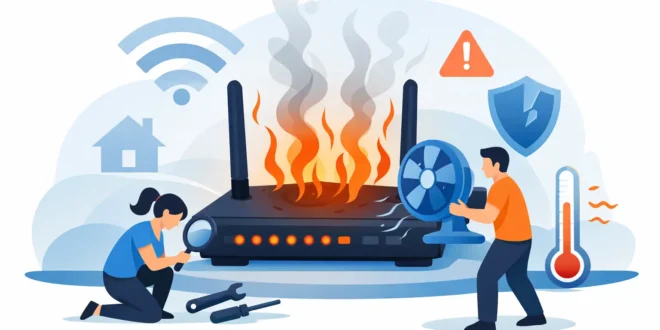

A router that feels hot to the touch is not just annoying – it is often the hidden reason behind random disconnects, slower speeds, and hardware failure that seems to come out of nowhere. If you have been asking, why is my router overheating, the answer usually comes down to airflow, workload, placement, age, or a hardware problem that is getting worse over time.
Most routers run warm. That part is normal. They are small computers with processors, memory, radios, and power circuitry packed into a compact plastic shell, often with limited cooling. What is not normal is excessive heat that causes crashes, Wi-Fi dropouts, frequent reboots, a burning smell, or a device that becomes too hot to handle comfortably. When that happens, heat is no longer a side effect. It is the problem.
Why is my router overheating in the first place?
The simplest explanation is that your router is generating more heat than it can get rid of. That can happen for a few different reasons, and sometimes more than one is happening at once.
Poor ventilation is the most common culprit. Many routers end up shoved behind a TV, inside a cabinet, under a desk, or stacked on top of another device. That traps heat around the casing and blocks the vents the router relies on to cool itself. Unlike a desktop PC, most home and small office routers do not have active fans. They depend on passive airflow, so placement matters more than people think.
Heavy network activity can also push temperatures up. If your router is handling dozens of devices, 4K streaming, online gaming, video calls, cloud backups, smart home traffic, and maybe a few security cameras at the same time, the internal components stay under load for longer periods. That does not always mean the router is faulty. It may simply be underpowered for the environment it is serving.
Power adapter issues are another overlooked cause. A failing or incorrect adapter can deliver unstable voltage, forcing the router to run inefficiently and produce more heat. This is especially common when someone replaces the original adapter with a spare that matches the plug but not the exact electrical requirements.
Then there is dust. It sounds minor, but dust buildup around vents and surfaces acts like insulation. Over time, it reduces heat dissipation and can turn a mildly warm device into one that overheats during normal use.
Finally, age matters. Older routers often run hotter because internal components degrade, thermal design becomes less effective compared with newer hardware, and firmware support may lag behind current traffic demands and security standards.
Signs your router is too hot, not just warm
A lot of people do not act until the internet cuts out repeatedly. By then, the heat issue may already be shortening the router’s lifespan.
A router that is overheating often shows performance symptoms before complete failure. You may notice Wi-Fi that slows down dramatically after a few hours of use, then improves after a reboot. The device may restart on its own, disconnect specific bands such as 5 GHz, or lose range in rooms that used to have stable coverage. In some cases, the casing feels much hotter on one side or near the bottom where the processor sits.
If there is a sharp plastic smell, visible discoloration, or the adapter is also unusually hot, stop using it until you inspect the setup. Heat problems can become electrical problems.
Where you place the router matters more than most people realize
If you want the fastest fix, start with location. It is the one factor that causes a huge share of overheating complaints.
Routers need open space around them. Putting one inside a media cabinet with a game console, set-top box, and modem creates a heat pocket. Placing it on carpet is also a bad idea because carpet traps heat and can block vents on the underside. Stacking a router directly on top of a modem, NAS, or mini PC is another classic mistake. Each device heats the other.
The better move is to place the router upright if the design allows it, or flat on a hard surface with a few inches of clearance around all sides. Keep it out of direct sunlight and away from radiators, heating vents, and windows that get strong afternoon heat. A central location is good for Wi-Fi coverage, but it also needs airflow.
Why is my router overheating under heavy use?
Sometimes the answer is simple: your network has outgrown your router.
An entry-level router might be fine for a small apartment with a handful of devices. It is a different story in a home office, a family household full of smart devices, or a small business running VoIP phones, cameras, cloud apps, and guest Wi-Fi. Under sustained load, budget hardware can run hot and unstable because the CPU and wireless radios are constantly working near their limits.
This is where context matters. Overheating does not always mean the router is defective. It may mean the hardware class no longer matches the job. If performance drops every evening when everyone gets online, or only during file transfers and streaming spikes, heat may be the symptom of under-spec’d equipment.
A newer router with better thermal design, Wi-Fi 6 or Wi-Fi 6E support, and more capable internals can solve both heat and performance issues at the same time. That is not always the cheapest answer, but it is often the right one if the current device is several years old.
Firmware and software can contribute too
Not every overheating issue is physical. Firmware bugs can cause high processor usage, memory leaks, or repeated background tasks that make the router run hotter than it should.
If your router recently started overheating after a settings change or after enabling advanced features such as QoS, VPN, parental controls, traffic analysis, or intrusion detection, those features may be adding enough overhead to stress the hardware. This is especially true on consumer routers that advertise enterprise-style features but do not have the processing headroom to run them well.
Check whether a firmware update is available from the manufacturer. If the overheating appeared right after an update, look for reports from other users or consider rolling back if the device supports it. Also review which features are turned on. You may not need everything enabled at once.
What you should do right now
Start with the easy fixes before you assume the router is dying. Power it down, unplug it, and let it cool. Move it to a better-ventilated spot. Clean the vents gently with compressed air or a soft brush. Make sure the power adapter is the original one or an exact replacement with the correct voltage and amperage.
Once it is back on, monitor how it behaves over the next day or two. If it stays cooler and the connection stabilizes, the problem was likely environmental. If it still runs excessively hot with light usage in a well-ventilated area, the issue is more likely internal.
For heavier-use environments, reduce unnecessary load where possible. Disable features you do not use, remove abandoned devices from the network, and check whether one device is consuming abnormal bandwidth or generating constant traffic. Security cameras, backup jobs, and infected devices can create steady load that keeps the router hot all day.
If you manage a small business or advanced home network, it may also be worth separating duties. Using dedicated access points, a business-grade gateway, or a mesh system with better thermal performance can reduce strain on a single all-in-one router.
When overheating means it is time to replace the router
There is a point where troubleshooting becomes false economy. If the router is old, unstable, and consistently overheating even after cleaning, relocating, updating firmware, and checking the power supply, replacement is the smart move.
This is even more true if the device has started throttling performance, dropping clients regularly, or rebooting under normal traffic. Excessive heat accelerates wear on internal components, especially capacitors and radio modules. Once that process starts, reliability usually keeps getting worse.
For buyers, this is where practical decision-making matters. Do not just replace the router with the cheapest model on the shelf. Think about the device count, internet speed, building size, and whether you rely on low-latency applications like video conferencing, cloud tools, gaming, or cameras. Choosing hardware with enough headroom reduces both heat stress and future frustration.
A quick word on cooling accessories
Cooling pads and USB fans can help in some setups, but they are not a real fix for a badly placed, failing, or undersized router. If airflow is the only problem, a small fan may lower temperatures enough to improve stability. But if the router is overheating because of internal degradation or sustained overload, an external fan is just buying time.
That trade-off matters. A fan is cheap and useful in a pinch. It is not a substitute for appropriate hardware.
Heat is one of those networking problems people ignore until the internet starts falling apart. If your router is running hotter than usual, treat it as an early warning, not a minor quirk. A cooler router usually means a more stable network, and a more stable network means fewer interruptions when work, security, and everyday connectivity actually matter.





