 TechBlonhub A new digital technology era.
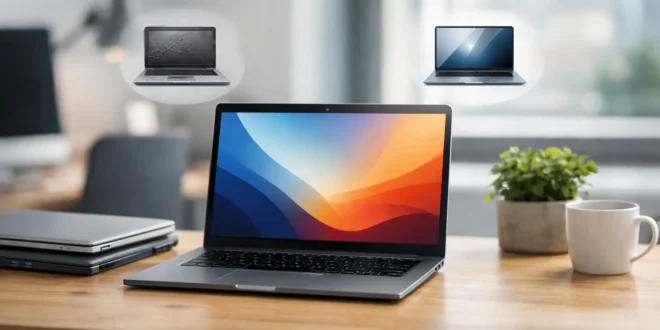

A three-year-old business laptop can still outperform a brand-new budget notebook. That is why the question, are refurbished laptops worth buying, is less about age and more about condition, specifications, support, and seller accountability. Buy the right model from the right source, and you can get a capable machine for hundreds less. Buy carelessly, and the low price can turn into a failing battery, limited software support, or a device with an unclear history.
For students, remote workers, developers, and small business buyers, refurbished laptops can be one of the smartest hardware purchases available. The savings are real, but they only matter if the laptop will reliably handle the work you need it to do for the next several years.
Are Refurbished Laptops Worth Buying? The Short Answer
Yes, refurbished laptops are worth buying when they come from a reputable refurbisher, include a meaningful warranty, and meet current performance and security requirements. They are especially strong value for productivity work, web-based business tools, school, coding, light creative work, and general office use.
They are less compelling when you need the newest CPU and GPU performance, exceptional battery life, specialized ports, or a machine that must remain under manufacturer support for many years. A refurbished laptop is not automatically a bargain just because it costs less. A 2018 model with an aging battery and no Windows 11 support can be a false economy, even at a steep discount.
The best deals are often former corporate systems. Business lines such as Lenovo ThinkPad, Dell Latitude, and HP EliteBook are designed for frequent use and are typically easier to service than entry-level consumer laptops. Their keyboards, chassis, cooling systems, and parts availability tend to hold up better after a lease cycle.
Refurbished, Used, and Open-Box Are Not the Same
Retail listings often blur these terms, but the difference affects risk. A used laptop is generally sold as-is after previous ownership. It may work perfectly, but the seller may not have tested every component, replaced worn parts, or securely erased the storage drive.
A refurbished laptop should have been inspected, cleaned, tested, and restored to working condition. Depending on the seller, that process may include replacing the battery, SSD, charger, keyboard, screen, or damaged casing. The catch is that “refurbished” is not a universal technical standard. One seller may run diagnostics and replace faulty hardware, while another may simply wipe the drive and call it renewed.
Open-box units are usually customer returns or display models with minimal use. They can be excellent buys, but they are often priced closer to new models. If the discount is small, the full manufacturer warranty on a new laptop may be worth more.
Where the Real Savings Come From
Laptop depreciation is fast, particularly in business fleets. Organizations regularly replace hundreds or thousands of laptops after three or four years, even when those systems remain fully capable. Refurbishers acquire those devices in volume, test them, and resell them at a lower price point.
That creates a sweet spot for buyers who do not need the newest generation of hardware. A recent Intel Core i5 or AMD Ryzen 5 laptop with 16GB of RAM and a 512GB SSD is still more than sufficient for Microsoft 365, browser-heavy work, video calls, accounting platforms, network management dashboards, and many development environments.
The savings can also allow you to buy a better class of laptop. Instead of a new plastic-bodied budget model with 8GB of memory and a low-resolution display, the same budget may buy a refurbished business laptop with 16GB of RAM, a better keyboard, a higher-quality screen, and stronger port selection. For IT professionals who still need Ethernet adapters, USB-A ports, HDMI, or docking capability, that difference is practical, not cosmetic.
What to Check Before You Buy
The model year matters, but the actual specifications matter more. Start with the processor, memory, storage, screen, battery condition, operating system support, and warranty. Do not rely only on a listing title such as “Core i7 laptop.” A much older Core i7 can be slower and less efficient than a newer Core i5.
For most buyers, aim for a system with at least 16GB of RAM and an SSD rather than a mechanical hard drive. An SSD has a major effect on startup times, application loading, and everyday responsiveness. Memory can sometimes be upgraded later, but many thin laptops have soldered RAM, so verify the configuration before ordering.
Windows 11 compatibility deserves special attention. A laptop that cannot officially run a supported operating system may become a security and management headache. Check that the device supports Windows 11, has TPM 2.0 capability, and receives current driver and firmware updates. This matters even more for small businesses handling customer data, employees using remote access, or anyone connecting to corporate systems.
Battery health is the most common compromise. Batteries degrade with age regardless of how lightly a laptop was used. Some refurbished sellers install new batteries, while others guarantee only that the battery holds a minimum charge. If you work mainly at a desk, this may be acceptable. If you travel, attend classes, or depend on all-day mobility, ask for the battery policy and factor a replacement into the total cost.
Also inspect the condition grade, but treat it as a cosmetic guide rather than a complete quality score. “Grade A” may mean only minor wear, while “Grade B” can include visible scratches or shine on the keyboard. Read the seller’s definition and look for photos of the actual unit when possible.
The Warranty Is Part of the Product
A refurbished laptop without a warranty is a gamble. A short return window may catch obvious faults, but intermittent issues with charging, Wi-Fi, overheating, ports, or the display can appear after several weeks.
Look for at least a 90-day warranty, with one year being the more reassuring option for a primary work machine. Read what is covered. Some policies exclude batteries, chargers, accidental damage, or cosmetic concerns. Confirm who handles returns and repairs, how shipping costs work, and whether you will receive a repair, replacement, or store credit.
For a business purchase, documentation matters too. Keep the invoice, serial number, warranty terms, and any licensing records. If you are deploying several laptops, buy matching models where possible. Standardized hardware makes driver management, docks, spare chargers, accessories, and troubleshooting easier.
When Buying New Makes More Sense
Refurbished is not always the best answer. If you need AI-assisted creative workloads, 3D rendering, modern gaming, large local virtual machines, or demanding video production, current hardware may deliver enough performance and efficiency to justify the higher price.
New may also be the better move if the refurbished discount is weak. A model priced only 10% to 15% below a comparable new laptop gives you little financial room for an older battery, less remaining support life, and possible cosmetic wear. In that situation, a new system with a full warranty is usually the safer long-term investment.
Mac buyers should be particularly selective. Apple Silicon models generally offer strong performance and battery efficiency, but storage and memory are not upgradeable. Verify the exact chip, RAM, storage capacity, activation status, battery health, and support eligibility. Older Intel-based Macs can still suit basic work, but their remaining software lifespan and value proposition require closer scrutiny.
A Smart Refurbished Laptop Buying Checklist
Before placing an order, confirm these details in the product description or directly with the seller:
- Exact processor generation, not just the processor family
- At least 16GB of RAM for work, school, development, or multitasking
- SSD capacity that fits your files and applications, ideally 512GB or more for many users
- Official Windows 11 support and current security updates
- Battery condition or a clear battery replacement policy
- A tested charger, working webcam, Wi-Fi, keyboard, ports, and display
- A return period and written warranty with understandable terms
- No device-management lock, BIOS password, activation lock, or missing operating system license
Once the laptop arrives, test it immediately. Run system updates, check battery reporting, connect to Wi-Fi and Bluetooth, test every port, verify the webcam and microphone, and watch for fan noise or display flickering. For a work device, encrypt the drive, create a standard user account for daily use, and install endpoint protection before signing into sensitive services.
A refurbished laptop earns its value when the seller has removed uncertainty, not merely reduced the price. Focus on supportable hardware, warranty coverage, and the performance your real workload demands, and the money you save can go toward better storage, a quality monitor, a backup drive, or stronger security for the rest of your setup.





