 TechBlonhub A new digital technology era.
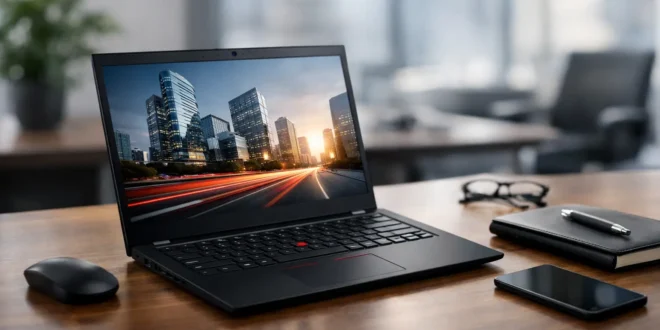

A premium business laptop has to earn its price every time you open it in an airport, a client meeting, or a crowded office. This Lenovo ThinkPad X1 review looks at whether Lenovo’s flagship ThinkPad line still delivers the practical advantages that matter: a great keyboard, serious mobility, dependable security, and enough performance for demanding daily work.
The short answer is yes, with one major caveat: the X1 is built for people who value portability and workplace reliability more than maximum performance per dollar. If your workday involves documents, browser-heavy research, remote administration, coding, video calls, and travel, it remains one of the safest premium Windows laptop choices. If you need a workstation for heavy rendering, local AI models, or serious gaming, the premium is harder to justify.
Lenovo ThinkPad X1 Review: Who Should Buy It?
The ThinkPad X1 family includes several models, though the X1 Carbon is the version most buyers mean when they say “ThinkPad X1.” It is Lenovo’s ultra-portable executive and business machine, designed to be light enough for daily travel without feeling fragile or compromised.
It makes particular sense for IT managers standardizing a fleet of mobile laptops, developers who spend long days typing and working in terminals, consultants, and business owners who need a machine that travels well and presents professionally. The X1 is also a strong option for students in technical fields who can afford the higher initial cost and want a laptop that can last through years of daily use.
Buyers should be careful not to treat every X1 configuration as identical. Processor generations, display panels, battery sizes, wireless options, and port selections change from one release to the next. A discounted older model may still be a smart purchase, but only if its memory, battery condition, and connectivity meet your needs.
Design and Build Quality Still Set the Standard
The X1’s biggest strength is not a benchmark score. It is the way the laptop feels in actual use. Its lightweight carbon-fiber and magnesium construction makes carrying it noticeably easier than many 14-inch business laptops, while the understated black chassis looks appropriate in almost any work environment.
ThinkPads have a reputation for durability, and the X1 generally lives up to it. The chassis is resistant to flex, the hinge feels controlled, and the lid is built to handle the minor abuse of backpacks and commuter travel. It is not indestructible, but it inspires more confidence than many thin consumer laptops with glossy finishes and shallow hinges.
The practical trade-off is that the familiar ThinkPad finish can show fingerprints, particularly on darker models. That is a small issue, but it is worth knowing if you care about keeping a client-facing laptop pristine.
The keyboard remains a genuine advantage
For writers, developers, analysts, and administrators, the ThinkPad keyboard is a major reason to buy an X1. Key travel is typically deeper and more precise than what you get on many ultra-thin laptops. Long reports, spreadsheets, command-line sessions, and email-heavy work feel less tiring.
Lenovo also retains the TrackPoint pointing stick and dedicated mouse buttons. Some users never touch it; experienced ThinkPad users often consider it essential. It lets you move the pointer without taking your hands off the keyboard, which is surprisingly useful when editing documents or working through technical tasks.
The touchpad is responsive and large enough for modern Windows gestures, though it is not always the largest in its class. That is an intentional compromise to preserve the physical TrackPoint buttons.
Display, Webcam, and Collaboration Features
Display quality depends heavily on configuration. Lower-cost panels are usually fine for office work, while higher-resolution and OLED options provide stronger contrast, deeper blacks, and a more premium visual experience. For long days in documents and browser windows, a bright matte display is often the better business choice because it reduces glare in offices and airports.
OLED can be appealing for presentations, media work, and anyone who simply wants a better screen. However, it can reduce battery life, and some buyers may prefer the lower power draw and text clarity of a quality IPS panel. If you work mostly with spreadsheets and remote desktop windows, paying extra for OLED may not be the most useful upgrade.
Newer X1 models have improved camera quality, microphones, and AI-assisted framing or noise reduction. These features are useful, but they should not decide the purchase alone. A good webcam matters for hybrid work, yet network quality, lighting, and a reliable headset still have a bigger effect on how professional you sound in a meeting.
Performance Is Fast Enough, Not Workstation-Class
Modern ThinkPad X1 configurations generally deliver excellent performance for productivity workloads. Office applications, dozens of browser tabs, video conferencing, cloud dashboards, basic photo editing, and mainstream development tools run comfortably when the laptop is configured with enough memory.
For most business buyers, 16GB of RAM should be the starting point. Since memory is commonly soldered and cannot be upgraded later, 32GB is the wiser choice for developers, virtual machine users, data analysts, and anyone who keeps large applications open all day. Paying for more memory at purchase can extend the useful life of the laptop far more than paying for a minor processor upgrade.
Integrated graphics are the limiting factor. They are fine for multiple external displays, light creative work, and casual games, but they are not meant for CAD-heavy workflows, advanced 3D work, or GPU-accelerated AI tasks. Those users should look at a mobile workstation or a laptop with dedicated graphics.
Thermals are generally well managed for an ultra-portable machine, though sustained workloads can make the fan audible and reduce peak performance. That is normal in a laptop built around low weight. The X1 prioritizes quiet, portable productivity over the sustained output of a thicker performance notebook.
Ports, Wireless, and Security Matter More Than Specs Alone
Business usability is where the ThinkPad X1 earns much of its premium. Most versions include a practical mix of USB-C or Thunderbolt ports, USB-A, HDMI, and a headphone jack. That means fewer adapters for conference-room displays, external drives, and older accessories.
The exact port layout varies by generation, so check the model rather than assuming every X1 has the same connections. For desk-based work, Thunderbolt support is especially valuable because a single compatible dock can handle charging, networking, monitors, keyboards, and storage.
Wireless performance is also a key part of the package. Newer models support current Wi-Fi standards and often offer optional cellular connectivity. For people who work from client sites or travel between unreliable public networks, built-in 5G can be more than a convenience. It can reduce dependence on unsecured Wi-Fi hotspots, though it adds ongoing carrier costs.
Security features are similarly practical rather than flashy. Depending on the configuration, you may get a fingerprint reader, facial recognition, a webcam privacy shutter, TPM-based protection, and enterprise management support. These do not replace security policy, endpoint protection, or employee training, but they make secure habits easier to maintain.
Battery Life and the Cost of Going Premium
Battery life is good enough for a full mobile work stretch on a sensible display and power profile, but it varies sharply with screen choice, brightness, video calls, and workload. Expect less endurance from high-resolution OLED models and more from lower-power IPS configurations. Anyone promising a single battery number for every ThinkPad X1 is oversimplifying the purchase.
The bigger concern is price. A well-configured X1 can cost substantially more than a consumer ultrabook with similar processor and memory specifications. You are paying for the keyboard, light weight, business-grade support options, security tools, docking ecosystem, and ThinkPad’s proven design language.
That value is real when downtime is costly. For a freelancer, small business owner, or IT team, a laptop that is comfortable to use, easy to dock, and less likely to become a daily frustration can justify the premium. For a buyer who only needs web browsing, streaming, and occasional documents, it is overkill.
Is the ThinkPad X1 Worth Buying?
The ThinkPad X1 remains a top-tier choice for mobile professionals who want a Windows laptop designed around work instead of marketing spectacle. Its keyboard, build quality, security features, and portability are meaningful advantages, not minor spec-sheet decorations.
Choose a configuration with at least 16GB of RAM, prioritize 32GB for technical workloads, and select the display based on where and how you work. A matte IPS screen and a practical dock may deliver more day-to-day value than chasing the highest-resolution panel. The right ThinkPad X1 is not the cheapest laptop you can buy, but it may be the laptop that stays out of your way long enough to prove its worth.





