 TechBlonhub A new digital technology era.
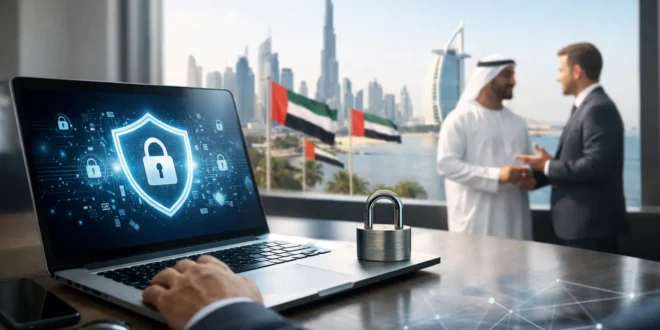

A single stolen Microsoft 365 password can give an attacker access to invoices, customer records, supplier conversations, and payment approvals in minutes. For a growing business, the financial damage is serious, but the interruption to operations and trust can hurt just as much. This beginner’s guide to cybersecurity for UAE companies focuses on the controls that make the biggest practical difference first – without assuming you have an enterprise-sized IT team or budget.
Start With the Risks Your Business Actually Has
Cybersecurity is not a shopping list of expensive products. It is the process of reducing the chances that a real threat can disrupt your company, steal data, or trigger fraud. The right starting point depends on what your business holds and how it operates.
A retail company with point-of-sale systems, an engineering firm sharing project drawings, and a professional-services business processing personal information face different risks. However, most UAE companies should assume they are targets for phishing, business email compromise, ransomware, exposed cloud accounts, and attacks against poorly maintained network equipment.
Begin by listing your most important assets: business email, accounting platforms, customer databases, employee devices, cloud storage, websites, payment systems, Wi-Fi networks, and backups. Then ask three direct questions: What would happen if this became unavailable? What would happen if it was leaked? Who has the power to access or change it?
That exercise identifies priorities faster than buying tools based on marketing claims. If your finance team can release payments from email instructions alone, for example, a payment-verification process may be more urgent than another endpoint license.
The Beginner’s Guide to Cybersecurity for UAE Companies: First Controls
For most small and midsize organizations, four foundational controls prevent a large share of common incidents:
- Multi-factor authentication (MFA) for email, cloud applications, administrator accounts, VPNs, and financial systems.
- Prompt patching for laptops, servers, phones, firewalls, routers, access points, and business applications.
- Reliable backups that are separated from day-to-day systems and tested for restoration.
- Security awareness training built around real phishing, password, and payment-fraud scenarios.
MFA should be non-negotiable. A password is easily phished, reused, guessed, or exposed in a third-party breach. MFA adds a second proof of identity, such as an authenticator app or hardware security key. SMS codes are better than passwords alone, but app-based authentication is generally the stronger default because phone-number takeover attacks do happen.
Patching is less glamorous, yet neglected updates create an open door. Keep an inventory of devices and software, assign someone ownership of updates, and define a schedule. Critical internet-facing vulnerabilities deserve immediate attention. Less urgent patches can be rolled into a planned maintenance window, provided the delay is intentional and documented.
Backups deserve more scrutiny than many companies give them. A backup stored permanently on the same network can be encrypted by ransomware along with the original data. Keep at least one protected or offline copy, restrict who can delete backups, and test recovery. A successful backup job is not proof that a file, server, or cloud account can be restored when it matters.
Secure Identity Before Buying More Hardware
Email and identity platforms are usually the control center of a modern business. When an attacker compromises one account, they can impersonate an executive, reset passwords for other services, search mailboxes for banking details, and send phishing messages from a trusted address.
Use unique passwords stored in a business password manager. Remove shared user accounts wherever possible, especially for finance, administration, and IT functions. Give each employee only the permissions needed for their role, then review those permissions when people change jobs or leave the business.
Administrators need extra protection. Separate admin accounts from everyday email accounts, require stronger MFA, and avoid using privileged credentials for routine browsing. This adds a little friction, but it sharply limits the damage from a compromised employee laptop.
Also establish an offboarding checklist. Disable accounts, revoke active sessions, recover company devices, remove access to shared folders and software, and rotate passwords for any accounts that cannot be assigned individually. A rushed departure is a common place for access gaps to survive unnoticed.
Protect the Network, Devices, and Remote Work
A basic office network should not put every device in the same digital room. Separate guest Wi-Fi from business systems. If possible, place cameras, printers, smart displays, and other connected devices on a separate network or VLAN. These devices often receive inconsistent updates and should not have unrestricted access to employee computers or servers.
Your firewall should be actively managed, not simply installed and forgotten. Change default credentials, disable services you do not use, apply firmware updates, and review remote-management settings. Remote access should use a secure VPN or a tightly controlled zero-trust access service, protected by MFA. Never expose remote desktop services directly to the internet unless there is a highly specific, well-managed reason.
Every company laptop needs full-disk encryption, automatic screen locking, supported operating systems, and centrally managed endpoint protection. Endpoint detection and response tools can provide deeper visibility than traditional antivirus, but the better choice depends on your team. A powerful platform that nobody monitors is weaker than a simpler tool with clear alerts and defined ownership.
For hybrid staff, define what is permitted on personal devices. Allowing unmanaged personal laptops to download customer files may be convenient, but it reduces visibility and makes data removal harder. If bring-your-own-device access is necessary, use mobile-device management, application controls, or browser-based access that keeps sensitive files out of local storage where practical.
Make Phishing Resistance Part of Daily Operations
Most successful attacks do not begin with sophisticated code. They begin with a believable request: a fake supplier invoice, a shared-document notification, a password-expiry alert, or a message that appears to come from a senior executive.
Training should be short, regular, and relevant to each team. Finance staff need to recognize altered bank details and urgent payment requests. HR teams need to treat resumes and payroll documents carefully. Executives need to understand that their names and public profiles are frequently used in impersonation scams.
Create one simple reporting route for suspicious messages, such as a dedicated mailbox or a button in the email client. Staff should be praised for reporting potential phishing, even when the message turns out to be harmless. Silence gives attackers more time.
For payment changes, require an independent verification step. If a supplier emails revised bank details, call a known number already held in your records. Do not use the phone number supplied in the email. This process can stop a costly business email compromise attack even after a convincing message reaches an employee.
Know Your Data and Your UAE Compliance Duties
Cybersecurity and privacy are connected but not identical. Security protects systems and information from unauthorized access, loss, and disruption. Privacy rules govern how personal data is collected, used, retained, and shared.
UAE businesses should understand the UAE Personal Data Protection Law and any rules that apply to their operating environment or sector. Companies operating in financial free zones may also have separate obligations, including DIFC or ADGM data-protection requirements. Healthcare, financial services, telecom, and government-related organizations can face additional expectations.
Do not treat compliance as a folder of policies written once a year. Map the personal data you collect, identify why you need it, limit access, set retention periods, and document your vendors. A payroll provider, CRM vendor, cloud-storage platform, managed IT provider, and marketing tool may all process sensitive business or customer information.
If you work with customers or partners outside the UAE, contractual requirements may be as important as local law. The practical lesson is straightforward: understand where your data is stored, who can access it, and what your providers will do if an incident occurs.
Build an Incident Plan Before You Need One
When ransomware, account takeover, or a data leak occurs, confusion is expensive. A short incident-response plan gives your team a starting point. It should name the people who can make decisions, explain how to isolate affected devices, identify who contacts your IT provider or legal adviser, and state how employees and customers will be informed if necessary.
Practice a small scenario once or twice a year. For example: the finance director reports a suspicious login, a shared drive is suddenly encrypted, or a customer says they received an unusual email from your domain. The goal is not a perfect simulation. It is finding missing phone numbers, unclear decision rights, and backups that cannot be restored quickly enough.
Cyber insurance may help with recovery costs, specialist support, and business interruption, but it is not a substitute for controls. Insurers often require MFA, backups, patching, and documented processes. Review exclusions carefully, particularly around funds-transfer fraud and incidents caused by third-party providers.
Turn Security Into a Manageable Routine
The best cybersecurity program is one your company can sustain. Assign ownership, keep a simple risk register, review critical access every quarter, test backups, and measure whether key controls are actually active. As your organization grows, you can add centralized logging, vulnerability scanning, managed detection services, and formal vendor-risk reviews.
Start with the account that could authorize a payment, the backup that would save your operations, and the device exposed to the internet. A few disciplined decisions this month can prevent the kind of incident that forces a business to learn cybersecurity the hard way.





