 TechBlonhub A new digital technology era.
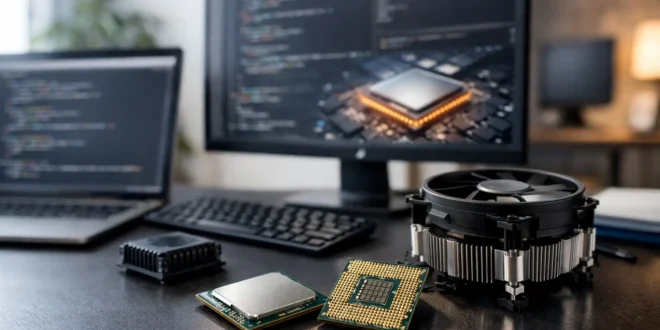

A slow build is not just an annoyance. It breaks concentration, delays testing, and turns a simple context switch into a coffee break. The best CPUs for coding are not automatically the chips with the highest core counts or the biggest benchmark scores. They are the processors that fit the way you actually build, test, run containers, and work across multiple projects.
For most developers, a modern midrange desktop or laptop CPU is already more than capable for editing code. The difference appears when your workflow adds large compilations, local databases, Docker containers, virtual machines, Android emulators, AI tools, or 4K displays packed with browser tabs. Buy for those workloads, not for the word processor running beside your IDE.
What Makes a CPU Good for Coding?
Coding is a mixed workload. Writing Python scripts, JavaScript applications, or small websites places very little sustained pressure on a current processor. Compiling a major C++, Rust, Java, or Android project is different: build systems can spread work across many cores, so extra threads reduce wait times. Running several services locally does the same.
Single-core performance still matters. Your editor, language server, debugger, operating system, and many test tasks depend on fast individual cores. A balanced chip with strong single-core speed and enough cores for parallel work is usually a smarter choice than a bargain processor with many slow cores.
Memory capacity matters almost as much as the CPU. A developer using Docker, a Linux virtual machine, an IDE, a database, and a dozen browser tabs can exhaust 16GB faster than expected. Plan for 32GB as the practical baseline for professional development and 64GB for frequent VM use, large data projects, or local AI development. Check memory support and motherboard or laptop upgrade options before choosing a processor.
Best CPUs for Coding by Developer Workload
AMD Ryzen 7 9700X: Best balanced desktop choice
The Ryzen 7 9700X is an excellent fit for developers who want a fast desktop without paying workstation-level prices. Its eight cores and 16 threads provide plenty of capacity for mainstream web, backend, mobile, and software development, while its strong per-core performance keeps everyday editing and debugging responsive.
This is the sensible choice for a developer who compiles projects regularly but does not run several heavy virtual machines all day. It also leaves budget for the parts that influence the total experience: 32GB or 64GB of fast memory, a large NVMe SSD, and a quiet cooler. Coding should not require a loud system under a routine build.
AMD Ryzen 9 9950X: Best for heavy compiling and local services
The Ryzen 9 9950X has 16 cores and 32 threads, making it a serious option for engineers whose workstation is constantly busy. It suits large C++ or Rust codebases, frequent full builds, CI testing at home, container-heavy backend work, and development environments with several databases and services running at once.
It is also a strong answer for full-stack developers who compile code while using local AI models or running video, design, and data tools. The trade-off is straightforward: it costs more, draws more power under sustained loads, and needs a capable cooler. If your builds are brief and you rarely use VMs, much of that processing capacity will sit idle.
Intel Core Ultra 7 265K: Best Intel desktop option for developers
Intel’s Core Ultra 7 265K offers a capable mix of performance and efficiency cores. That design works well when a system must remain responsive while background builds, test suites, containers, and communication apps compete for processor time. It is a good option for developers who prefer an Intel desktop platform or also need a powerful general-purpose PC for media work.
Pay attention to the full platform cost. CPU pricing alone does not determine value, and motherboard, memory, cooling, and power requirements can change the final build price. On Linux, confirm that your chosen distribution and kernel are current enough to handle newer hybrid CPU scheduling properly.
Apple M4 Pro: Best CPU for coding on a Mac laptop
For developers who work in macOS, the Apple M4 Pro is a compelling mobile choice. It delivers fast everyday performance, excellent battery life, and enough multicore power for Xcode builds, mobile development, web development, and container-based work designed for Apple silicon. It is especially logical for iOS and macOS developers because the required Apple toolchain runs natively.
The limitation is upgradeability. Apple laptops require you to choose memory and storage at purchase, so underbuying is expensive. A configuration with at least 24GB of unified memory is safer for serious development, while 48GB or more makes sense for multiple containers, emulators, and demanding creative workloads. Also verify whether every dependency, container image, or legacy tool your team uses supports ARM architecture.
AMD Ryzen Threadripper 7970X: Best workstation CPU for extreme parallel work
The Ryzen Threadripper 7970X is not a normal coding recommendation, and that is precisely the point. With 32 cores and workstation-class platform capabilities, it is for engineers who compile massive projects, run a personal lab with numerous VMs, test distributed systems locally, or combine development with rendering, simulation, and data processing.
The CPU is expensive, but the real investment includes the workstation motherboard, ECC-capable memory, cooling, and higher-power platform. A Threadripper system is justified when waiting on compute directly costs money or slows an engineering team. For typical application development, a Ryzen 9 system delivers a far better return.
Desktop or Laptop: Pick the Work Style First
A desktop gives you more sustained performance, lower cost per core, easier repairs, and meaningful upgrade paths. It is the better choice for developers who work primarily from one location, run multiple VMs, or need lots of storage. A well-configured desktop with a Ryzen 7, Ryzen 9, or Core Ultra CPU can remain productive for years.
A laptop is the better tool when mobility matters, but CPU names do not tell the entire story. Two laptops with the same processor can perform very differently because of cooling, power limits, chassis size, and memory configuration. Thin systems may reduce clock speeds during a long compile, while a larger performance laptop can hold higher performance for longer.
For a coding laptop, prioritize 32GB of RAM, a 1TB SSD, a comfortable keyboard, and strong battery life before chasing the fastest available CPU. The processor only helps if the rest of the machine lets you work efficiently.
Build a Development PC Around the CPU
The CPU is one component of a development workstation, not the whole answer. Pair it with an NVMe SSD that has enough room for repositories, package caches, container images, virtual disks, and local databases. A nearly full drive can turn updates and builds into a frustrating bottleneck.
Avoid buying based on core count alone. Four fast modern cores can handle introductory programming and small web projects comfortably. Eight cores are the sweet spot for many working developers. Sixteen or more cores become worthwhile when compilation, virtualization, parallel testing, or compute-intensive side work is a frequent part of the job.
Also consider your deployment environment. If production runs on Linux x86 servers, an x86 development machine can eliminate architecture-related surprises. If you build iPhone apps, a Mac is not optional. If you are learning cybersecurity or infrastructure administration, prioritize memory and virtualization support over premium gaming performance.
The right processor should make waiting disappear from the parts of development you repeat every day. Choose the CPU that fits your largest regular workload, allocate enough budget for memory and storage, and spend the saved time building instead of watching a progress bar.





