 TechBlonhub A new digital technology era.
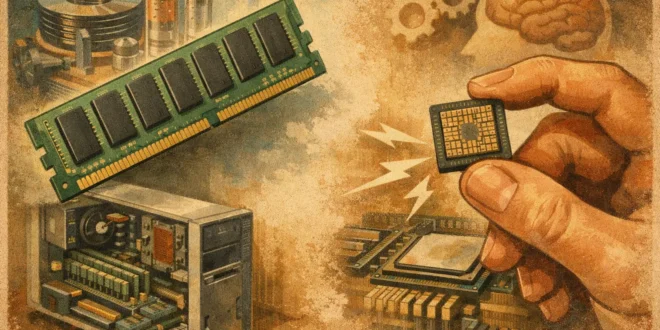

If you are comparing CPUs, laptops, or servers, the difference between RAM and cache is one of those details that can quietly shape performance and buying decisions. Get this wrong, and it is easy to overvalue a big RAM number or assume more cache always means a faster system. In reality, they solve different problems, sit in different places, and affect performance in very different ways.
What is the difference between RAM and cache?
The short version is simple. RAM is the computer’s main working memory, while cache is a much smaller and much faster memory located much closer to the CPU.
RAM holds the data and programs your system is actively using. When you open a browser, edit a spreadsheet, run a virtual machine, or launch a game, that workload typically lives in RAM while it is active. Cache, on the other hand, stores small chunks of frequently needed data and instructions so the processor can grab them with as little delay as possible.
That means cache exists to reduce waiting time for the CPU. RAM exists to give the system enough space to work with active tasks. Both improve performance, but they do it in separate ways.
Why cache is faster than RAM
Cache wins on speed because of where it lives and how it is designed. In most systems, cache is built directly into the CPU die or placed extremely close to the cores. RAM sits farther away on memory modules connected through the motherboard.
Physical distance matters in computing. So does design tradeoff. Cache uses very fast memory technology, but it is expensive and takes up valuable chip space. That is why CPUs only include a limited amount of it. RAM is slower, but it is much cheaper and easier to add in larger capacities.
This is also why you will see cache measured in megabytes and RAM measured in gigabytes. A desktop might have 16GB or 32GB of RAM, while a CPU may have 16MB, 32MB, or 64MB of cache. Those numbers are not meant to compete directly.
How RAM and cache work together
Think of the CPU as someone doing fast, repetitive work at a desk. Cache is the set of tools and notes kept within arm’s reach. RAM is the nearby filing cabinet. Storage, such as an SSD, is the larger archive room farther away.
When the CPU needs data, it checks cache first. If the needed data is already there, called a cache hit, the processor can move forward quickly. If not, called a cache miss, it has to fetch the data from RAM, which takes longer. If the data is not in RAM either, the system may have to pull it from storage, which is much slower again.
That chain explains why systems feel snappy or sluggish under different conditions. Cache helps on the micro level by speeding up repeated CPU access. RAM helps on the workload level by keeping active applications ready without constant trips to storage.
The main types of cache
To understand the difference between RAM and cache in practical terms, it helps to know that CPU cache is usually split into levels.
L1 cache
L1 is the smallest and fastest cache. Each CPU core typically has its own L1 cache. It handles the most immediate and frequently accessed instructions and data.
L2 cache
L2 is larger than L1 and a bit slower, but still far faster than RAM. It acts as a secondary fast-access layer when data is not found in L1.
L3 cache
L3 is larger again and often shared across multiple cores. It is slower than L1 and L2, but still much faster than system RAM. In multicore processors, a larger L3 cache can help with workloads that bounce data between cores or repeatedly access the same working set.
Some high-end chips also use more advanced cache layouts, but for most buying decisions, L1 through L3 are the key layers to understand.
What RAM actually affects
RAM capacity has the biggest impact when your system runs several active tasks at once or handles memory-heavy software. If you regularly work with large datasets, dozens of browser tabs, video editing timelines, virtual machines, CAD tools, or modern games, insufficient RAM becomes a bottleneck fast.
When RAM fills up, the operating system starts leaning harder on storage as overflow space. Even with a fast SSD, that is a major slowdown compared with real memory. This is why a laptop with enough RAM often feels smoother than one with a faster CPU but not enough memory.
For many users, moving from 8GB to 16GB is a bigger quality-of-life upgrade than chasing small CPU cache differences. For professionals running containers, virtual environments, or business applications side by side, 32GB or more may be the smarter investment.
What cache actually affects
Cache matters most in CPU-sensitive workloads where the processor repeatedly accesses a relatively small set of data. That includes gaming in some cases, certain compile jobs, database operations, analytics, simulation work, and many repetitive computational tasks.
A larger or better-designed cache can reduce memory latency and help the CPU stay fed with data. But cache gains depend heavily on the software. Some applications benefit a lot. Others barely notice.
This is where marketing can confuse buyers. A CPU with more cache is not automatically better in every scenario. Architecture, clock speed, core count, thermal behavior, and software optimization still matter. Cache is important, but it is only one part of the processor story.
RAM vs cache in real-world buying decisions
If you are shopping for a business laptop, office desktop, or student machine, RAM usually deserves more attention than cache. That is because everyday multitasking is more likely to hit memory limits than cache limits. Running Teams, Chrome, Excel, email, and a few background apps can already expose a system with too little RAM.
If you are choosing between CPUs for development, gaming, or server workloads, cache becomes more relevant. Some modern processors show clear gains in game frame consistency or compile times because of larger cache pools. In those cases, cache can be a real differentiator, not just a spec-sheet footnote.
For IT buyers, the practical question is not which one is more important in general. It is which one is more likely to bottleneck your workload. A lightly loaded office PC with 32GB of RAM and a weak CPU may be overbuilt in one area and underbuilt in another. A server handling repeated transactional work may benefit from CPU cache efficiency even when RAM capacity looks fine on paper.
Common misunderstandings to avoid
One common mistake is thinking cache is a substitute for RAM. It is not. Cache cannot hold your full working environment, your open apps, or your giant project files. It is far too small for that.
Another mistake is assuming more RAM always makes a system faster. Extra RAM only helps if you were running short in the first place. If your workload uses 10GB and your system already has 32GB, jumping to 64GB may change very little.
A third mistake is comparing RAM size directly with cache size. Since they serve different roles and use different technologies, capacity numbers alone are misleading. A few megabytes of cache can be hugely valuable because of speed and placement. Dozens of gigabytes of RAM can be essential because of capacity.
So which matters more?
It depends on what you are doing. For most general users, RAM is the bigger day-to-day factor because too little memory quickly causes obvious slowdowns. For CPU-bound tasks, especially those with repeated data access patterns, cache can have an outsized effect.
The smartest approach is to match the hardware to the workload. If your system slows down when opening many apps, handling large files, or running virtual machines, look at RAM first. If you are comparing two capable CPUs for gaming, engineering tools, or specialized compute jobs, cache may be one of the details worth paying close attention to.
Understanding the difference between RAM and cache helps you read spec sheets with better judgment. And that usually leads to a better purchase than chasing the biggest number you can find.





