 TechBlonhub A new digital technology era.
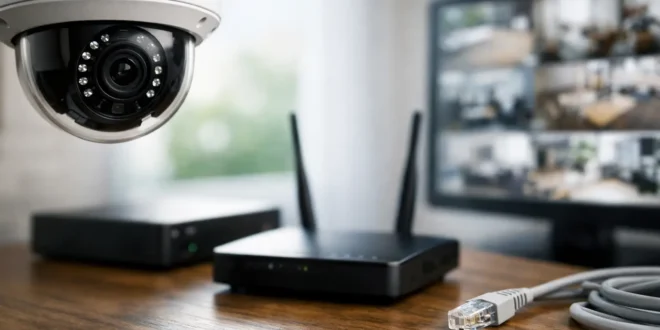

A broadband outage should not automatically create a surveillance blind spot. Do IP cameras work without internet? Yes, in many cases they can keep recording and monitoring activity on a local network. But whether your system remains useful depends on where footage is stored, how the cameras receive power, and whether you need remote access while away from the property.
That distinction matters for homeowners, small businesses, and IT teams alike. A camera marketed as “wireless” may need internet for nearly every useful feature. A properly designed IP camera system with a network video recorder, on the other hand, can continue capturing footage even when the ISP is down.
Do IP Cameras Work Without Internet Access?
An IP camera does not inherently need the internet to capture video. It needs a network connection to communicate with local equipment, such as a router, network switch, computer, or NVR. It also needs power, either from a power adapter, battery, or Power over Ethernet (PoE) switch.
When the internet connection fails but the local network is still operating, wired IP cameras can normally continue sending video to an NVR. You can often view live feeds and recorded footage from a computer or monitor connected to that same local network.
The internet becomes necessary when the camera relies on a vendor cloud service or when you want to reach the system from outside the building. App alerts, cloud backups, remote live viewing, remote playback, and voice-assistant integrations usually stop until connectivity returns.
The key point is simple: internet and networking are not the same thing. Your ISP connection may be offline while your router, switch, cameras, and recorder are still working together inside the building.
What Still Works During an Internet Outage?
A local-first surveillance setup preserves the functions that matter most during an outage: recording evidence and reviewing it on-site. The exact result varies by camera type.
NVR-based camera systems
This is the strongest option for continuous local recording. Cameras connect to an NVR directly or through a PoE switch, and the NVR stores footage on its internal hard drives. If the system is configured correctly, no internet connection is required for cameras to record motion events or continuous video.
The recorder may also provide an HDMI output, allowing a security monitor to remain available without any internet access. For a retail location, office, workshop, or warehouse, that local monitor can be far more valuable than a phone app during a service disruption.
Cameras with microSD card storage
Some standalone cameras record directly to a microSD card. They can keep saving footage without internet as long as they have power and their local recording mode is enabled. This is useful for a single driveway or indoor camera, but it has limits.
Storage capacity is smaller than an NVR, cards eventually wear out, and the camera itself contains the footage. If someone steals or damages the camera, the evidence may go with it. A quality card rated for high-endurance video recording is essential.
Local computer or NAS recording
A PC, server, or network-attached storage device can run video management software and record compatible cameras over the LAN. This can be a flexible solution for technically capable users, especially where retention rules, camera counts, or advanced search tools exceed what a consumer NVR offers.
However, it creates more administration. The recording device must stay powered on, maintain enough disk space, and be secured like any other system on the network.
What Stops Working Without the Internet?
Most cloud-dependent functions stop first. You may lose push notifications, remote viewing through a mobile app, cloud recording, firmware update checks, and online account authentication.
This creates a major difference between professional-style IP cameras and many low-cost consumer Wi-Fi cameras. Some consumer models can record locally but still require the vendor’s cloud platform or an active internet session to display video in their app. Others may function only after first being activated online.
Before buying, check whether the manufacturer supports local viewing through a web interface, ONVIF compatibility, RTSP streams, or direct NVR recording. Those features generally give you more control than a camera tied exclusively to a cloud account.
Remote viewing also presents a security trade-off. It is convenient to check a camera from anywhere, but exposing cameras directly to the public internet is a poor practice. Avoid port forwarding to cameras whenever possible. Use the vendor’s secured remote service only if you trust it and keep accounts protected with strong unique passwords and multi-factor authentication. For business systems, a VPN is often the safer way to access a local NVR remotely.
Wi-Fi Cameras vs. Wired IP Cameras Offline
A Wi-Fi camera can work without internet, but only if the Wi-Fi network itself remains available. This is where many setups fail.
If your all-in-one router is rebooting, misconfigured, or powered off during an outage, the camera may have no local network to join. It may keep recording to an SD card, but it cannot send footage to an NVR or local viewing device. Wi-Fi also introduces range and interference concerns that do not disappear just because the internet is down.
Wired Ethernet cameras are generally more dependable for critical coverage. A PoE switch can provide both data and power through one Ethernet cable, reducing the number of adapters and electrical outlets needed near cameras. In a small business, that simpler physical design often means fewer points of failure.
Battery-powered cameras are convenient where cabling is impractical, but they are usually not the best answer for 24/7 recording. To conserve battery life, many record only after motion is detected. They may also depend heavily on cloud apps and can miss the first seconds of an event while waking up.
How to Build a Camera System That Survives Outages
If uninterrupted recording matters, design for local operation instead of treating it as a backup feature. Start with an NVR that has enough storage for your desired retention period. Higher resolution, more cameras, continuous recording, and longer retention all consume disk space quickly.
Use PoE cameras and a managed or unmanaged PoE switch where appropriate. Assign cameras and the NVR stable IP addresses or DHCP reservations so local devices can always find each other after a reboot. Keep camera traffic on a separate VLAN when your network supports it, particularly in offices where cameras should not share unrestricted access with employee laptops and servers.
Power is the next weak point. Internet outages sometimes occur alongside electrical failures, and an NVR without power cannot record. A properly sized uninterruptible power supply can keep the modem, router, switch, NVR, and cameras running long enough for short outages. For longer disruptions, consider a generator or a system that documents the expected gap in coverage.
Test the setup before relying on it. Disconnect the internet connection while leaving the local network active. Confirm that cameras still record, verify live video on the NVR display, and make sure you can retrieve an event afterward. This quick test exposes cloud dependencies and configuration mistakes that are easy to miss when everything is online.
The Best Choice Depends on What You Need to Protect
For a front-door camera used mainly to check deliveries, cloud access and phone notifications may be the priority. Internet loss will reduce its value, but a microSD card can still provide a basic recording fallback.
For a business, rental property, home office, or location holding valuable equipment, local NVR recording is usually the smarter baseline. It gives you control over footage, keeps recording during ISP failures, and avoids making every camera function dependent on a third-party cloud service.
One final consideration: local recording is not the same as disaster protection. A fire, flood, theft, or recorder failure can destroy on-site footage. The strongest approach is usually local recording for continuity plus carefully secured off-site backup for critical clips when internet service is available. Build for the outage you can expect, then protect against the failure you cannot predict.





