 TechBlonhub A new digital technology era.
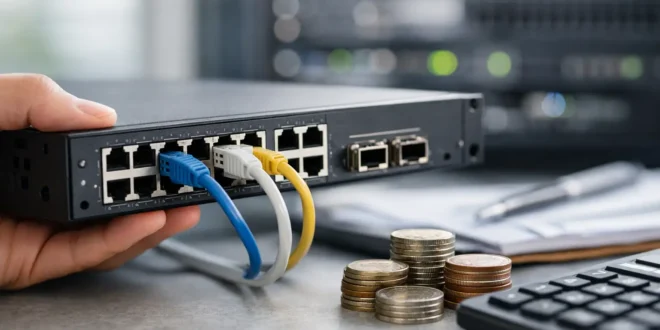

A switch can look like a small line item in an IT budget until it becomes the reason video calls freeze, security cameras drop offline, or a new access point cannot get enough power. Knowing how to choose a managed switch means looking past port count and price. The right model gives your network room to grow, visibility when something fails, and controls that help keep business traffic separated from devices that do not belong there.
A managed switch is not automatically the right answer for every room or every home setup. But for a small business, a growing office, a lab, or any network carrying cameras, VoIP phones, Wi-Fi access points, and critical devices, the added control is usually worth the cost.
Start With the Network You Have, Not the Features List
The fastest way to buy the wrong switch is to shop by the longest specification sheet. Start by mapping what will connect to it now and what is likely to arrive over the next two to three years.
Count wired endpoints: desktops, printers, servers, access points, cameras, phones, uplinks to other switches, and any specialty hardware. Then add spare capacity. A 24-port switch may seem excessive for 14 current devices, but those extra ports can prevent an unnecessary replacement when a few cameras or additional staff workstations appear.
Port count alone is not capacity. Consider where traffic flows. A design team moving large files to a NAS, an office using cloud backups, or a site with several high-resolution cameras can create far more demand than a basic web-and-email environment. Identify your busiest devices and the connections between them before choosing speeds.
Choose Port Speeds That Match Real Traffic
Gigabit Ethernet remains suitable for many endpoints, including standard workstations, printers, VoIP phones, and many security cameras. It is affordable, widely compatible, and often enough at the edge of a small network.
The pressure point is usually the uplink. If 20 devices on a gigabit switch all send data toward a server, firewall, or second switch, a single 1GbE uplink can become a bottleneck. Look for 10GbE uplink ports when the switch aggregates heavy traffic, connects to shared storage, or supports multiple Wi-Fi 6E or Wi-Fi 7 access points.
Multi-gig ports – commonly 2.5GbE or 5GbE – are increasingly useful for modern access points and high-performance desktops. They let you exceed gigabit speeds over existing Cat5e or Cat6 cabling in many installations. Still, do not pay for multi-gig across every port if only two access points need it. A mixed-speed switch is often the better value.
Copper, SFP, and SFP+ Ports
Most office devices use RJ45 copper ports. SFP and SFP+ ports are designed for fiber modules or direct-attach cables, typically used for uplinks between switches, servers, or distant areas of a building.
Fiber makes sense when you need longer runs, electrical isolation between buildings, or high-speed backbone links. It also adds planning work: compatible transceivers, fiber type, and spare modules matter. For a single network closet, 10GbE SFP+ uplinks can offer a clean upgrade path without requiring every endpoint port to run at 10GbE.
Decide Whether You Need PoE, Then Calculate the Budget
Power over Ethernet, or PoE, sends power and network data through one Ethernet cable. It can simplify installations for access points, IP cameras, door controllers, and VoIP phones. If your switch will power these devices, do not stop at the label saying it supports PoE.
Check the total PoE budget in watts. A switch might have 24 PoE-capable ports but only enough power to run a portion of them at full demand. Add the maximum or typical power requirements of each connected device, then leave headroom for startup spikes and future equipment.
The main standards are straightforward:
- PoE (802.3af) supports lower-power devices such as many VoIP phones and basic cameras.
- PoE+ (802.3at) is a safer baseline for many modern access points and PTZ cameras.
- PoE++ (802.3bt) supports higher-power equipment, including some advanced access points, lighting, and specialized devices.
PoE+ is often the practical choice for a small office. Choose PoE++ only when your actual devices require it. Higher-power switches cost more, generate more heat, and may need better electrical planning.
How to Choose a Managed Switch for Security and Control
Management features are the reason to move beyond an unmanaged switch. At a minimum, look for VLAN support, a web interface or central management platform, firmware updates, and useful monitoring data.
VLANs let you separate traffic logically on the same physical switch. For example, staff computers can remain on one VLAN, guest Wi-Fi on another, cameras on a third, and point-of-sale devices on a tightly controlled segment. Segmentation does not replace a properly configured firewall, but it reduces unnecessary exposure and gives you a cleaner foundation for security policy.
Quality of Service, or QoS, is valuable when voice and video traffic compete with downloads or backups. It can prioritize latency-sensitive traffic so a large file transfer does not ruin a customer call. QoS is not magic – an overloaded internet connection still needs more bandwidth – but it helps a local network behave more predictably.
Also consider port security, 802.1X authentication, access control lists, DHCP snooping, and loop protection. Not every small deployment needs every advanced control on day one. However, a switch that supports them gives IT teams more options as threats and requirements change.
Cloud-managed switches can be attractive for organizations with multiple sites or no dedicated on-site IT staff. They make it easier to see device status, apply configuration templates, and troubleshoot remotely. The trade-off is recurring licensing in some product lines and dependence on a vendor platform. A locally managed switch may be preferable where recurring fees, internet reliance, or data governance are concerns.
Check Switching Capacity, Cooling, and Physical Fit
A switch should be able to forward traffic at or near line rate across its ports. Manufacturers describe this with switching capacity and forwarding rate. For most buyers, the practical question is whether the hardware can handle simultaneous traffic without excessive oversubscription. This matters more on models with many multi-gig ports, heavy PoE loads, or high-speed uplinks.
Do not ignore noise. Fanless switches are excellent for desks, small offices, retail counters, and quiet equipment areas, but they often have lower PoE budgets or fewer high-speed ports. Fan-cooled switches handle more power and heat, yet a loud unit can be a serious problem in an open office. Review the expected noise level and operating temperature before installing one in an occupied room.
Confirm rack size, mounting options, depth, power supply type, and cable direction. A switch that technically fits in a cabinet but blocks airflow or leaves no room for cable management creates a maintenance problem from day one.
Plan for Reliability Before a Failure Forces the Issue
For a noncritical setup, a single switch with a basic surge protector may be sufficient. For systems supporting payments, phones, cameras, or business operations, consider an uninterruptible power supply and a switch with a meaningful warranty and active firmware support.
Redundant power supplies and stacking are useful in larger or more critical networks, but they are not universally necessary. Stacking can make several physical switches operate as one logical unit, simplifying management and allowing redundancy in certain designs. It also raises cost and complexity. A small office may get more value from a well-labeled spare switch and a tested configuration backup.
Before buying, verify how configuration backups work, whether the vendor publishes security advisories, and how long the product line is likely to receive updates. A cheap switch that loses software support quickly can become a liability long before its hardware wears out.
Set a Budget Around Lifecycle Cost
The least expensive managed switch is not always the lowest-cost choice. Include the cost of PoE capacity, compatible SFP modules, cloud licenses, rack accessories, a UPS, and the time required to manage the platform. If your team already knows one vendor’s interface, staying within that ecosystem may reduce setup and troubleshooting time.
At the same time, avoid buying enterprise-grade features only because they sound future-proof. A 48-port PoE++ switch with redundant power and advanced routing is wasteful for a 10-person office with two access points. Buy enough headroom to grow, not a data center in miniature.
The best managed switch is the one that makes your current network easier to operate while leaving a sensible path for the next upgrade. Start with traffic, power, security, and support needs, then choose the model that solves those problems without charging you for capacity your network will never use.





