 TechBlonhub A new digital technology era.
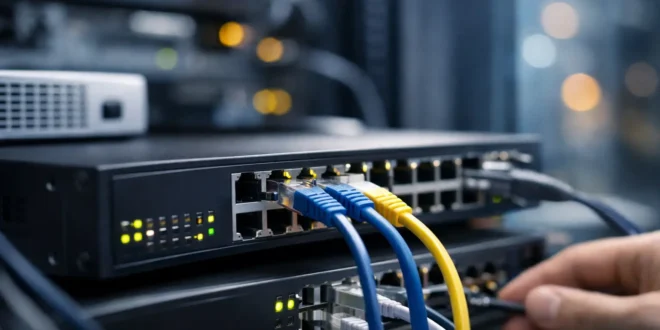

A flat network works until it does not. Add separate staff, guest, VoIP, camera, server, and Wi-Fi networks, and traffic starts hitting avoidable bottlenecks. So, what is a Layer 3 switch? It is a network switch that can make routing decisions between IP networks, usually at much higher speeds than sending every internal request through a traditional router or firewall.
For a small business, school, or growing home lab, that capability can make network segmentation practical without turning everyday traffic into a performance problem. But a Layer 3 switch is not automatically a replacement for your router or security appliance. Knowing where it belongs is the difference between a smarter network upgrade and an expensive box with features you never use.
What Is a Layer 3 Switch?
A Layer 3 switch combines two jobs. Like a standard Layer 2 switch, it connects devices on the same local network and forwards Ethernet frames based on MAC addresses. Like a router, it can also route packets between different IP subnets using IP addresses.
The name comes from the OSI networking model. Layer 2 is the data link layer, where switching happens. Layer 3 is the network layer, where IP routing happens. A conventional access switch generally handles Layer 2 traffic only. When devices on separate VLANs need to communicate, their traffic must go to a router, firewall, or Layer 3 switch for a routing decision.
The practical difference is speed. Layer 3 switches commonly perform routing in dedicated hardware, often called ASICs. That means inter-VLAN traffic can move at or near the switch’s wire speed rather than being limited by a router’s processor, interfaces, or security inspection workload.
Imagine an office with separate VLANs for employee computers, phones, cameras, guest Wi-Fi, and servers. A user on the employee VLAN needs to reach a file server on the server VLAN. A Layer 3 switch can route that internal request directly between those VLANs. The switch can also apply rules that prevent camera devices from reaching employee laptops or block guest Wi-Fi from accessing any internal systems.
Why VLAN Routing Becomes a Bottleneck
VLANs create logical network boundaries on the same physical switching infrastructure. They are useful because they reduce broadcast traffic, separate device types, and make access control easier. The challenge begins when those VLANs need controlled communication with one another.
On a Layer 2-only design, the switch forwards traffic to a router or firewall through a process often called router-on-a-stick. One physical link carries tagged traffic from multiple VLANs to the routing device, which sends it back to the switch after processing. This is workable for a small network, but it can create a choke point as traffic grows.
A Layer 3 switch moves that internal routing function onto the switching fabric. Each VLAN receives a switched virtual interface, or SVI, with its own IP address. That SVI becomes the default gateway for devices in that VLAN. When a device sends traffic to another subnet, the switch routes it locally.
This setup is especially useful when internal traffic is heavy. Examples include staff accessing local servers, workstations backing up to a NAS, high-resolution IP cameras sending feeds to a recorder, or wireless access points serving many users across multiple VLANs. In those cases, the traffic may never need to touch the internet gateway at all.
Layer 3 Switch vs. Router vs. Firewall
These devices overlap, but they are built for different priorities.
A Layer 3 switch is optimized for fast internal routing and switching. It is often the right tool for routing between VLANs in a business LAN, distributing traffic across network segments, and supporting high-speed uplinks. Many models also offer static routes, access control lists, DHCP relay, link aggregation, and limited dynamic routing support such as OSPF.
A router is designed to connect different networks, especially a local network to a WAN, ISP connection, branch office, or cloud service. It typically handles NAT, WAN protocols, VPNs, and route selection. Some routers can route VLANs effectively, but their throughput may fall when they are asked to handle a large volume of internal traffic.
A firewall focuses on security policy and traffic inspection. Next-generation firewalls can inspect applications, identify users, filter web traffic, detect threats, and enforce detailed policies. Those protections are valuable, but deep inspection requires processing power. Routing every internal packet through a firewall can be unnecessary and may reduce performance.
A common business design uses all three roles. The Layer 3 switch routes trusted internal VLANs quickly. The firewall sits at the edge, protecting internet traffic and inspecting traffic that crosses sensitive boundaries, such as user devices attempting to reach a server or management VLAN. The router function may be part of the firewall or supplied by a separate WAN device.
The right design depends on risk. A guest network should not get fast, unrestricted access to internal resources just because the Layer 3 switch can route it. Use ACLs on the switch for basic segmentation, and use the firewall when traffic needs deeper inspection, logging, or threat controls.
When a Layer 3 Switch Makes Sense
A Layer 3 switch earns its place when a network has multiple VLANs and meaningful traffic between them. It is a strong fit for offices with dozens or hundreds of users, schools, warehouses, multi-AP Wi-Fi deployments, production environments with cameras and storage, and home labs where you want enterprise-style segmentation.
It also makes sense when uplink speeds are rising. If your core network uses 10GbE, 25GbE, or faster connections, a lower-end router may struggle to route large internal transfers at full speed. A capable Layer 3 switch can keep those transfers on the LAN fabric while reserving firewall capacity for traffic that truly needs inspection.
However, do not buy one solely because it sounds more advanced. A small office with a few VLANs, a modest internet connection, and little internal traffic may be better served by a good firewall or router with VLAN support and a managed Layer 2 switch. The simpler design is cheaper and easier to troubleshoot.
Layer 3 switches also vary widely. Some offer basic static routing only, while others support dynamic routing protocols, redundant gateways, multicast routing, policy-based routing, and extensive ACL options. Check the feature license and software tier before buying. A switch labeled “Layer 3” may not include the routing functions your design requires.
What to Check Before You Buy
Start with port speed and port count, not just the Layer 3 label. A switch with 24 or 48 Gigabit ports may be enough for endpoints, but its uplinks should match the expected traffic load. If several access switches, servers, or wireless controllers feed into it, 10GbE uplinks can quickly become the sensible baseline.
Power over Ethernet is another major decision. If the switch will power access points, IP phones, or cameras, confirm both PoE support and the total power budget. A 48-port PoE switch may still be unable to power 48 high-demand devices at full output.
Management matters as well. Look for a clear web interface or command-line interface, VLAN and ACL visibility, configuration backups, SNMP or telemetry support, and logs that make faults easier to trace. For an IT team, these features often matter more than a long routing-protocol checklist.
Finally, plan security before enabling routes. Define which VLANs need to communicate, which should be isolated, and which services are actually required. A printer VLAN may need access from staff devices, for example, but it does not need unrestricted access to servers. Default-deny rules with specific allowances are usually safer than allowing every internal VLAN to talk freely.
A Simple Deployment Example
Consider a 75-person company with employee laptops, VoIP phones, security cameras, guest Wi-Fi, and a small server rack. The company creates separate VLANs for each group. The Layer 3 switch provides the default gateway for employee, phone, camera, and server VLANs, routing approved internal traffic locally.
ACLs block cameras from reaching employee devices and stop guest users from accessing private subnets. Traffic headed to the internet, remote VPN users, or sensitive applications passes to the firewall, where stronger inspection and policy controls apply. The result is faster local performance without treating every internal connection as equally trusted.
That is the real value of a Layer 3 switch: it gives a growing network room to segment intelligently while keeping internal traffic moving. Choose one when VLAN routing is becoming a performance or design problem, then pair it with clear access rules and a firewall that protects the boundaries that matter most.





