 TechBlonhub A new digital technology era.
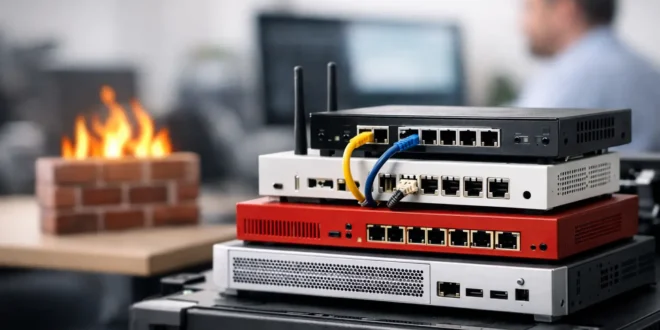

A ransomware incident rarely starts with a dramatic Hollywood-style breach. More often, it begins with an unpatched VPN, a phishing click, or a device on the network that should never have had access. The best firewall appliances for small business do more than block suspicious traffic at the edge. They give lean IT teams visibility, enforce sensible rules, and stop common threats before they reach users, servers, or cloud applications.
The right choice depends on your internet speed, number of users, remote-access needs, and tolerance for subscriptions. A 10-person office with mostly cloud apps has different requirements than a 50-user company running on-site servers, VoIP phones, and multiple locations. Here are eight firewall appliances worth considering, plus the buying criteria that matter before you commit.
1. Fortinet FortiGate 40F or 50G
Fortinet’s entry-level FortiGate models are a strong all-around option for small businesses that need serious security controls without buying enterprise-scale hardware. The 40F remains widely deployed, while newer 50G models bring updated hardware for organizations planning faster internet connections and more encrypted traffic inspection.
FortiGate’s strength is its security stack: application control, intrusion prevention, web filtering, VPN, antivirus scanning, and SD-WAN can operate from one platform. The management interface has a learning curve, especially compared with consumer-style products, but it rewards administrators who need detailed policy control. Factor in FortiGuard security subscriptions when comparing total cost, because the appliance alone is not the whole investment.
2. Firewalla Gold Plus
Firewalla Gold Plus is one of the most approachable firewall appliances for a small office, home office, or tech-savvy business owner who wants meaningful protection without spending days in a command-line interface. Its app-driven management makes it easy to see active devices, create network segments, block risky destinations, and receive useful alerts.
It supports multi-gig networking, VPN features, policy-based controls, and ad or tracker blocking. Firewalla is particularly compelling for businesses with a modest number of users and no dedicated network administrator. The trade-off is that it does not offer the same depth of formal enterprise security services and centralized fleet administration found in Fortinet, Sophos, or WatchGuard platforms.
3. Netgate 4100 or 4200 with pfSense Plus
Netgate appliances running pfSense Plus are built for businesses that want control, transparent networking options, and a firewall platform that can be tailored to their environment. The 4100 and 4200 are sensible choices for offices that need VLANs, multiple WAN connections, site-to-site VPNs, and detailed traffic rules without being locked into a large security ecosystem.
pfSense has a loyal following for good reason: it is flexible, mature, and capable. But that flexibility means someone must understand routing, NAT, certificates, DNS, and rule order. It is a better fit for an IT administrator, managed service provider, or technically confident owner than for a team that wants hands-off security management. Budget for support if the firewall protects business-critical connectivity.
4. Sophos XGS 87
Sophos XGS 87 suits small businesses that value easy policy management and want endpoint protection to work closely with network security. Its interface is more friendly than many traditional firewall consoles, and Sophos Central can simplify management for organizations already using Sophos endpoint software.
A major advantage is Security Heartbeat, which can share endpoint health information with the firewall. If a laptop becomes compromised, the network can automatically restrict its access based on the policy you set. That integration is useful, but it is also a reason to consider the wider Sophos ecosystem before buying. The best value usually comes when the firewall and endpoint tools are managed together under the right subscription bundle.
5. WatchGuard Firebox T45
The WatchGuard Firebox T45 is a practical choice for small organizations that want a traditional security appliance with solid reporting and a well-established channel of IT service providers. It supports core next-generation firewall functions, VPN access, web filtering, malware protection, and multi-WAN configurations.
WatchGuard’s biggest advantage is operational simplicity for businesses that rely on outside IT help. A managed provider can monitor, configure, and maintain the appliance without turning every policy change into a major project. Like other subscription-based security platforms, its ongoing licensing affects the long-term price. Confirm which security services are included before comparing a low hardware quote with another vendor’s bundled price.
6. Ubiquiti UniFi Dream Machine Pro
For businesses already using UniFi switches and Wi-Fi access points, the UniFi Dream Machine Pro can make network management far easier. It combines gateway, firewall, controller, VPN, and network-monitoring functions in a rack-mount appliance, all managed through the UniFi console.
The appeal is a clean interface and tight integration with the rest of the UniFi ecosystem. You can create VLANs for staff, guests, point-of-sale devices, and cameras without juggling several management portals. However, UniFi is best viewed as a strong networking platform with useful security features, not a replacement for every advanced threat-prevention capability available from dedicated security vendors. It is an excellent value when visibility, segmentation, and simpler management are the priority.
7. Cisco Meraki MX75
Cisco Meraki MX appliances are built for organizations that want cloud-managed networking with minimal on-site complexity. The MX75 is suited to a growing office or branch location that needs centralized configuration, SD-WAN, VPN connectivity, traffic visibility, and security controls managed from a browser.
Meraki makes sense for businesses with several locations or limited local IT resources. Policies, firmware updates, and device status can be handled centrally, which reduces maintenance friction. The trade-off is clear: Meraki licensing is mandatory, and the recurring cost can be substantial over several years. For a single small office with a tight budget, other platforms may deliver more security horsepower per dollar.
8. Palo Alto Networks PA-440
The PA-440 is for small businesses that handle sensitive data, operate in regulated industries, or simply want higher-end threat prevention at the network perimeter. Palo Alto Networks has a strong reputation for application-aware policies, malware prevention, URL filtering, and detailed traffic inspection.
This is not usually the cheapest small-business firewall, and it may be excessive for a five-person office with basic needs. But for a law firm, healthcare practice, financial services company, or business with valuable intellectual property, the additional security depth can justify the cost. Plan for licensing, setup expertise, and enough performance headroom to inspect encrypted traffic without slowing the business down.
How to Choose the Right Small Business Firewall Appliance
Do not size a firewall by its headline firewall throughput alone. That number often reflects basic packet forwarding with security features disabled. Look for throughput figures with intrusion prevention, malware scanning, application control, and SSL or TLS inspection enabled. Those features are where modern firewalls do their real work, and they can significantly reduce usable performance.
Start with your internet connection and expected growth. If you have a 1 Gbps connection but choose an appliance that can only inspect a few hundred Mbps of encrypted traffic, users may blame the internet provider when the firewall is the actual bottleneck. Businesses upgrading to multi-gig internet should choose hardware with sufficient 2.5GbE or 10GbE ports as well as adequate inspection performance.
Next, decide how much management your team can realistically handle. Netgate and Fortinet can provide excellent control, but they demand more networking knowledge. Firewalla and UniFi are easier to operate for smaller teams. Meraki is designed for centralized cloud management, while WatchGuard and Sophos work well when a managed service provider is responsible for daily administration.
Security subscriptions deserve equal attention. Threat intelligence, web filtering, sandboxing, advanced malware protection, support, and firmware access may be tied to annual licenses. Calculate the three-year cost, not just the appliance price. A lower-cost firewall can become expensive if essential protection requires several add-ons, while a higher-priced bundle may include the services you actually need.
Finally, treat network segmentation as a requirement, not an advanced extra. Your guest Wi-Fi, employee laptops, payment terminals, security cameras, printers, and servers should not all share one flat network. Any firewall on this list can support segmentation to varying degrees. The difference is how easily your team can create, monitor, and maintain those rules.
Which Firewall Is the Best Fit?
For most small businesses, FortiGate offers the strongest blend of security depth and scalability when there is IT expertise available. Firewalla Gold Plus is the standout for straightforward management and a smaller environment. Netgate is the better value for teams that want deep control, while UniFi is hard to beat for businesses committed to the UniFi ecosystem. Sophos, WatchGuard, Meraki, and Palo Alto each become more compelling when endpoint integration, managed support, multi-site administration, or higher-risk data protection drives the decision.
Choose the appliance your team can keep updated, monitored, and correctly configured six months from now. A firewall with fewer features that receives regular attention will protect a small business far better than a premium security box left running on old firmware with a default policy.





