 TechBlonhub A new digital technology era.
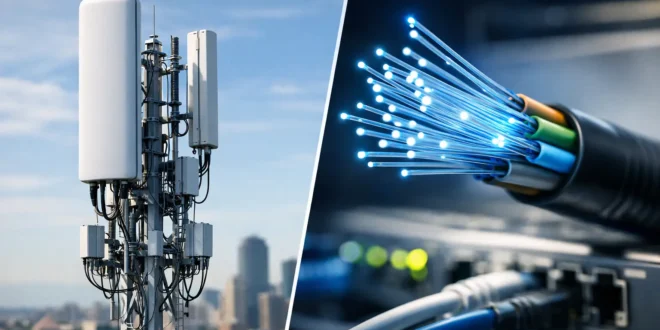

A fast connection is no longer a nice-to-have when video calls freeze, cloud backups run overnight, and security cameras depend on an always-on network. The 5G broadband vs fibre decision can change how well a home office, retail site, remote team, or small business operates. Both can deliver serious performance, but they work in fundamentally different ways and fail in different ways too.
For US readers, “fibre” is generally called fiber internet. In this comparison, 5G broadband means fixed wireless internet delivered over a 5G cellular network, not the mobile data plan on a phone.
5G broadband vs fibre: the core difference
Fiber internet carries data as light through physical fiber-optic cables installed to a building. Because the connection is wired from the provider network to the premises, it is designed for high capacity, low delay, and consistent performance. Many fiber plans offer symmetrical speeds, meaning uploads can be as fast as downloads.
5G broadband uses a fixed receiver, gateway, or outdoor antenna at your location to communicate wirelessly with a nearby cellular tower. The equipment then provides Wi-Fi and sometimes Ethernet connections inside the property. It can be installed quickly, often without trenching, drilling, or waiting for a fiber buildout.
That difference explains nearly every trade-off. Fiber is usually the stronger long-term infrastructure choice where it is available. 5G broadband is often the better answer when fiber is unavailable, installation must happen quickly, or a second internet connection is needed for resilience.
Speed: fiber has the higher ceiling
5G home internet can be genuinely quick. Depending on the provider, local tower capacity, signal quality, and plan, real-world download speeds may range from roughly 100 Mbps to several hundred Mbps. In excellent coverage areas, it can go higher. That is enough for 4K streaming, gaming, cloud apps, and a household or small team with multiple active users.
Fiber commonly starts in a similar range but scales much further. Gigabit service is widely available in fiber-served areas, and multi-gig plans are becoming more common. More importantly, fiber is less likely to lose speed simply because nearby subscribers are active at the same time.
Upload performance is where the gap becomes obvious. A 5G connection might offer adequate uploads for video meetings and cloud syncing, but results can fluctuate. Fiber, especially symmetrical fiber, is far better for uploading large design files, running frequent off-site backups, sharing media, hosting services, or supporting many users on video calls.
If your work depends on moving data both directions, do not choose based only on advertised download speed. Ask for expected upload rates and test them during working hours.
Latency and consistency matter more than headline speeds
Latency is the time it takes for data to travel between your device and an online service. It affects the responsiveness of video calls, remote desktops, cloud software, online gaming, VoIP phones, and VPN sessions.
Fiber typically produces lower and more predictable latency because data follows a wired path. This makes it the safer choice for organizations using remote management tools, cloud desktops, voice platforms, payment terminals, and real-time collaboration systems.
5G latency can be very good, but wireless conditions change. Signal interference, distance from the tower, building materials, weather conditions, and network congestion can all affect performance. A connection that feels fast at 10 a.m. may be less consistent in the evening when a neighborhood cell site is busy.
For casual use, that variation may not matter. For an IT administrator supporting a branch office over a VPN, intermittent latency spikes can become a ticket-generating problem. Fiber generally gives you fewer variables to troubleshoot.
Reliability: wired wins, but 5G has a valuable role
Fiber is usually the more reliable primary connection. It is not immune to outages – cable cuts, equipment failures, and provider issues still happen – but it does not rely on radio conditions between a tower and your building. A professionally installed fiber handoff also tends to be easier to integrate with business-grade routers, firewalls, switches, and wired access points.
5G broadband depends on good radio reception. A nearby tower is not enough by itself. Trees, new construction, energy-efficient window coatings, walls, and even the placement of the gateway can weaken a signal. Indoor 5G equipment may need to sit near a window, which is not always the best location for distributing Wi-Fi across a larger building.
Yet 5G has a major reliability advantage when used as backup connectivity. A fiber line and a cellular network use different infrastructure, so a dual-WAN router can fail over to 5G if the wired connection goes down. For a small office, clinic, shop, or home business, that backup can keep card payments, email, cloud tools, and essential communications running during an outage.
The strongest setup for many businesses is not fiber or 5G. It is fiber as the primary line and 5G as the automatic failover path.
Installation and availability can decide the outcome
5G broadband is hard to beat for speed of deployment. If service is available at your address, setup can be as simple as activating a gateway, placing it where signal is strongest, and connecting your own network equipment. This is useful for temporary offices, construction sites, pop-up retail, rental properties, and locations waiting for a permanent circuit.
Fiber installation can take longer. If the building is already served, activation may be straightforward. If not, the provider may need to extend service, obtain permission, schedule construction, or run a line across private property. For commercial addresses, this process can take weeks or longer.
Availability remains fiber’s biggest limitation. A mediocre fiber plan may still be preferable to excellent 5G on technical grounds, but it is not an option if the network does not reach the building. In rural and underserved areas, 5G fixed wireless can be a major upgrade over legacy DSL, satellite, or unstable cable service.
Cost is more than the monthly bill
5G broadband plans can look attractive because pricing is often simple, equipment may be included, and installation costs are low. However, read the plan details. Some services may prioritize mobile traffic during congestion, limit high-speed data, restrict certain use cases, or provide gateways with limited controls for advanced networking.
Fiber often costs more at higher speed tiers, and business fiber can carry installation fees, contracts, or managed equipment charges. In exchange, business-grade services may include stronger service-level commitments, static IP options, and support that is more appropriate for operationally critical connectivity.
For a household, the best-value service is usually the one that provides stable performance at the speed you actually use. For a business, calculate the cost of downtime as well. A cheaper connection is not cheaper if an outage stops sales, prevents remote work, or blocks access to cloud systems.
Which connection should you choose?
Choose fiber if it is available and you need consistently high speeds, strong uploads, low latency, or dependable connectivity for work. It is the clear default for power users, busy households, developers moving large files, offices with cloud-heavy workflows, and organizations that rely on VPNs, VoIP, cameras, or real-time applications.
Choose 5G broadband if fast installation, flexible deployment, or local fiber availability is the limiting factor. It is also a strong fit for moderate-use homes, short-term locations, and businesses that need a backup path independent of their primary wired provider.
Before signing up, run a practical check rather than trusting coverage maps or maximum speed claims. Ask whether the plan has data limits or deprioritization, confirm typical upload speeds, and find out whether you can use bridge mode or connect your own firewall. For 5G, test signal quality at the exact location where the gateway will operate. For fiber, confirm whether speeds are symmetrical and whether the service is residential or business class.
The connection that looks fastest on a provider page is not always the one that keeps your network productive. Choose the service that matches your workload, then build enough redundancy that one failed line does not stop everything else.





