 TechBlonhub A new digital technology era.
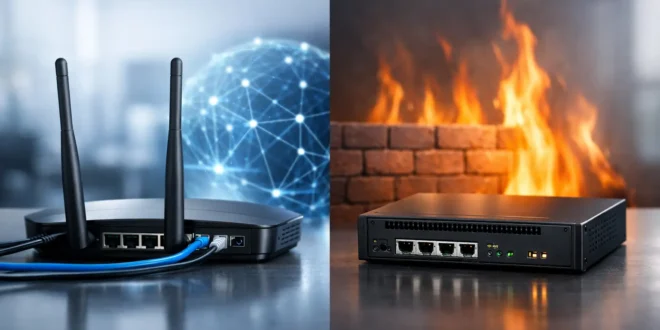

A lot of network problems start with one dangerous assumption: if you already have a router, you must already be protected.
That is only partly true.
The router vs firewall difference matters because these technologies solve different problems. Confusing them can leave a home office, remote work setup, or business network more exposed than expected.
If you are building a small business network, upgrading a home lab, or evaluating office security infrastructure, understanding the router vs firewall difference is essential. A router focuses on moving traffic between networks. A firewall focuses on deciding which traffic should be trusted in the first place.
Modern devices sometimes combine both functions, but the responsibilities remain very different.
Router vs firewall difference at a glance
The simplest way to understand the router vs firewall difference is this:
- A router connects networks and forwards traffic.
- A firewall filters and controls traffic according to security rules.
A router enables communication. A firewall helps secure that communication.
In a typical setup, the router connects your local devices to the internet. It ensures traffic reaches websites, cloud applications, email servers, remote workers, and external systems correctly.
A firewall sits between trusted and untrusted traffic. It inspects connections and decides whether they should be allowed, blocked, logged, or restricted.
This is where the router vs firewall difference becomes important: one prioritises connectivity, while the other prioritises control.
What a router actually does
A router’s primary responsibility is forwarding traffic between networks.
It analyses IP addresses and determines where packets should go next. Without routing, devices inside your network would not know how to communicate with external systems.
In practical terms, routers:
- Connect local devices to the internet
- Manage traffic between subnets
- Direct packets efficiently
- Support internet sharing across devices
Most modern routers also include additional networking services such as:
- DHCP for assigning IP addresses
- Wi-Fi connectivity
- VLAN support on business hardware
- Quality of Service (QoS) traffic prioritisation
- NAT (Network Address Translation)
NAT is one reason people misunderstand the router vs firewall difference.
Because NAT hides internal devices behind a single public IP address, some users assume it provides full protection. It does provide a basic layer of obscurity, but NAT is not equivalent to dedicated security inspection or advanced policy enforcement.
That distinction matters.
What a firewall actually does
A firewall’s primary responsibility is making trust decisions.
Instead of simply forwarding packets, a firewall evaluates traffic according to predefined security policies.
Depending on the platform, a firewall may:
- Allow or block traffic
- Restrict applications
- Inspect ports and protocols
- Detect suspicious behaviour
- Log network activity
- Enforce user policies
- Prevent intrusion attempts
This deeper inspection is the core of the router vs firewall difference.
A router asks:
“Where should this traffic go?”
A firewall asks:
“Should this traffic exist on the network at all?”
Traditional firewalls focused mostly on ports, IP addresses, and protocols. Modern next-generation firewalls go much further, inspecting applications, monitoring encrypted traffic, detecting malware behaviour, and supporting advanced access control policies.
Why people confuse routers and firewalls
The confusion exists because many modern devices combine both functions into a single appliance.
Your ISP-provided gateway likely includes:
- Routing
- Wi-Fi management
- Basic firewalling
- DHCP services
- NAT functionality
From a user perspective, it feels like one system performing one task.
But combining functions does not eliminate the router vs firewall difference. Inside the device, routing and security functions still operate separately.
This matters when comparing hardware, troubleshooting issues, or evaluating whether built-in protections are actually sufficient for your environment.
A low-cost consumer router may work perfectly for streaming and casual browsing while remaining weak for:
- Threat prevention
- Deep packet inspection
- Advanced VPN control
- Business logging requirements
- Application filtering
- Compliance reporting
That is often where dedicated firewall appliances or stronger unified security gateways become necessary.
Router vs firewall difference in real-world business use
Imagine a small accounting office.
The router connects employees to cloud software, email platforms, printers, and the internet. It ensures traffic flows correctly between systems and subnets.
The firewall handles security enforcement.
It may:
- Block suspicious outbound connections
- Restrict remote access
- Separate guest Wi-Fi from financial systems
- Monitor unusual behaviour
- Log intrusion attempts
- Prevent ransomware communication
This is where practical security architecture matters.
A router gets systems online.
A firewall reduces the chance that online becomes exposed.
The same principle applies in home environments. Remote workers, smart home systems, gaming servers, and NAS devices all increase exposure. Understanding the router vs firewall difference helps users avoid assuming basic connectivity equals strong protection.
Do you actually need both?
In most cases, yes.
You need routing to connect networks, and you need firewalling to control risk.
The real decision is whether both functions should exist inside one appliance or separate systems.
For many homes and very small offices, a quality router with integrated firewall features is often enough. Simpler environments with limited exposure and few users may not require dedicated hardware.
For SMBs, the answer changes quickly.
Once a business supports:
- Remote workers
- Guest Wi-Fi
- Cloud applications
- IP cameras
- VoIP systems
- Compliance requirements
- Multiple VLANs
…the router vs firewall difference becomes operationally important.
Businesses often need:
- Stronger reporting
- Intrusion prevention
- Better VPN management
- Application-aware filtering
- Cleaner network segmentation
- More granular access policies
At that point, relying entirely on a consumer-grade router becomes risky.
When a router is enough — and when it is not
A router with integrated firewalling may be enough if:
- Your setup is small and simple
- No public-facing services exist
- Sensitive data exposure is minimal
- You do not require detailed logging or compliance controls
However, it is usually not enough when:
- Remote desktop access is enabled
- Customer or payment data is stored
- Multiple users access sensitive systems
- IoT devices grow rapidly
- VPN usage increases
- Compliance standards apply
This is where trade-offs become important.
A dedicated firewall adds:
- Cost
- Complexity
- Setup time
- Ongoing management needs
But weak security can cost much more later through:
- Downtime
- Data breaches
- Malware incidents
- Operational disruption
Performance vs protection
Another major part of the router vs firewall difference involves performance expectations.
Routers prioritise efficient traffic forwarding. Firewalls perform deeper inspection, which naturally consumes more processing power.
Advanced features like:
- Intrusion prevention
- VPN inspection
- Malware filtering
- Application analysis
…can reduce throughput if hardware is underpowered.
This creates one of the biggest mistakes SMB buyers make: assuming advertised bandwidth equals real-world security performance.
A device rated for multi-gig networking may deliver significantly lower throughput once advanced inspection features are enabled.
When evaluating options, look beyond marketing numbers and focus on:
- Real firewall throughput
- VPN performance
- Concurrent user capacity
- Security feature impact under load
This is particularly important when purchasing business networking hardware through platforms like GNTME, where buyers increasingly compare performance, scalability, and long-term security capabilities rather than basic specifications alone.
Key questions to ask before buying
The smartest way to evaluate the router vs firewall difference is to focus on your actual environment.
Ask yourself:
- Are you mainly sharing internet access?
- Or are you enforcing detailed security policy?
Also consider:
- Who will manage the device?
- How sensitive is the data?
- How many users and devices exist?
- Will the environment scale over time?
- Are remote workers involved?
A powerful firewall only helps if someone can configure and maintain it properly.
Sometimes a simpler, well-managed secure gateway is safer than a highly advanced platform nobody understands well enough to maintain.
The bottom line on router vs firewall difference
The router vs firewall difference is not just technical terminology. It directly affects:
- Network visibility
- Security posture
- Device exposure
- Operational reliability
- Long-term scalability
Routers are designed to move traffic efficiently.
Firewalls are designed to inspect and control that traffic securely.
The strongest environments usually combine both functions effectively, whether inside a unified appliance or across separate devices.
If you are shopping for networking hardware, do not just ask whether a product is a router or firewall. Ask how well it balances connectivity, performance, visibility, and security for your specific environment before a problem forces the decision for you.
FAQs
1. What is the main router vs firewall difference?
A router forwards traffic between networks, while a firewall filters and controls traffic according to security policies.
2. Does a router include firewall protection?
Most modern routers include basic firewall functionality, but advanced security features often require dedicated firewall capabilities.
3. Do small businesses need a dedicated firewall?
Many SMBs benefit from dedicated firewall features when supporting remote access, guest networks, sensitive data, or multiple users.
4. Is NAT the same as a firewall?
No. NAT hides internal IP addresses but does not provide the deep inspection and policy enforcement of a firewall.
5. Which is more important: a router or firewall?
Both are important. Routers provide connectivity, while firewalls provide security and traffic control.

Author: AJ
As a passionate blogger, I'm thrilled to share my expertise, insights, and enthusiasm with you. I believe that technical knowledge should be shared, not hoarded. That's why I take the time to craft detailed, well-researched content that's easy to follow, even for non-tech. I love hearing from you, answering your questions, and learning from your experiences. Your feedback helps me create content that's tailored to your needs and interests




