 TechBlonhub A new digital technology era.
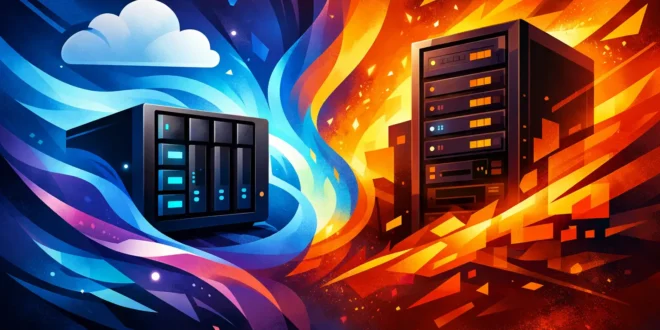

A lot of small teams buy the wrong box for the wrong job. They need shared storage, remote access, backups, and maybe a few business apps, then get stuck comparing a small business NAS vs server as if they do the same thing. They do overlap, but the better choice depends on what your staff actually needs every day, not which device sounds more enterprise.
If you are deciding between the two, the fastest way to avoid overspending is to separate storage needs from compute needs. A NAS is primarily built to store, protect, and share files. A server can do that too, but it is really a broader platform for running applications, handling user authentication, hosting databases, managing virtual machines, and supporting heavier workloads.
Small business NAS vs server: the core difference
Think of a NAS as a specialized appliance and a server as a general-purpose system. That difference matters more than the spec sheet.
A small business NAS usually arrives with an operating system designed around file sharing, backups, user permissions, snapshots, and remote sync. Setup is often straightforward, and many models include polished web interfaces that let a non-specialist get a team up and running without much command-line work. For a small office that mainly needs one central place for documents, media, accounting exports, and endpoint backups, that simplicity is the main selling point.
A server is more flexible. You can install Windows Server, Linux, or a hypervisor and build the environment around your business. That gives you room to run line-of-business apps, Active Directory, mail tools, internal web apps, databases, print services, and more advanced security controls. The trade-off is obvious – more flexibility usually means more setup time, more maintenance, and more responsibility for patching and monitoring.
When a NAS is the smarter buy
For many small businesses, a NAS wins because it solves the real problem without creating five new ones.
If your team mostly needs centralized file storage, shared folders, versioning, automated backups, and simple remote access, a NAS is often the better fit. It is also useful if you want built-in RAID options, snapshot support, and cloud sync features without building everything yourself. For a small law office, design studio, real estate agency, or accounting firm, that can be enough.
The cost profile is usually easier to justify. A NAS appliance often consumes less power than a full server, takes less time to deploy, and requires less admin effort. That matters if you do not have a dedicated IT person. In small organizations, labor cost is often more painful than hardware cost.
Modern NAS platforms have also become more capable than many buyers expect. Some can run lightweight containers, surveillance apps, backup suites, collaboration tools, and even virtual machines. That sounds like a reason to skip a server entirely, but there is a limit. Just because a NAS can run extra apps does not mean it should become your all-in-one infrastructure hub.
When a server is worth the extra cost
A server starts to make sense when your business depends on more than shared storage.
If you need to run business-critical software locally, manage many users and permissions across devices, host databases, support multiple virtual machines, or integrate tightly with directory services, a server is the stronger option. It gives you more CPU headroom, more memory capacity, broader operating system support, and fewer compromises around application compatibility.
A server is also the right call when future growth is predictable. If you know your company will add users, locations, or internal applications within the next year, buying a NAS to save money now can become a false economy. Replacing underpowered infrastructure always costs more than it looks on day one. There is the new hardware bill, but also migration time, downtime risk, and staff frustration.
For businesses with compliance pressure or stricter security requirements, servers can offer a better foundation for custom security controls, centralized identity management, logging, and policy enforcement. A NAS may include strong security features, but a server gives you more room to shape the environment around your own standards.
Cost is not just the sticker price
This is where many comparisons go sideways. Buyers compare a 4-bay NAS to a server chassis and assume the NAS is automatically cheaper. Sometimes it is. Sometimes the difference disappears once you account for drives, backups, licenses, UPS protection, networking upgrades, and administration.
A NAS usually has a lower entry cost and lower operating cost. That makes it attractive for teams under budget pressure. But if you end up adding another machine later for business applications, you may pay twice.
A server may cost more upfront, especially if you need server-grade CPUs, ECC memory, redundant power supplies, or operating system licenses. Still, if that one machine replaces multiple roles and supports your business for several years, the total value can be better.
The real question is not which one is cheaper. It is which one prevents the next expensive mistake.
Performance and reliability in real workloads
For file serving, backups, and light collaboration, a NAS can perform very well, especially with SSD caching, 2.5GbE or 10GbE networking, and enough RAM. If your users open Office files, save PDFs, access media, and run scheduled backups, most business-class NAS systems handle that without drama.
Servers pull ahead when workloads become mixed or compute-heavy. Databases, application hosting, virtualization, analytics tools, and large multi-user environments will expose the limits of many NAS devices quickly. CPU saturation, memory bottlenecks, and sluggish app response are common signs that a storage appliance is being pushed beyond its lane.
Reliability depends on the full design, not just the device type. A well-configured NAS with good drives, snapshots, offsite backup, and monitored health alerts is more reliable than a neglected server. On the other hand, a properly spec’d server with redundant components and disciplined maintenance will usually offer more resilience for demanding environments.
Security matters more than the platform label
Some small businesses assume a NAS is safer because it feels appliance-like, while others assume a server is safer because it sounds more professional. Neither assumption holds up by itself.
A NAS can be very secure if you disable unnecessary services, enforce multifactor authentication where supported, patch firmware quickly, separate admin accounts, and keep remote access tightly controlled. Many attacks against NAS devices happen because they are exposed carelessly to the internet or left with weak credentials.
A server can be more secure in capable hands because it supports deeper policy control, endpoint integration, identity management, and advanced monitoring. But it also gives attackers a larger surface area if it is misconfigured or poorly maintained.
The practical takeaway is simple: choose the platform your team can secure properly. Fancy capability is useless if nobody updates it.
Small business NAS vs server for hybrid work
Hybrid work changes the decision because staff expect access from home, on the road, and from multiple devices.
A NAS often shines here. Many vendors build remote file sync, mobile access, backup clients, and sharing portals directly into the platform. For companies that want Dropbox-like convenience while keeping data under their own control, a NAS can be a strong middle ground.
A server can support hybrid work too, but it usually requires more planning around VPNs, identity services, remote desktop access, application publishing, or cloud integration. That is not a downside if you need those features. It just means the setup is more involved.
If remote access starts and ends with shared files, a NAS is often enough. If remote staff need full access to internal applications and managed desktops, you are moving into server territory.
The decision most small businesses should make
If your business needs central storage, backups, basic collaboration, and easy management, buy a NAS and invest the savings in better backups, better networking, and better security practices. That will improve day-to-day operations more than overbuying compute.
If your business needs to run core applications, manage identities at scale, support virtual machines, or enforce more advanced controls, buy a server and treat storage as one piece of a larger IT plan.
There is also a third option that fits many growing companies: use both. Let the NAS handle shared storage and backup targets while the server runs applications and identity services. That split keeps each system focused on what it does best and often creates a cleaner upgrade path.
The best choice is the one that matches your next two years, not just your next two weeks. Buy for the workload you can clearly see coming, keep your backup plan stronger than your confidence, and your infrastructure decision will age a lot better.

Author: AJ
As a passionate blogger, I'm thrilled to share my expertise, insights, and enthusiasm with you. I believe that technical knowledge should be shared, not hoarded. That's why I take the time to craft detailed, well-researched content that's easy to follow, even for non-tech. I love hearing from you, answering your questions, and learning from your experiences. Your feedback helps me create content that's tailored to your needs and interests




