 TechBlonhub A new digital technology era.
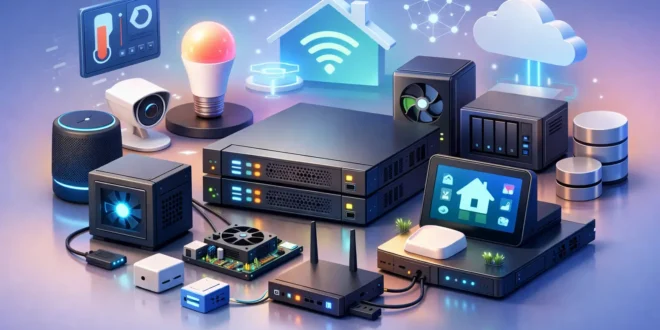

If your spare PC is sitting in a corner doing nothing but collecting dust and old HDMI cables, it is already halfway to becoming something useful. The best home lab server ideas are not about buying enterprise gear for bragging rights. They are about turning one box into a practical test bench for storage, networking, security, automation, and backup before you spend real money or trust real data.
A good home lab should teach you something, solve a problem, or both. That is the difference between a fun weekend project and a loud machine that inflates your power bill. If you are building for learning, career growth, or better control over your own services, these server ideas give you a strong place to start without forcing a one-size-fits-all setup.
How to choose the right home lab server ideas
Start with the constraint that actually matters most in your environment. For some people it is budget. For others it is noise, power use, rack space, or whether the server has to share a room with a desk and bed. Those limits shape the right project more than CPU model numbers do.
The second question is whether you want one server doing many things or several small systems with separated roles. A single virtualization host is cheaper and easier to manage, but it creates one big failure point. Multiple low-power nodes are more flexible and teach you more about clustering and network design, though they usually cost more over time and add management overhead.
1. A virtualization host for testing everything
If you only build one system, make it a virtualization server. This is the most flexible answer to home lab server ideas because it lets you run multiple operating systems and services on one machine. You can test Linux distributions, spin up Windows Server, practice Active Directory, host Docker workloads, or break things safely and roll back with snapshots.
This setup makes the most sense for IT admins, students, and anyone studying infrastructure. Memory matters more than a top-end CPU here. A modest multi-core processor with 32GB to 64GB of RAM will often outperform a faster chip with too little memory because virtual machines get expensive quickly.
The trade-off is resource contention. If you run storage, media, and firewall experiments on the same host, maintenance becomes messy. Reboots affect everything, and troubleshooting can get confusing fast. It is powerful, but it rewards discipline.
2. A NAS and backup server that protects your data
A network-attached storage server is one of the easiest home lab projects to justify. It gives you centralized file storage, versioned backups, and a place to keep large media or VM images off your laptop. If you have more than one computer at home, this quickly moves from hobby to useful infrastructure.
The smart move is to treat this as a backup system first and a file dump second. That means thinking about drive redundancy, backup scheduling, and recovery testing instead of only total capacity. Four smaller drives in a resilient array can be more practical than one giant disk, especially if uptime matters.
Do not confuse redundancy with backup. If a file gets deleted or encrypted, mirrored disks will happily preserve the problem. A NAS works best when paired with separate backup copies, snapshots, or an offline target.
3. A media server for streaming and file access
A media server is one of the most popular home lab server ideas because the value is immediate. You can centralize movies, music, photos, and recordings, then stream them to TVs, tablets, and laptops around the house. For many users, this is the project that proves a home lab can be practical and not just educational.
What matters here is less about raw compute and more about your media format and streaming habits. If your clients can direct-play content, almost any decent system can work. If you need real-time transcoding for multiple streams, you will want stronger CPU performance or hardware acceleration support.
There is also a legal and ethical line here that should stay clear. A media server is great for organizing content you own or are allowed to store. It stops being smart the second it becomes a shortcut for bad decisions.
4. A self-hosted cloud and collaboration box
If you want more control over your files, calendars, notes, and basic collaboration tools, a private cloud server is a strong project. This gives you experience with user permissions, storage quotas, HTTPS setup, sync clients, and service hardening. It also reduces dependence on scattered third-party accounts.
For students, remote workers, and privacy-conscious households, this is a useful next step after a NAS. It combines storage with application hosting and introduces the realities of exposed services, certificate management, and patching.
The catch is reliability. If you start depending on a self-hosted system for daily access, downtime becomes more than an inconvenience. That means backups, monitoring, and updates need to be planned, not improvised.
5. A network monitoring and logging server
Most people do not notice their network until something gets slow, unstable, or insecure. A monitoring server changes that. It can track device uptime, bandwidth usage, CPU load, storage trends, and logs from switches, routers, access points, or endpoints.
This is one of the best home lab server ideas for anyone moving toward IT operations, networking, or security work. You learn how to establish baselines, catch unusual behavior, and understand where bottlenecks actually live. That knowledge carries over directly to business environments.
The main challenge is signal versus noise. Monitoring tools can drown you in charts and alerts if you enable everything without a purpose. Start with a few metrics that answer real questions, such as which device drops off the network, what saturates bandwidth, or when storage starts running low.
6. A firewall and security testing lab
If your goal is cybersecurity skills, build a server for firewall, VPN, intrusion detection, and segmentation practice. You can simulate office-style networks, create separate VLANs, test access policies, and analyze suspicious traffic without risking production systems.
This is where a home lab becomes a serious training ground. It helps you understand not just how to block traffic, but how security controls affect performance, usability, and troubleshooting. A rule that looks perfect on paper can create a support headache if it breaks expected traffic flows.
Use caution with internet-facing experiments. Exposing services can teach useful lessons, but only if you know what you are doing and keep the blast radius small. If you are still learning, isolate aggressively and avoid turning your lab into an accidental public target.
7. A container host for lightweight apps
Not every project needs full virtual machines. A container-focused server is ideal for running lightweight applications like dashboards, automation tools, DNS services, ad blocking, development stacks, or internal utilities. It gives you a modern way to deploy services quickly and keep them consistent.
This approach is efficient on modest hardware, which makes it attractive if you are repurposing a mini PC or small form factor desktop. You can run many useful services without the overhead of multiple full guest operating systems.
The downside is complexity at the application layer. Containers are fast to launch, but persistent storage, networking, environment variables, and updates can become confusing if you stack too many services without documentation. Clean organization matters here more than people expect.
8. A development and CI test server
For developers, a home lab server can double as a build machine, code repository host, or test environment for apps and APIs. That is especially useful if your laptop struggles under local builds or if you want a stable target for deployment testing.
This kind of server helps bridge software development and infrastructure operations. You can practice automation, version control workflows, scheduled tasks, and deployment rollbacks in a way that feels much closer to real production work.
It is also one of the easier labs to overspend on. Unless you are compiling large projects or running heavy parallel jobs, you probably do not need a monster CPU. Fast SSD storage and enough RAM often matter more than chasing workstation-class hardware.
9. A smart home and automation hub
A home automation server can run device control, local dashboards, alerting, and integrations across cameras, sensors, lighting, and energy monitoring. This is one of the few server ideas that both technical and non-technical people in a household may appreciate immediately.
The practical benefit is local control and reduced cloud dependence. The technical benefit is that you learn service integration, network planning, and access control across a messy collection of consumer devices that are not always designed well.
Expect some friction. Smart home gear often fails in inconsistent ways, and vendor ecosystems do not always play nicely together. That makes this project rewarding, but not always clean.
Hardware choices that make sense
You do not need a rack full of used data center gear to start. An older desktop with enough RAM, a recent mini PC, or a small tower with room for drives can handle many of these projects. Enterprise hardware can be attractive on the used market, but it often brings fan noise, higher idle power draw, and compatibility quirks that make less sense in a home office.
Storage choices matter more than flashy compute for many labs. SSDs make virtualization and containers feel much faster, while larger hard drives still make sense for backups and media. ECC memory is nice for some storage builds, but it is not mandatory for every home setup.
The smartest budget move is usually to build around your first real use case, then leave headroom. Buying for hypothetical future projects is how people end up with expensive hardware they never fully use.
Don’t build a lab you won’t maintain
The best lab is not the most complex one. It is the one you keep updated, backed up, and documented well enough to recover after a bad change. If your server ideas depend on constant tinkering but you have limited time, start smaller and choose one role that solves a real problem.
That might be backup, virtualization, monitoring, or a simple container host. Once that foundation is stable, adding services becomes easier and much less risky.
A home lab should make you better at technology, not just better at buying it. Build the system that teaches you the next useful skill, then let your next upgrade earn its place.





