 TechBlonhub A new digital technology era.
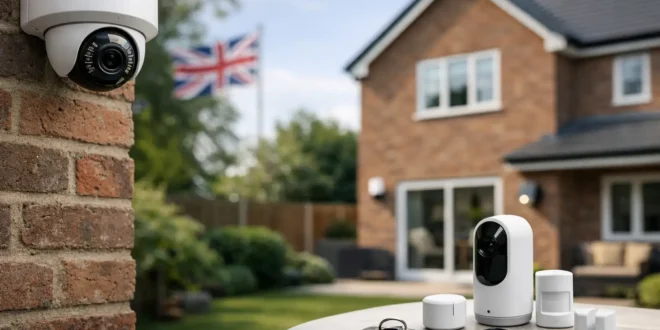

A cheap camera pointed at a driveway can record a crime. A well-designed system can deter it, alert you quickly, preserve usable evidence, and avoid turning your home network into a security risk. This UK home CCTV buying guide focuses on the decisions that change real-world results, not just the resolution number printed on the box.
For most homes, the best setup is not the camera with the longest feature list. It is the system that covers the right entry points, works reliably at night, stores footage safely, and remains manageable after the first week of ownership.
Start With the Risk, Not the Camera
Walk around the property before comparing models. Identify how someone could approach the front door, side gate, garage, rear entrance, or ground-floor windows. Then consider what you actually need to see: a general view of activity, a face at the door, a vehicle registration plate, or a person moving through a narrow path.
This matters because one wide-angle camera rarely does every job well. A wide field of view gives context but spreads pixels across a larger area, making distant faces less useful. A narrower camera positioned closer to an entrance often produces better identification footage than a high-resolution camera mounted too far away.
Prioritize entrances and routes through the property. Covering every square foot is expensive and can create more notifications than protection. A typical home may need a front-facing camera, one for the rear access point, and a third camera for a driveway, side passage, or garage. Add cameras only where they solve a defined blind spot.
Choose Wired, Wi-Fi, or PoE Based on Reliability
Wi-Fi cameras are appealing because installation is fast. They work well for renters, apartments, and locations where running cable is unrealistic. But their reliability depends on signal strength, router placement, and available wireless capacity. A camera at the far end of a brick-walled house may look fine during setup and then drop offline when the network is busy.
Battery-powered Wi-Fi cameras are the easiest option, but they make compromises. To preserve battery life, many record only when motion is detected. That can mean missed seconds before an event, delayed wake-ups, or reduced recording during frequent activity. They are useful for low-traffic areas and temporary coverage, not necessarily as the primary camera guarding a busy entrance.
Wired cameras avoid battery maintenance and generally support continuous recording. They need a power source and may require professional installation, but they are the stronger long-term choice for fixed, critical coverage.
For the most dependable setup, consider Power over Ethernet, usually called PoE. A single Ethernet cable carries both power and data from each camera to a network video recorder, or NVR. PoE is especially practical for homeowners who want 24/7 recording, multiple cameras, and less dependence on Wi-Fi. It costs more upfront and cable runs must be planned, but it is closer to a professional-grade installation.
Resolution Matters, but Positioning Matters More
1080p cameras can still provide useful footage at close range. However, 2K or 4K models offer more detail and more flexibility for digital zooming. The trade-off is larger files, higher bandwidth use, and often greater storage requirements.
Do not buy a 4K camera simply because it is labeled premium. If its lens is too wide or it is mounted high above a door, the extra pixels may not deliver a recognizable face. Before drilling holes, test the intended view from the proposed mounting position. A camera should generally look across a person’s path rather than straight down at the top of their head.
Night performance deserves equal attention. Infrared night vision can produce clear black-and-white footage, but reflective surfaces, nearby walls, and glass can cause glare. Cameras with built-in spotlights can capture color at night and act as a deterrent, though neighbors may not appreciate a bright light switching on repeatedly. Look for adjustable motion zones and sensitivity settings if the camera faces a sidewalk or road.
Storage Is the Purchase Decision Many Buyers Miss
A camera without a storage plan is only half a security system. There are three common approaches: cloud storage, local storage on a memory card, and local recording through an NVR or hub.
Cloud storage is convenient because footage remains available if the camera is stolen or damaged. It also makes remote viewing simple. The downside is the ongoing subscription cost and the fact that your camera relies on internet access for many functions. Check how many days of history the plan retains, whether it supports continuous recording, and whether every camera requires its own subscription.
MicroSD card storage avoids recurring fees and can work even when broadband goes down. However, a card can fail, be removed with the camera, or fill quickly. If you choose this route, use a high-endurance card designed for continuous video writing and set a reminder to review its health periodically.
An NVR is the best fit for multi-camera PoE systems and households that want control over their footage. It can record continuously to hard drives and keep video local. Make sure the recorder has enough storage bays and that its capacity matches your recording settings. Higher resolution, higher frame rates, and round-the-clock recording all consume space quickly.
A hybrid approach is often the safest: local recording for continuous coverage plus cloud clips for key events. It is more expensive, but it reduces the chance that one failure removes all evidence.
Buy Features That Reduce False Alerts
Motion alerts are useful only when they are credible. A camera that notifies you every time a tree moves, a cat passes, or headlights sweep across the drive will eventually be ignored.
Look for person, vehicle, and package detection rather than basic pixel-based motion detection. These features use onboard or cloud-based analysis to classify events. They are not perfect, but they can significantly reduce noise. The best systems also let you draw activity zones, exclude public roads, and schedule alerts for times when the property should be empty.
Two-way audio is valuable at a front door or gate, but it should not be the deciding factor. Test whether the system supports clear audio, fast notifications, and simple access sharing for other household members. A loud built-in siren can deter opportunistic intruders, although it is not a replacement for a proper alarm system.
Integration is worth checking before you buy. If you already use a smart home platform, verify that the camera supports the features you care about, not merely basic live viewing. Some integrations do not expose recordings, detection settings, or local storage controls.
Secure the Cameras Like Any Other Connected Device
Home CCTV is part of your network. Treat it that way. Cameras have microphones, video feeds, remote-access apps, and sometimes weak default security settings. A bargain device from an unknown manufacturer can become a poor investment if software updates stop after a year.
Choose established vendors with a clear update history, two-factor authentication, and an accessible privacy policy. Change default passwords immediately, use unique credentials, and enable automatic firmware updates where available. Do not expose a recorder directly to the internet through port forwarding unless you fully understand the risks. Remote access through the vendor’s secured app or a properly configured VPN is usually safer.
If your router supports a guest or IoT network, place cameras there. This separates them from laptops, work devices, and sensitive files. For small business owners running cameras at home, that separation is particularly worthwhile when the same broadband connection supports company systems.
Privacy and UK Rules Need a Practical Check
A camera aimed at your own doors, garden, and driveway is usually straightforward. The situation changes when it regularly records a public sidewalk, road, or a neighbor’s property. In the UK, domestic CCTV can trigger data protection responsibilities when it captures areas beyond your boundary.
Keep the camera angle as narrow as practical, disable audio recording unless there is a strong reason to use it, and post clear signage if visitors or passersby may be recorded. Have a simple process for handling footage requests and delete recordings when they are no longer needed. These steps are sensible privacy practice even when the legal details depend on how and where the system is used.
Also be considerate with smart doorbells. Their wide lenses and sensitive microphones can easily collect more than is needed. Security coverage should protect your home without making every nearby conversation part of a recording archive.
Set a Realistic Budget for the Whole System
The camera price is not the total price. Account for mounting hardware, cable runs, memory cards or hard drives, cloud plans, electrical work, and possible Wi-Fi upgrades. A low-cost camera becomes less of a bargain when it needs a subscription for basic recording and a new wireless extender to stay online.
For a simple apartment or rental, one or two battery Wi-Fi cameras with local storage may be enough. For a detached home with multiple access points, a wired PoE system with an NVR is usually the better value over several years. For properties with challenging layouts, pay for a site survey or professional installation rather than accepting poor angles and unstable connections.
The best camera is the one that records the right moment clearly, stores it where you can retrieve it, and does not disappear from your network when you need it most. Buy for coverage and reliability first, then spend extra on smart features that genuinely make the system easier to use.





