 TechBlonhub A new digital technology era.
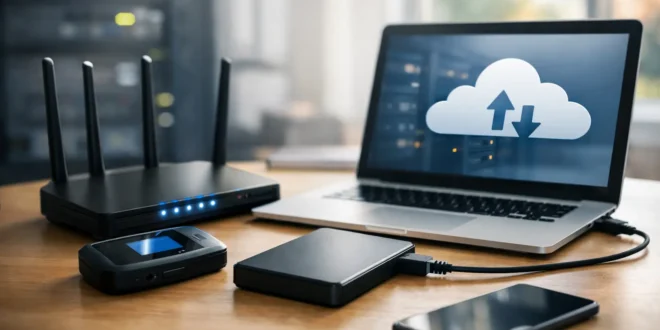

A broadband outage is not just an inconvenience when your card terminals, cloud apps, phones, cameras, and customer Wi-Fi all depend on the same connection. The right business broadband backup options keep essential work moving while the primary line is repaired – but the cheapest backup is not always the one that protects your operation.
For a small office, a 5G router may be enough to keep email, payments, and cloud documents available. For a warehouse running voice, inventory scanners, and remote camera feeds, it may be nowhere near enough. The correct choice starts with understanding what must stay online, how quickly failover needs to happen, and whether the backup path shares the same failure point as your main circuit.
Start With the Failure You Need to Survive
A backup connection is only useful if it remains available when the primary one fails. That sounds obvious, yet many businesses pay for a second circuit that enters the building through the same conduit, terminates in the same street cabinet, or relies on the same provider network. A construction cut, power issue, or local exchange outage can take down both.
First, separate outages into two categories. A local equipment or provider failure may be solved by a second wired circuit. A physical site-level disruption, such as damaged cabling or loss of local infrastructure, is more likely to require cellular or satellite connectivity. For higher-value sites, true resilience usually means using different access technologies and, where possible, different carriers.
Also identify your minimum operating mode. Do not assume every device needs internet access during an outage. A retailer may prioritize payment processing and an ordering system. A professional office may need VPN access, cloud productivity tools, and VoIP. A security-focused location may put alarm communications and camera monitoring first.
7 Business Broadband Backup Options to Consider
1. A Second Wired Broadband Circuit
A second fiber, cable, or business-grade broadband line is often the strongest answer where high bandwidth matters. It can support a full office load, including cloud backups, video calls, and multiple users, without forcing staff to change their behavior during an outage.
The trade-off is cost and false redundancy. Before signing a contract, ask whether the second service has a physically diverse entry route, separate last-mile infrastructure, and ideally a different network provider. Two fiber circuits from the same carrier may improve capacity, but they do not automatically protect against a shared local failure.
This option fits offices, clinics, multi-user professional services firms, and any site where a cellular connection would be overwhelmed within minutes.
2. 4G or 5G Cellular Failover
Cellular failover is the most common backup for small and midsize businesses because it is fast to deploy, independent of local wired infrastructure, and available almost everywhere. A dual-WAN firewall or SD-WAN appliance detects the outage and moves traffic to a cellular modem automatically.
5G can deliver impressive speeds, but coverage maps are not a guarantee of indoor performance. Test signal strength where the router will sit, preferably with the exact carrier you plan to use. An external antenna can make a major difference in metal-framed buildings, basements, and rural locations.
Watch the data plan closely. A few hours of ordinary business activity can consume far more data than expected when laptops resume cloud synchronization, operating systems update, cameras upload footage, or staff start video meetings. Configure traffic policies that block nonessential updates and limit guest Wi-Fi during failover.
3. Fixed Wireless Access
Fixed wireless access uses a dedicated cellular or radio connection at a fixed location, typically with higher allowances and more stable hardware than a phone hotspot. It can work as either the primary service or a serious backup for sites where fiber is expensive, delayed, or unavailable.
Its strongest use case is a branch location, temporary office, construction site, or retail site that needs more capacity than a standard cellular backup plan provides. Performance still depends on local signal conditions and carrier congestion, so test it during busy business hours rather than relying on a single speed test.
4. A Business Cable Connection Behind Fiber
If your primary link is fiber, cable internet from a different provider can be a practical and cost-effective secondary circuit. Cable may offer plenty of downstream capacity for regular business operations, while providing technology diversity from the fiber network.
The limitation is upload speed and service consistency. Cloud-heavy teams, large file transfers, and sites sending camera footage can run into the lower upstream bandwidth common on cable plans. It is still a strong fit when your outage plan is focused on communications, sales systems, and basic cloud access rather than a full replica of normal traffic.
5. Satellite Internet
Satellite is no longer limited to remote cabins and emergency response vehicles. Low-earth-orbit satellite services can provide useful broadband backup for rural offices, isolated facilities, and locations where a terrestrial outage could leave no practical alternative.
It does require clear sky visibility, suitable mounting, and planning for power. Latency, weather sensitivity, service terms, and traffic management can also vary. Satellite should be considered an independent access path, not a direct replacement for fiber at a busy headquarters. It is most valuable when terrestrial diversity simply does not exist.
6. Managed SD-WAN With Multiple Links
Managed SD-WAN combines two or more connections and applies intelligent routing rules across them. Rather than treating backup as an all-or-nothing switch, it can send critical applications over the best available path and move lower-priority traffic elsewhere.
For example, voice and payment traffic can be prioritized over a stable wired connection while guest Wi-Fi uses a secondary circuit. If packet loss rises on one path, SD-WAN can reroute sensitive traffic before users experience a complete outage. This is especially useful for businesses with several locations, cloud-based phone systems, or strict uptime expectations.
The downside is added cost and complexity. SD-WAN earns its place when application-aware routing matters, not just because it is a popular networking label.
7. A Manual Emergency Connection
A dedicated hotspot, spare 5G router, or preconfigured travel router is not automatic failover, but it is better than having no plan. For a very small business, manual backup can be a sensible first step if outages are rare and staff can tolerate a short interruption.
It should not be treated as a permanent resilience strategy for payment-dependent or security-sensitive operations. Someone needs to be present, credentials must be stored safely, and the device must be tested and kept charged. Still, for a one-person office or low-traffic storefront, it can provide a low-cost safety net.
The Router and Firewall Matter as Much as the Backup Line
Buying a second connection without compatible network equipment is a common mistake. Your router, firewall, or SD-WAN appliance needs dual-WAN capability and should support automatic health checks. A device that merely detects whether a cable is plugged in can miss partial failures where the line appears active but DNS, cloud applications, or VoIP are unusable.
Look for configurable failover testing, policy-based routing, cellular USB or Ethernet support, and traffic controls. If you use a static public IP, inbound VPN, hosted phone system, or remote management tools, confirm what happens when traffic moves to the backup link. Cellular services often use carrier-grade NAT, which can prevent unsolicited inbound connections.
Keep the backup network segmented where possible. Guest traffic, streaming, software updates, and nonessential cloud backup jobs should not consume the connection intended for payments, staff access, and customer communications.
Build an Outage Plan Before You Need It
A backup circuit is an operational plan, not a box on the wall. Test automatic failover quarterly by disconnecting the primary service during business hours or a controlled maintenance window. Check more than a speed test: place a VoIP call, process a test payment where appropriate, connect to critical cloud tools, and verify that remote staff can reach required resources.
Document who contacts the provider, where circuit and account details are stored, and which services get priority. If your firewall sends alerts, make sure they reach someone who can act on them. A backup that fails silently is often discovered at the worst possible moment.
Power is another dependency that deserves attention. A short power outage can disable the modem, firewall, Wi-Fi access points, and cellular equipment even if the backup internet connection is healthy. A properly sized UPS can keep core networking equipment online long enough for generators to start or for a brief utility interruption to pass.
Choose Resilience Based on Downtime Cost
There is no single best setup. A home-based consultant might choose a tested 5G router and a UPS. A busy retail location may pair fiber with cable or fixed wireless, then reserve cellular for true last-resort access. A multi-site company may justify dual diverse circuits and SD-WAN because a few minutes of disruption affects revenue, customers, and staff across the business.
Calculate the real cost of an hour offline, including lost sales, idle staff, missed calls, and recovery time. That number turns business broadband backup from a vague IT expense into a practical decision about continuity. The best backup is the one you have tested, sized for critical work, and designed not to fail for the same reason as your primary connection.





