 TechBlonhub A new digital technology era.
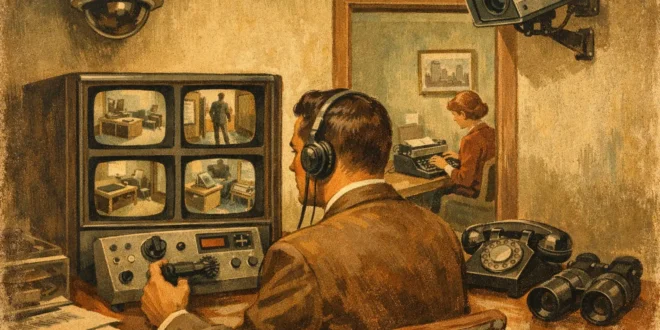

A camera over the front door is easy. A small office surveillance setup that actually helps after a break-in, policy dispute, or package theft is harder. The difference usually comes down to planning – not brand names, not flashy specs, and definitely not buying the cheapest four-camera kit you can find.
For most small offices, the goal is straightforward: deter obvious bad behavior, document what happened when something goes wrong, and avoid creating a system your team hates or your network cannot handle. That means thinking beyond camera count. You need coverage, retention, access control, and a realistic view of what you are trying to protect.
What a small office surveillance setup should actually do
Start with risk, not hardware. A law office, repair shop, clinic reception area, coworking suite, and warehouse office all need surveillance for different reasons. Some care most about entry points and visitor records. Others need to watch inventory movement, cash handling, or after-hours activity.
A useful setup usually covers exterior entrances, the reception area, main hallways, storage rooms, and any place where expensive equipment or sensitive materials are handled. That does not mean every square foot needs a camera. In fact, overcoverage can create noise, inflate storage costs, and raise privacy concerns.
The best systems answer a short list of questions clearly: Who entered? When did they arrive? What direction did they go? Was anything removed, damaged, or left behind? If your footage cannot answer those questions without guesswork, the setup needs work.
Start with a camera map, not a shopping cart
Before you buy anything, sketch the office. Mark entrances, windows accessible from the ground, reception desks, server closets, stock rooms, and blind spots. Then think about how people actually move through the space.
This simple exercise prevents a common mistake: putting all cameras at the perimeter and none where incidents actually unfold. Theft often happens inside the office, not at the front door. Tailgating, device tampering, and inventory shrinkage usually show up in transition areas like hallways, shared work zones, and back-office storage.
Mounting height matters too. Cameras placed too high give you a great view of the top of someone’s head. Cameras placed too low can be blocked, bumped, or vandalized. In most offices, a balanced angle that captures faces near entrances and wider views in common areas works better than chasing extreme wide-angle coverage everywhere.
Choosing the right cameras for a small office surveillance setup
This is where buyers often overspend on specs they will never use and underspend on features they actually need. Resolution matters, but not in isolation. A 4K camera pointed at a dim lobby with poor backlight handling can produce less useful footage than a good 1080p or 1440p model with solid low-light performance.
For a typical small office, turret or dome cameras are a practical choice indoors because they are compact and less likely to be knocked out of alignment. Bullet cameras often make more sense outside because they are easier to aim over longer distances and act as a visible deterrent.
Varifocal lenses are worth considering for key locations like entrances, loading doors, and cash-handling points. They give you flexibility to tighten the field of view without moving the camera. Fixed-lens cameras are fine for wide common areas, but they can leave you with footage that is technically sharp and still useless for identification.
Audio recording is another trade-off. It can add context in disputes, but it also creates legal and privacy issues depending on your environment and local rules. If your priority is security rather than conversation capture, many offices are better off focusing on clean video and strong access logs.
Storage and retention can make or break the system
A lot of small businesses think they need cameras. What they really need is footage they can still access three weeks later.
Cloud storage is simple and off-site, which helps if a recorder is stolen or damaged. The downside is recurring cost, bandwidth use, and, in some cases, limited control over retention tiers. Local recording through an NVR can be more cost-effective over time and usually gives better control over video quality and retention, but it needs proper placement, drive sizing, and backup planning.
For many offices, a hybrid approach makes the most sense: local recording for full-resolution footage and cloud backup for critical event clips. That gives you resilience without pushing every stream through your internet connection around the clock.
Retention depends on the business. Seven days may be enough for a low-risk office with limited public traffic. Thirty days is a common target because many incidents are not discovered immediately. If you handle deliveries, shared access, or customer disputes, shorter retention can become a liability fast.
Don’t ignore the network side
A surveillance system is part of your IT environment, whether you treat it that way or not. IP cameras consume bandwidth, occupy switch ports, and create another attack surface. If the office already struggles with weak Wi-Fi or overloaded uplinks, adding cameras without planning can cause headaches.
PoE is usually the right move for small offices. It simplifies installation, improves reliability, and avoids dealing with separate power adapters all over the building. A dedicated PoE switch or a properly sized shared switch is often cleaner than trying to patch together consumer-grade gear.
Segmentation matters as well. Cameras and recorders should not sit openly on the same flat network as workstations and critical business systems. Even in a small environment, putting surveillance devices on their own VLAN or isolated subnet is a smart baseline. It limits exposure if a device is compromised and makes troubleshooting easier.
Remote access should be treated carefully. If you want to view cameras from your phone or laptop off-site, use strong unique passwords, enable multi-factor authentication when available, and avoid exposing management interfaces directly to the internet. Convenience is great until an attacker finds the same camera dashboard you forgot was publicly reachable.
Privacy, policy, and employee trust
This is the part many buyers rush past, then regret later. A small office surveillance setup should protect the business without turning the workplace into a pressure cooker.
Be clear about where cameras are installed and why. Entrances, public-facing areas, inventory rooms, and server spaces are one thing. Break rooms, private offices without a strong reason, and any area where people expect personal privacy are another. Even where surveillance is legal, poor judgment can damage morale faster than it improves security.
A written policy helps. It should explain what is monitored, who can access footage, how long recordings are kept, and what the system is used for. Limiting access is especially important. If too many people can review or export video, chain of custody and privacy controls fall apart.
Common mistakes that cost more later
The first mistake is buying a kit based on camera count alone. Four mediocre cameras in bad positions are worse than two well-placed cameras covering the right zones. The second is relying on Wi-Fi for everything. Wireless cameras have their place, but offices with concrete walls, RF congestion, or multiple networks often get inconsistent performance right when footage matters most.
Another issue is poor lighting. Cameras do not fix dark scenes by magic. If your back entrance is dim, adding a motion light can improve footage more than upgrading to a higher-resolution camera. The same goes for strong window glare in reception areas. Test scenes at the times that matter, especially early morning, evening, and after hours.
Then there is the set-it-and-forget-it problem. A system installed once and never reviewed will drift. Cameras get bumped. Drives fill up. Time settings go wrong. Firmware ages out. Someone changes the office layout and suddenly the expensive stock cabinet is just outside the frame.
How to keep the system useful over time
Treat surveillance like any other business system. Check it monthly. Confirm every camera is recording, timestamps are correct, motion alerts are not flooding users with junk, and footage can actually be exported when needed.
Run a simple test scenario once in a while. Walk through the front entrance, move across the office, and verify you can follow that path on recorded footage. If identification is weak at the door or transitions between cameras are confusing, adjust the layout now instead of after an incident.
This is also where smart features deserve a reality check. Person detection, line crossing, and vehicle alerts can reduce noise, but they are not magic. In a small office, basic motion zones and reliable recording often outperform a long list of AI features that generate false alerts and get ignored.
A good surveillance setup should fade into the background most days and become instantly useful on the bad ones. If you design for coverage, retention, network reliability, and sensible access from the start, you will spend less time chasing specs and more time building a system that earns its place. Before you buy the next camera, make sure you know exactly what problem it is supposed to solve.





