 TechBlonhub A new digital technology era.
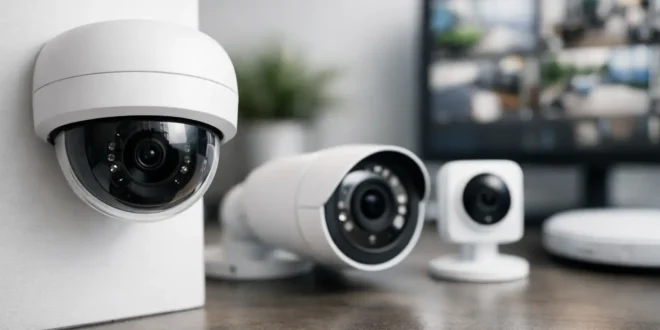

A security camera is only useful if you can find the footage when something goes wrong. That is the central appeal of UniFi Protect: it puts live views, motion events, local recordings, and camera health inside a system you control. This UniFi Protect camera review looks at whether that control justifies the upfront cost for a home, office, retail site, or small business.
The short answer is yes for buyers who already use UniFi networking gear or want a professionally organized, subscription-free camera platform. It is less compelling for anyone who wants a cheap, battery-powered camera that works five minutes after opening the box.
What UniFi Protect Actually Is
UniFi Protect is Ubiquiti’s video surveillance platform. Unlike many consumer camera brands that send recordings to a vendor-managed cloud, Protect is built around local storage on a compatible UniFi console. Depending on the setup, that could be a CloudKey Gen2 Plus, a UniFi Dream Machine Pro or Special Edition, or a dedicated UniFi network video recorder.
The cameras connect to Protect, the console stores the video, and the web interface or mobile app handles viewing, playback, alerts, and administration. Remote access is available through a UniFi account, but the recording infrastructure remains at your location.
That design changes the buying decision. You are not just choosing a camera. You are buying into an ecosystem that includes a recorder, storage drives, network capacity, and often Power over Ethernet switches. For an IT administrator, that is a benefit. For a casual buyer, it can feel like unnecessary homework.
UniFi Protect Camera Review: Image Quality and Hardware
UniFi sells a wide mix of cameras, from compact indoor models to turret, bullet, dome, panoramic, and long-range units. Resolution, low-light performance, field of view, optical zoom, and AI detection features vary substantially by model, so the Protect platform should not be judged by the least expensive camera in the lineup.
In general, the higher-resolution wired models produce sharp daytime footage with enough detail to identify people, vehicles, and activity around entrances, driveways, stockrooms, and parking areas. The better models also handle bright backlighting more effectively than entry-level consumer cameras. That matters when a camera faces a glass door, loading bay, or garage entrance where a person can otherwise become a dark silhouette.
Night performance is solid when the camera is correctly placed. Infrared illumination can provide usable black-and-white video in low light, but no camera can recover detail from a scene with poor placement, reflective surfaces, or excessive distance. A camera mounted 25 feet from a face is still a camera mounted 25 feet from a face. Before buying higher resolution hardware, consider lighting, mounting height, and the angle to the area you need to protect.
The physical hardware is one of Protect’s strong points. Many models use PoE, meaning a single Ethernet cable provides both data and power. This is cleaner and more reliable than relying on Wi-Fi and nearby outlets, especially in commercial spaces. Wired cameras also avoid the battery maintenance, signal drops, and bandwidth unpredictability that can affect consumer kits.
There are Wi-Fi options for locations where cabling is impractical. They are useful, but a wired connection should remain the first choice for primary entry points, cash areas, equipment rooms, and other locations where missed footage would be costly.
Local Recording Is the Biggest Advantage
Subscription fees are where a low-cost camera can become expensive over time. Many mainstream systems restrict video history, person detection, or cloud storage unless you pay every month. UniFi Protect does not require a monthly subscription for normal recording and playback because footage is stored locally.
For businesses, this can make budgeting easier. You pay for the cameras, console, hard drives, PoE capacity, and installation up front. After that, retention is mostly a storage planning issue rather than a recurring per-camera bill.
There is a trade-off. Local storage makes you responsible for storage health and retention planning. A single-drive console may be adequate for a few cameras at home, but it is not the same as a recorder with multiple drives and redundancy. If a site needs weeks or months of retention, calculate storage before installation rather than after an incident reveals that footage was overwritten.
Resolution, frame rate, scene activity, and camera count all affect retention. Four busy 4K cameras can consume storage far faster than several 1080p cameras watching quiet hallways. Protect makes it straightforward to check storage use, but it cannot override the physics of video files.
The App and Event Detection Save Time
Protect’s web dashboard is one of the reasons the platform appeals to network-conscious buyers. Multi-camera views are clean, timeline playback is easy to navigate, and the device list makes it simple to see which camera is offline, disconnected, or needs attention.
The mobile app is equally important because security events rarely happen while someone is sitting at the monitoring desk. It supports live viewing, event review, notifications, and sharing clips when needed. The experience is generally more polished than assembling a recorder, cameras, and third-party software from separate vendors.
On supported camera models, smart detections can identify categories such as people, vehicles, and other relevant motion events. This helps reduce the endless stream of alerts caused by shadows, rain, trees, or passing headlights. It is a real improvement over generic motion detection, but it should not be treated as forensic certainty. Detection accuracy depends on camera angle, lighting, distance, and the model’s capabilities.
Set alert rules with restraint. A push notification for every movement near a public sidewalk will train you to ignore all notifications. Alerts should focus on specific cameras, time periods, and event types that require action.
Setup Is Easy for IT Teams, Less So for Beginners
A basic Protect installation is manageable for a technically confident homeowner or a small business with network support. Adopt the console, connect the cameras, assign names, set recording rules, and configure notifications. The workflow is logical, especially if you have used other UniFi products.
The harder part is the infrastructure around it. PoE cameras require a PoE switch or injectors. Outdoor runs need appropriate Ethernet cable, weatherproofing, surge protection where appropriate, and careful routing. Recorder hardware needs enough drive capacity, ideally protected by a UPS. Camera placement needs planning before holes are drilled.
For a small office, this preparation is worthwhile because the same network can support access points, switches, gateways, and cameras in one management environment. For a renter who only needs a door camera and one indoor view, it may be overkill.
The Costs That Matter Beyond the Camera Price
UniFi cameras are not always the cheapest choice, particularly once the total system cost is included. Buyers should budget for the console or NVR, storage drives, PoE equipment, cabling, mounts, and possibly professional installation.
That does not automatically make Protect poor value. The financial picture improves as camera count rises because the lack of mandatory monthly cloud fees becomes more meaningful. A five- or 10-camera system can be easier to justify than a one-camera system, particularly for a business that wants centralized management and longer-term ownership.
Availability is another practical consideration. Specific camera models can be harder to source at times, and Ubiquiti changes its hardware lineup regularly. Avoid designing an installation around one exact model unless you have confirmed its availability and have a suitable alternative.
Who Should Buy UniFi Protect?
UniFi Protect is an excellent fit for existing UniFi users, small businesses with several cameras, technically capable homeowners, and organizations that want local video storage without a per-camera subscription. It is particularly strong when a site already needs PoE switching, managed Wi-Fi, or a UniFi gateway.
It is a weaker fit for users who prioritize the lowest upfront cost, need wireless cameras everywhere, or do not want to manage any local hardware. A cloud-first system may be simpler for those buyers, even if it costs more over several years.
The most important decision is not whether a UniFi camera has the highest resolution on paper. It is whether you are prepared to build a security system, not just buy a gadget. If local control, wired reliability, and organized video management matter more than a plug-in setup, UniFi Protect gives you a platform that can grow with the site instead of becoming another app you stop checking.





