 TechBlonhub A new digital technology era.
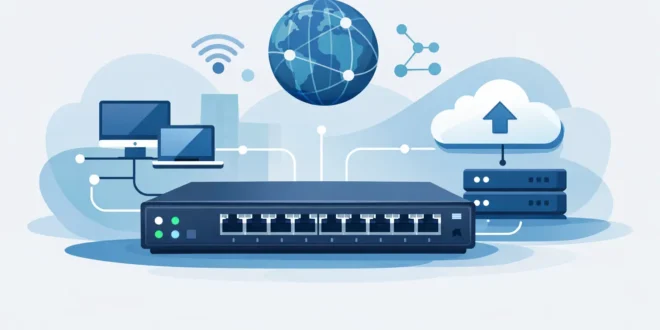

If your office has 20 devices fighting for bandwidth, or your home lab keeps growing one cable at a time, the question stops being academic fast: what does a network switch do, and why does it matter? A switch is the traffic manager inside a local network. It connects devices like PCs, printers, access points, servers, cameras, and VoIP phones, then sends data only where it needs to go instead of blasting it everywhere.
That sounds simple, but it is the reason modern networks can stay fast, predictable, and manageable. Without switches, every device would compete in a much noisier environment, and performance would fall apart as more endpoints came online.
What does a network switch do on a network?
At its core, a network switch connects multiple wired devices on the same local area network, or LAN. When one device sends data, the switch reads the destination information and forwards that traffic to the correct port. That means the file headed to your NAS goes to the NAS, not to every laptop, printer, and camera on the network.
This is the key difference between a switch and older shared-network designs. A switch creates smarter point-to-point communication. It reduces unnecessary traffic, improves efficiency, and helps devices talk at full speed more consistently.
Most switches do this using MAC addresses, which are hardware identifiers tied to network interfaces. The switch learns which MAC address is on which port, builds a table, and uses that table to forward traffic intelligently. In plain English, it learns where things live and stops guessing.
Why a switch is different from a router
A lot of buyers mix up switches and routers because both move traffic. They just do different jobs.
A router connects different networks. In most homes and small businesses, it connects your local network to the internet. It handles tasks like NAT, DHCP, firewall rules, and often Wi-Fi.
A switch expands the local network itself. If your router has four LAN ports and you need twelve, a switch gives you that expansion. More importantly, it handles local device-to-device traffic far more efficiently than trying to chain everything through limited ports or rely on wireless for every connection.
So if the router is the gateway, the switch is the internal road system.
How a network switch actually moves data
When a device sends an Ethernet frame, the switch checks the destination MAC address. If it already knows which port that address belongs to, it forwards the frame only to that port. If it does not know yet, it floods the frame to relevant ports, waits for a response, and learns from that exchange.
This learning process happens continuously and automatically. In normal use, it is invisible. You plug in a desktop, IP phone, or server, and the switch starts building an understanding of the network.
This matters for performance because each switch port is its own collision domain. That reduces contention compared with older hub-based networking. In practical terms, users get more stable wired performance for large file transfers, VoIP calls, surveillance streams, and business apps.
What a switch improves in the real world
The benefit is not just “more ports.” A switch improves the quality of the network in ways that matter once you have multiple active devices.
For a small business, that could mean staff can access a shared server while security cameras keep recording and IP phones stay clear. For a home office, it could mean your desktop, NAS, and work laptop all get reliable gigabit links without depending on crowded Wi-Fi.
Switches also help with consistency. Wireless is convenient, but it is affected by distance, interference, wall materials, and client density. A wired switch connection gives fixed devices a more dependable path. That is why desktops, printers, access points, game consoles, smart TVs, and servers are often better on a switch when Ethernet is available.
Unmanaged vs managed switches
This is where buying decisions start to matter.
An unmanaged switch is plug-and-play. You connect it, it starts forwarding traffic, and there is little or nothing to configure. For basic needs, that is often enough. If you just need more ports for a small office or home setup, unmanaged can be the right low-cost choice.
A managed switch gives you visibility and control. You can configure VLANs, monitor traffic, prioritize certain applications with QoS, set port rules, mirror traffic for troubleshooting, and tighten access policies. That is useful for businesses, labs, and any network where performance or segmentation matters.
The trade-off is cost and complexity. Managed switches are more powerful, but they make more sense when you know what features you need. Buying one “just in case” is not always smart if the network is tiny and static.
What does a network switch do for security?
A switch is not a firewall, so it does not replace security tools at the network edge. Still, it can absolutely support better security, especially if it is managed.
With VLANs, you can separate traffic types. For example, you can isolate office devices from guest devices, or keep IP cameras on a different segment from user PCs. That limits unnecessary exposure and helps contain problems if one part of the network is compromised.
Managed switches can also support features like port security, 802.1X authentication, access control lists, and monitoring. Those tools are more common in business environments, but they matter. If unauthorized devices can plug into an open wall jack and join the network, that is a real risk.
So while a switch is not the front-line security appliance, it often plays a major supporting role in a safer network design.
Power over Ethernet changes what a switch can do
Some switches include PoE, or Power over Ethernet. This lets the switch send both data and electrical power through the same Ethernet cable.
That is a big deal for devices like wireless access points, IP cameras, VoIP phones, and some smart building hardware. Instead of needing both a network cable and a nearby power outlet, the device can run through one cable back to the switch.
For offices and commercial installs, PoE simplifies deployment and reduces clutter. It also gives IT more centralized control. If a camera or access point needs a reboot, that can often be done from the switch management interface instead of sending someone onsite.
The catch is power budget. A PoE switch might have 24 ports, but not enough total wattage to fully power 24 high-draw devices at once. That is one of those details buyers miss until rollout day.
When you actually need a network switch
Not every network needs one immediately. If your router has enough LAN ports and your traffic is light, you may be fine without a dedicated switch.
You likely need a switch when you are running out of ports, when you want better wired performance for multiple devices, when you are adding infrastructure like access points or cameras, or when you need network segmentation and management features.
For SMBs, the need usually arrives quickly. One internet connection turns into a router, then a few desktops, then printers, phones, APs, NVRs, and maybe a server. At that point, a switch is not optional. It is basic infrastructure.
For home users, it depends on the setup. A simple apartment network may not need one. A gaming room, media setup, or home lab probably will.
Common switch speeds and what they mean
Most basic switches today are Gigabit Ethernet, which supports up to 1 Gbps per port. That is the standard starting point and enough for many small networks.
Faster options include 2.5GbE, 5GbE, 10GbE, and beyond. These make sense for heavier workloads like editing from shared storage, moving large backups, running virtualized environments, or supporting high-performance Wi-Fi access points with multi-gig uplinks.
This is where context matters. Buying 10GbE everywhere sounds great until you price the switches, NICs, cabling, and storage needed to benefit from it. For many buyers, gigabit to the desktop and a faster uplink to shared resources is the better value.
A network switch is simple until your network grows
The reason switches matter is not that they are flashy. It is that they remove friction. They let local devices communicate efficiently, give wired endpoints stable performance, and create room for a network to grow without turning into a mess.
If you are choosing one, focus less on marketing labels and more on fit: how many ports you need, whether PoE matters, whether VLANs or monitoring will help, and whether gigabit is enough for the workloads you actually run. A good switch does not need to be exciting. It just needs to keep your network fast, organized, and ready for what gets plugged in next.





