 TechBlonhub A new digital technology era.
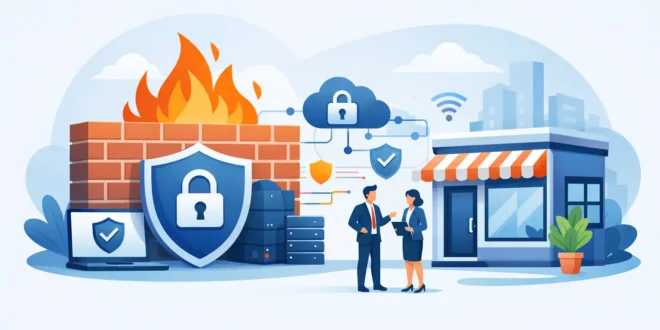

A $200 router may keep a tiny office online, but it will not necessarily keep attackers, phishing callbacks, infected laptops, or risky cloud traffic out. So, what firewall does a small business need? One that matches the way employees actually work, not just the number of desks in the building.
For most small businesses, that means a next-generation firewall, often called an NGFW, with security subscriptions enabled. It should inspect traffic beyond simple port numbers, protect remote users, control applications, and give someone a clear view of what is happening on the network. The right choice is rarely the biggest appliance or the cheapest box. It is the one that can enforce useful security without slowing down business.
What firewall does a small business need?
A small business generally needs a business-grade next-generation firewall sized for its internet connection, number of users, and security features turned on. At a minimum, it should include stateful firewalling, intrusion prevention, web filtering, malware protection, VPN or zero-trust remote access, and centralized logging.
Traditional firewalls mainly decide whether to allow or deny traffic based on IP addresses, ports, and protocols. That still matters, but it is not enough on its own. Modern attacks often arrive through encrypted web sessions, compromised SaaS accounts, malicious downloads, and devices that connect from home networks. An NGFW adds application awareness and threat inspection, helping distinguish legitimate business traffic from activity that deserves to be blocked or investigated.
For a five-person accounting firm, a 20-user retail operation, and a 50-person design agency, the exact model will differ. The security baseline should not. Every one of those businesses handles valuable data, relies on email and cloud services, and can lose money quickly when ransomware or an account takeover stops operations.
Start with your real network, not a product label
Firewall shopping goes wrong when buyers start by comparing brand names or headline speeds. Begin with the traffic and risks your business has today, then leave room for growth over the next three to five years.
Count employees, but also count devices. A 15-person office can easily have 50 to 100 connected endpoints once laptops, phones, printers, cameras, point-of-sale systems, access points, and guest devices are included. If remote staff connect through the firewall, include them as well. A firewall is not just protecting people at desks anymore.
Next, look at the internet connection. If your business has 1 Gbps fiber, a firewall rated for 1 Gbps of basic firewall throughput may become a bottleneck the moment intrusion prevention, antivirus scanning, and encrypted traffic inspection are enabled. Vendor performance figures can vary dramatically depending on which features are active.
The number that matters most is usually threat-protection throughput, sometimes listed as NGFW throughput. Choose a model that can comfortably handle your expected peak internet usage with the security services you plan to use. Buying for the bare minimum saves money once and creates a performance problem every day after that.
Encrypted traffic is the major sizing trap
Most business traffic now uses HTTPS encryption. Without SSL or TLS inspection, a firewall can still block known bad destinations and enforce some policies, but it may not see malicious content hidden inside encrypted sessions.
Decrypting and inspecting traffic provides stronger protection, but it requires processing power and careful policy design. Some services, such as banking, healthcare portals, and certain privacy-sensitive applications, may need exclusions. A small business does not need to inspect every connection blindly, but it should understand the trade-off instead of assuming encryption makes traffic safe.
The features worth paying for
A firewall appliance without active security services is often just an expensive traffic gatekeeper. Subscription costs can feel inconvenient, yet they fund updated threat intelligence, malware signatures, web categorization, and support. Treat those recurring costs as part of the purchase price.
Look for these capabilities when evaluating a small business firewall:
- Intrusion prevention system (IPS): Detects and blocks attempts to exploit known vulnerabilities in servers, devices, and applications.
- Web and DNS filtering: Stops users and devices from reaching phishing pages, malware hosts, and inappropriate or high-risk categories.
- Application control: Identifies applications regardless of port, allowing policies for services such as remote desktop tools, file-sharing apps, and social platforms.
- Gateway anti-malware and sandboxing: Scans downloads and, on some platforms, analyzes suspicious files before they reach endpoints.
- VPN or zero-trust access: Gives remote employees secure access without exposing internal services directly to the public internet.
- Multi-WAN and failover: Keeps internet-dependent operations running when a primary connection fails.
- Logging and alerts: Provides useful records of blocked threats, device activity, configuration changes, and failed login attempts.
Not every business needs the most advanced version of every feature. A company with no on-premises servers may place less value on inbound inspection than a business hosting its own applications. A medical office, law firm, or financial services company may prioritize logging, web controls, and segmentation because of the sensitivity of its data.
Do not overlook network segmentation
Many small businesses put every device on one flat network. That means a compromised guest phone, smart TV, camera, or point-of-sale terminal may be able to reach workstations and shared files. The firewall can help stop that lateral movement, but only if the network is divided into meaningful zones.
At a practical minimum, separate employee devices, guest Wi-Fi, business-critical systems, and IoT equipment. A guest network should reach the internet but not internal resources. Cameras and smart devices should not have open access to employee laptops. Point-of-sale devices should communicate only with the services they need.
This does require managed switches and properly configured wireless access points, not just a firewall. Still, the firewall is where those boundaries become enforceable. Segmentation is one of the most effective ways to limit damage after a device is compromised.
Appliance, cloud-managed, or firewall as a service?
Small businesses have three common deployment paths. A physical appliance at the office gives you direct control and can continue enforcing local policies even when cloud management is unavailable. It is often the best fit for offices with wired devices, servers, multiple VLANs, or compliance requirements.
Cloud-managed firewalls are attractive when the business has limited IT staff or several locations. They simplify deployment, updates, monitoring, and policy changes from a central dashboard. The trade-off is recurring licensing and possible limits on advanced customization, depending on the platform.
Firewall as a service shifts security inspection to a cloud provider. It can work well for distributed teams that primarily use SaaS applications and rarely connect to a central office. However, it depends heavily on reliable internet connectivity and may not replace local network segmentation needs at a physical location.
There is no universal winner. A single office with local devices often benefits from an appliance with cloud management. A remote-first company may get more value from identity controls, endpoint protection, and a cloud-delivered security service than from an oversized office firewall.
Avoid the common buying mistakes
The cheapest consumer router is usually a false economy. It may lack reliable updates, detailed logs, VLAN support, business VPN features, and the processing power needed for active threat prevention. Consumer gear can be acceptable for a temporary home office, but it should not be the security foundation for a growing business.
Another mistake is purchasing a capable firewall and leaving default settings in place. Change administrative credentials, require multi-factor authentication for management access, disable remote administration from the open internet unless it is truly needed, and apply firmware updates promptly. A firewall with an unpatched vulnerability can become the entry point it was meant to protect.
Businesses also underestimate management. Someone needs to review alerts, renew licenses, test backups of the configuration, remove former employees’ access, and confirm that remote access still follows company policy. If no internal employee can handle those tasks, budget for a managed service provider. Security tools only work when someone owns the outcome.
A practical buying checklist
Before committing to a firewall, confirm that it supports your required internet speed with IPS, malware scanning, and web filtering enabled. Make sure it has enough ports and VLAN capacity for your wired network, plus support for dual WAN if downtime is costly.
Ask how remote workers will connect, how easily policies can be managed, and whether logs are understandable enough for your team or provider to act on them. Check the full cost over three years, including subscriptions, support, installation, and any required switches or access points. A lower hardware price can be outweighed by expensive licensing, while a slightly more capable model may delay a disruptive upgrade.
Finally, test the operational side. Can you quickly block a lost laptop, isolate a suspicious device, add a new employee, or see why an application is failing? The best firewall is not the one with the longest feature list. It is the one your business can keep configured, monitored, and useful when a real security incident arrives.





