 TechBlonhub A new digital technology era.
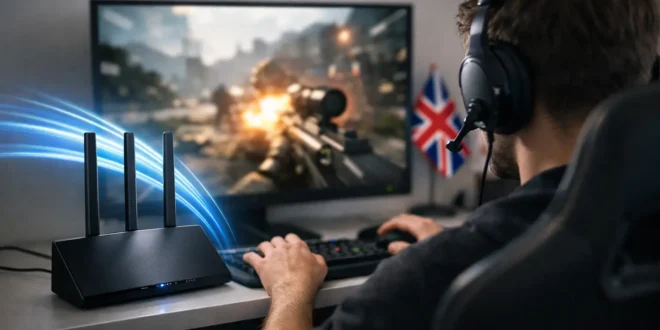

A 1 Gbps plan will not save a bad match if your connection spikes every time someone starts a 4K stream. When shopping for the best UK broadband for gamers, headline download speed matters, but latency, connection type, Wi-Fi design, and local network congestion matter more than most provider ads suggest.
For competitive games, the best choice is usually full-fiber service available at your address, paired with a wired Ethernet connection to your PC or console. The provider name still matters for support, routing quality, equipment, and price. But availability determines the shortlist long before branding does.
What Gamers Should Prioritize Before Speed
Gaming traffic itself is relatively small. Most multiplayer titles use far less bandwidth than a video call or 4K stream. That means a household does not need gigabit service solely to play Fortnite, Call of Duty, EA Sports FC, Valorant, or similar games.
What games do need is consistency. A connection with a stable 15 ms to 30 ms ping is generally more useful than one that reaches 900 Mbps but suffers evening jitter, packet loss, or bufferbloat whenever the household is busy. Ping is the round-trip time between your device and a game server. Jitter is how much that time varies. Packet loss means some data does not arrive at all. In a fast competitive match, each can feel like delayed inputs, rubber-banding, missed shots, or sudden disconnects.
Prioritize these factors in order: full-fiber availability, stable latency under load, adequate upload capacity, a reliable router, and only then the largest download number within budget. This approach prevents a common mistake: paying for a top-tier package while retaining the Wi-Fi router or home network setup causing the real problem.
Best UK Broadband for Gamers by Connection Type
Best overall: Full fiber to the premises
Fiber-to-the-premises, often called FTTP or full fiber, is the strongest option for most gaming households. The fiber line runs to the property instead of stopping at a neighborhood cabinet and switching to older copper wiring. That usually means better reliability, lower latency variation, and higher upload speeds.
Openreach-based full-fiber plans are sold by multiple providers, including BT, EE, Zen Internet, Sky, Vodafone, and others, depending on the area. Their packages can use the same underlying access network, so differences may come down to price, router quality, contract terms, customer service, and the speed tiers offered at your address.
If an alternative network is available, it may be equally compelling. Hyperoptic, Community Fibre, CityFibre-backed providers, and regional full-fiber operators can offer excellent value and symmetric speeds in covered areas. Symmetric service is especially useful for gamers who stream on Twitch or YouTube, host game servers, upload large clips, or work from home between sessions.
The trade-off is coverage and maturity. A smaller provider may have an outstanding network in one city or apartment building but no service a few streets away. Always judge the serviceable address, not a national marketing claim.
Best for heavy streaming households: 500 Mbps to 1 Gbps fiber
A 500 Mbps or 1 Gbps full-fiber plan makes sense when several people game, stream, download large titles, back up devices, and work remotely at the same time. It shortens game downloads dramatically and gives the household capacity to absorb traffic bursts without creating a queue at the router.
However, gigabit broadband is not automatically better for ping than a well-run 100 Mbps or 300 Mbps fiber plan. If you live alone, play primarily online multiplayer games, and do not regularly download huge libraries, 100 Mbps to 300 Mbps may be the better-value tier. Spend the savings on Ethernet cabling, a better router, or a mesh access point if your gaming setup is far from the router.
A viable alternative: Virgin Media cable
Virgin Media can be a practical option where FTTP choices are limited, particularly because it offers high download speeds across a wide footprint. For game downloads and households with many devices, it can outperform older copper-based services by a large margin.
Still, cable performance can vary by local segment and time of day. Upload speeds may also be less generous than on many full-fiber plans. Check recent service feedback in your neighborhood, and test the connection thoroughly during the return or cooling-off period. If latency rises sharply at peak time, the fastest advertised download tier will not fix it.
Avoid when possible: ADSL and fiber-to-the-cabinet
Older ADSL and FTTC services can support casual gaming, but they are no longer the first choice for a serious setup. FTTC uses copper from the street cabinet to the home, and line quality, distance, and interference can affect performance. Upload speeds are often limited, which becomes obvious during streams, cloud backups, and large game updates.
If FTTC is all that is available, choose a provider with transparent minimum-speed information and use wired Ethernet. Fixed wireless or 5G home broadband may be worth testing in rural areas, but performance depends heavily on signal quality and local cell congestion. It can be excellent in one home and erratic in the next.
The Router Can Decide Whether Your Match Feels Smooth
Many provider-supplied routers are adequate for browsing and streaming. They are not always ideal for a house full of devices competing for airtime. Before replacing a broadband plan, identify whether the problem is actually inside the home.
A gaming PC, PlayStation, or Xbox should use Ethernet whenever possible. A direct wired connection eliminates interference from walls, neighboring networks, Bluetooth devices, and crowded Wi-Fi channels. If running cable is impractical, use a quality Wi-Fi 6 or Wi-Fi 6E router or mesh system, place the access point in an open central location, and connect on the 5 GHz or 6 GHz band where supported.
Look for router features such as Quality of Service, traffic prioritization, and Smart Queue Management. These controls can reduce bufferbloat, which happens when upload or download queues fill and force latency upward. A router with well-configured queue management can make a modest connection feel more responsive while someone else uploads video or starts a large cloud sync.
Do not assume a “gaming router” label guarantees better results. Firmware support, Wi-Fi coverage, Ethernet port capacity, and queue management matter more than RGB lighting or a gaming badge on the box.
Questions to Ask Before Signing a Contract
The right plan depends on where you live, how many people share the line, and whether you stream or create content. Before committing, confirm the exact connection technology at the address. Providers often use “fiber” broadly, but FTTC and FTTP are fundamentally different services.
Ask for the expected upload speed, not just the maximum download rate. Check whether the provider uses carrier-grade NAT if you host games, run a home lab, or need inbound connections. CGNAT is not a concern for most players, but it can complicate port forwarding and may affect NAT types on some consoles.
Also review contract length, mid-contract price increases, installation timing, included router specifications, and any exit rights. A cheaper 24-month deal is not necessarily the better value if it locks you into weak equipment or a service that cannot meet your household’s actual needs.
A Practical Setup That Beats Most “Gaming” Packages
For many homes, the sweet spot is a 300 Mbps to 500 Mbps full-fiber plan, Ethernet to the main gaming device, and a router that handles queue management properly. Move to 1 Gbps if your household frequently downloads large games, has several concurrent users, streams in high resolution, or needs faster uploads for content creation.
Once service is installed, test at several times of day using a wired device. Record ping, jitter, packet loss, and speed while the network is idle, then repeat while another device streams or uploads. That second test reveals whether your network stays usable under pressure, which is the condition that matters when a ranked match starts at the worst possible moment.
The best broadband choice is the one that gives your address a stable full-fiber line, enough capacity for everyone at home, and a network setup that keeps your game traffic from waiting behind everything else. Treat the router and wired connection as part of the purchase, not optional extras, and you will get far more value from the service you already pay for.





