 TechBlonhub A new digital technology era.
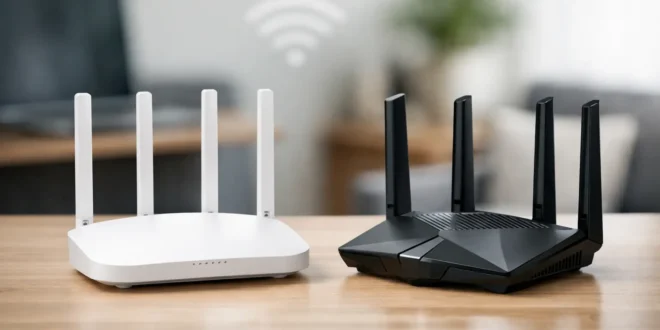

A router upgrade can look deceptively simple until the labels start piling up: WiFi 6, WiFi 6E, WiFi 7, multi-gig ports, 6 GHz, and mesh. In the WiFi 6 vs WiFi 7 decision, the newest standard is clearly more capable. But capability and value are not the same thing. The right choice depends on your internet connection, client devices, network density, and whether lag or congestion is actually causing problems today.
WiFi 7 is built for networks with more demanding traffic: high-bitrate streaming, cloud workloads, wireless backhaul, gaming, video calls, and offices packed with connected devices. WiFi 6 remains a strong, practical standard for many homes and small businesses, especially when the existing network is stable and most devices do not support WiFi 7 yet.
WiFi 6 vs WiFi 7: The Core Difference
WiFi 6, also known as IEEE 802.11ax, was designed to make busy wireless networks more efficient. Its biggest achievement was not raw top speed. It was better performance when many phones, laptops, cameras, smart devices, and access points are competing for airtime.
WiFi 7, or IEEE 802.11be, builds on that foundation with wider channels, higher modulation, and smarter ways to use multiple frequency bands. The headline maximum speed rises from roughly 9.6 Gbps for WiFi 6 to roughly 46 Gbps for WiFi 7. Those figures are theoretical aggregate limits, not the speed a single laptop will see in a real room.
What matters more is that WiFi 7 can reduce delays and keep traffic moving when the network is crowded. That makes it a meaningful upgrade for certain users, not an automatic purchase for everyone.
Speed: Faster on Paper, Faster Only With the Right Gear
WiFi 6 supports channel widths up to 160 MHz. WiFi 7 can use channels up to 320 MHz, effectively doubling the available channel width. However, 320 MHz channels are available in the 6 GHz band, not the older 2.4 GHz or 5 GHz bands.
WiFi 7 also introduces 4K QAM, compared with WiFi 6’s 1024-QAM. In plain terms, it can pack more data into a wireless signal under ideal conditions. A nearby WiFi 7 laptop connected to a WiFi 7 router with a clean 6 GHz channel can transfer files much faster than a comparable WiFi 6 setup.
The catch is that WiFi performance has limits outside the router. A 500 Mbps internet plan will not suddenly become multi-gigabit because you installed a WiFi 7 router. Likewise, a laptop with a WiFi 6 adapter remains a WiFi 6 client even when connected to a WiFi 7 router.
For local transfers, network-attached storage, or a fast fiber connection, WiFi 7 has more room to matter. For browsing, email, social media, and a few 4K streams, WiFi 6 already provides more than enough throughput in a well-designed network.
Do not overlook the wired network
A WiFi 7 access point can create a bottleneck if it is connected to a standard 1 Gbps Ethernet port. Many WiFi 7 routers and access points include 2.5 GbE ports, while higher-end business hardware may offer 10 GbE uplinks. If faster wireless performance is the goal, check switches, cabling, NAS ports, and router WAN/LAN ports before spending on new access points.
Latency and Reliability: Where WiFi 7 Can Feel Different
WiFi 7’s most important feature for real-world responsiveness is Multi-Link Operation, often shortened to MLO. Traditional WiFi clients generally communicate over one band at a time. MLO allows compatible devices to use multiple bands or channels together.
That can increase throughput, but its more useful effect is resilience. If one band is congested or briefly affected by interference, traffic can move through another available link. For online gaming, video meetings, remote desktops, and latency-sensitive business applications, that can mean fewer brief stalls and less jitter.
WiFi 7 also improves channel puncturing. When part of a wide channel is blocked by interference, the router can avoid that section instead of abandoning the wider channel entirely. This is especially useful in crowded apartment buildings, offices, and areas with neighboring networks.
WiFi 6 is not poor at latency. Features such as OFDMA help it schedule transmissions efficiently, particularly when many low-bandwidth devices are active. But WiFi 7 provides more tools for keeping performance consistent under difficult conditions.
Capacity: Both Standards Handle Busy Networks Well
WiFi 6 was a major step forward for device-heavy environments. OFDMA lets an access point divide a channel into smaller pieces so several devices can communicate more efficiently. MU-MIMO also enables multiple simultaneous data streams. BSS Coloring helps devices distinguish between their own network traffic and nearby networks, reducing unnecessary waiting.
These features are why a quality WiFi 6 router can still be an excellent choice for a smart home, a small office, or a retail location with many connected devices.
WiFi 7 improves capacity further through wider channels, MLO, and higher modulation. It is the better fit where dozens or hundreds of clients create sustained demand: a growing office, a creative studio moving large files, a warehouse with wireless scanners and cameras, or a home running multi-gig internet plus a busy local network.
Do not confuse capacity with coverage, though. WiFi 7 does not magically send a stronger signal through brick walls, concrete, metal, or multiple floors. The 6 GHz band can deliver exceptional speed at shorter range, but it generally penetrates obstacles less effectively than 5 GHz and 2.4 GHz. Good access point placement still beats an expensive router placed in the wrong corner.
WiFi 6E Versus WiFi 7 Matters Too
WiFi 6E is WiFi 6 with access to the 6 GHz band. That extra spectrum can be valuable because it is typically less crowded than 5 GHz. A WiFi 6E network may outperform an older WiFi 6 network simply because it has cleaner airwaves available.
This creates an important buying decision. If your goal is to move compatible devices onto 6 GHz at a lower cost, WiFi 6E may be the sensible middle ground. If you need 320 MHz channels, Multi-Link Operation, stronger future-facing capacity, and have compatible clients, WiFi 7 is the better long-term platform.
When WiFi 6 Is Still the Smart Buy
Choose WiFi 6 when your internet service is below 1 Gbps, your current client devices are mostly WiFi 5 or WiFi 6, and you need reliable coverage rather than record-breaking local transfer speeds. It is also a cost-effective option for small businesses replacing aging WiFi 5 hardware, especially when a properly placed WiFi 6 access point or mesh system solves the actual coverage issue.
WiFi 6 also makes sense when budget should go toward fundamentals first: wired backhaul for mesh nodes, a managed switch, better cabling, a firewall, or an additional access point. Those investments can improve network reliability more than jumping straight to a newer wireless label.
When WiFi 7 Is Worth Paying For
WiFi 7 becomes easier to justify when you have multi-gig fiber, recent high-end laptops or phones with WiFi 7 support, and heavy local traffic. It is particularly compelling for users who move large media files, run a NAS, use wireless VR, game competitively, or depend on stable video calls and cloud applications.
For IT teams, WiFi 7 is also a forward-looking choice for new deployments. Buying access points with multi-gig uplinks and a modern radio platform can reduce the need for another full refresh when more WiFi 7 client devices arrive. Still, verify that the proposed hardware supports the features you expect. Not every WiFi 7 product has the same radio configuration, port speeds, or management capabilities.
Security should not decide this comparison by itself. WiFi 6 and WiFi 7 equipment can support WPA3. The better security outcome comes from using WPA3 where practical, maintaining firmware, separating guest and business traffic, and replacing unsupported hardware.
The Upgrade Decision Comes Down to Your Bottleneck
Before buying, identify what is slow. Test wired internet speed, test WiFi speed near the router, and test it in the rooms where people actually work. If wired performance is good but distant rooms fail, add or reposition access points. If the network slows only when many people connect, look at capacity and channel planning. If compatible devices, multi-gig infrastructure, and demanding workloads are already in place, WiFi 7 can deliver a noticeable step forward.
The best network upgrade is not always the newest router. It is the one that removes the bottleneck your users can actually feel.





