 TechBlonhub A new digital technology era.
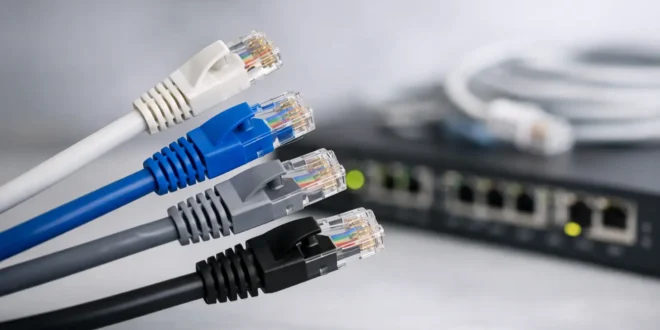

Ethernet Cable Categories Explained Clearly
You do not want to run cable twice because a cheap box on a shelf looked “close enough.” That is usually when people start searching for ethernet cable categories explained—after a slow link, a failed 10Gb upgrade, or a contractor asking whether the run should be Cat6 or Cat6a.
The good news is that cable categories are not as confusing as they seem once you focus on three things: speed, distance, and installation environment. The wrong cable can waste money, but the more common mistake is overbuying for a network that will never use the extra headroom.
For anyone building or upgrading a network setup—whether for home offices, surveillance systems, or small business infrastructure—getting this right is essential. Many buyers sourcing networking equipment, switches, and structured cabling solutions from platforms like GNTME also look for compatible accessories such as routers, switches, and PoE devices that depend heavily on correct cabling standards.
Ethernet Cable Categories Explained: What the Category Actually Means
An Ethernet cable category (Cat) refers to a performance standard for twisted-pair copper cabling. That standard defines how well the cable handles frequency, interference, and data transmission over distance.
In simple terms:
- Higher category = higher bandwidth potential
- Better shielding = less interference
- Proper installation = real-world performance
But here is the key mistake: cable category alone does not guarantee speed. Your switch, router, network card, connectors, and even installation quality matter just as much.
A Cat6 cable connected to a gigabit switch will still run at gigabit speeds.
Cat5e: The Legacy Workhorse
Cat5e is still widely used because it does its job well.
What it supports:
- Up to 1 Gbps (100 meters)
- Sometimes 2.5–5 Gbps in ideal setups
Best for:
- Basic home internet
- Printers and VoIP phones
- CCTV systems
- Low-demand office networks
It is reliable, but not future-focused. If you are installing new cabling today, Cat5e is usually only worth it for budget-sensitive or temporary setups.
Cat6: The Practical Standard
Cat6 is where most modern installations start.
What it supports:
- 1 Gbps up to 100 meters
- 10 Gbps up to ~55 meters
Why it is popular:
- Better noise resistance than Cat5e
- Good balance of cost and performance
- Works well for homes and SMBs
If you are unsure what to choose, Cat6 is usually the safest default.
This is also the category most commonly paired with networking hardware like switches and routers sold through structured IT suppliers and platforms like GNTME.
Cat6a: The Future-Proof Choice
Cat6a is designed for full 10Gb performance.
What it supports:
- 10 Gbps up to 100 meters
Ideal for:
- Business offices
- Server rooms
- High-performance workstations
- Surveillance-heavy networks
Trade-offs:
- Thicker cable
- More expensive
- Harder to install in tight spaces
If your network will grow or support high-bandwidth applications, Cat6a is a strong long-term investment.
Cat7: The Misunderstood Option
Cat7 is often marketed as “premium,” but in real-world Ethernet deployments it is less commonly recommended.
Why it confuses buyers:
- Heavy shielding claims
- Mixed compatibility expectations
- Limited practical advantage in standard RJ45 setups
In most home and SMB environments, Cat6a offers clearer value.
Cat8: Data Center Only Territory
Cat8 is built for extreme performance—but only in short distances.
What it supports:
- 25–40 Gbps
- Up to 30 meters
Where it belongs:
- Data centers
- Rack-to-rack connections
- High-density server environments
For almost all homes and offices, Cat8 is overkill.
Speed vs Distance: The Most Ignored Factor
Many buyers misunderstand Ethernet speeds.
A cable might support 10Gb, but only under specific conditions:
- Shorter distance = higher speed possible
- Longer runs = signal degradation
- Poor installation = performance loss
For example:
- Cat6 may hit 10Gb at short range
- Cat6a reliably supports 10Gb across full 100m runs
This is why structured planning matters more than just picking a category.
Shielded vs Unshielded Cable
Another important part of ethernet cable categories explained is shielding.
UTP (Unshielded Twisted Pair)
- Common in homes and offices
- Flexible and affordable
- Works well in normal environments
STP (Shielded Twisted Pair)
- Used in noisy environments
- Protects against electromagnetic interference
- Requires proper grounding
Shielding is helpful—but only when needed. Improper installation can actually cause issues instead of solving them.
The Role of Installation Quality
Even the best cable category can fail with poor installation.
Common issues include:
- Over-bending cables
- Poor termination
- Cheap connectors
- Untwisting pairs too much
- Fake or low-quality copper materials
This becomes even more important in setups using PoE devices, where both power and data travel through the same cable. CCTV cameras, wireless access points, and VoIP phones rely heavily on stable cabling.
Ethernet Cable Categories Explained for Real Buyers
Here is the practical breakdown:
- Cat5e → Budget or existing setups
- Cat6 → Best overall choice for most users
- Cat6a → Future-proof + 10Gb networks
- Cat7 → Limited real-world advantage
- Cat8 → Data center use only
Most users fall into Cat6 or Cat6a.
Choosing the Right Cable for Your Network
Instead of overthinking specs, ask:
- How fast is my network now?
- Will I upgrade in the next 3–5 years?
- Do I need 10Gb performance?
- How long are my cable runs?
- Am I using PoE devices or surveillance systems?
If your answers point toward growth or stability needs, Cat6a is often worth it. If you want balance, Cat6 is usually enough.
For businesses building structured infrastructure, pairing the right cabling with reliable networking hardware from suppliers like GNTME ensures better long-term performance and fewer upgrades later.
Conclusion
Ethernet cable categories are not just technical labels—they are planning tools. The right choice affects speed, stability, and how long your network stays relevant.
When you understand ethernet cable categories explained properly, the decision becomes less about marketing and more about practical design. Cat6 handles most needs today. Cat6a prepares you for tomorrow. Everything else fills niche roles.
The goal is simple: build once, build correctly, and avoid tearing it all out later.
FAQs
1. What does Cat in Ethernet cables mean?
Cat refers to the performance category of Ethernet cable, defining speed, frequency, and transmission capability.
2. What is the best Ethernet cable for home use?
Cat6 is generally the best balance of speed, cost, and future-proofing for most homes.
3. Is Cat6 better than Cat5e?
Yes. Cat6 offers better performance, reduced interference, and supports higher speeds over short distances.
4. Do I need Cat6a for 10Gb internet?
Yes, if you want reliable 10Gb performance across full-length cable runs (up to 100 meters).
5. Is Cat8 necessary for home networks?
No. Cat8 is designed for data centers and short-range high-speed connections.

Author: AJ
As a passionate blogger, I'm thrilled to share my expertise, insights, and enthusiasm with you. I believe that technical knowledge should be shared, not hoarded. That's why I take the time to craft detailed, well-researched content that's easy to follow, even for non-tech. I love hearing from you, answering your questions, and learning from your experiences. Your feedback helps me create content that's tailored to your needs and interests




