 TechBlonhub A new digital technology era.
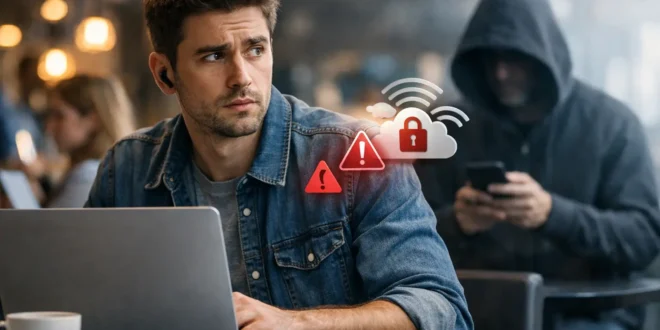

At an airport gate, coffee shop, hotel lobby, or conference venue, the free network looks like the obvious choice. But is public WiFi safe when you need to check email, sign into a work tool, pay a bill, or transfer files? The honest answer is: sometimes, but it is never a network you should automatically trust.
Public WiFi is safer than it was a decade ago because most major websites and apps now encrypt traffic. That does not make every public network safe. A compromised hotspot, a convincing fake network, weak device settings, or one careless login can still expose information that matters. The goal is not to avoid public WiFi forever. It is to understand what it can and cannot protect, then use it with the right controls.
Is Public WiFi Safe for Everyday Use?
For low-risk tasks, public WiFi can be reasonable. Reading news, checking a transit schedule, streaming a video, or browsing a reputable site over HTTPS carries less risk than handling financial accounts or business data. HTTPS encrypts the connection between your browser and the website, which prevents other users on the same network from simply reading the contents of that session.
However, encryption is not a blanket guarantee. HTTPS protects data traveling to a legitimate website, but it cannot stop you from joining a fraudulent hotspot, entering credentials into a phishing page, installing a suspicious app, or sharing files with other devices on the network. It also does not necessarily hide every detail of your activity from the WiFi operator, such as the services your device attempts to reach.
The practical rule is simple: treat public WiFi as an untrusted network. Use it for convenience, not as the default connection for sensitive activity.
The Public WiFi Risks That Still Matter
Fake hotspots can look completely legitimate
An attacker can create a wireless network with a name that closely resembles a real one. At a hotel, for example, you might see “Hotel_Guest_WiFi,” “Hotel Guest,” and “Hotel_Guest_Free.” One may be legitimate, while another may be a rogue access point designed to collect login details or route traffic through an attacker-controlled system.
This technique, often called an evil twin attack, works because people tend to choose the strongest signal or the most familiar name. Ask a staff member for the exact network name before connecting. Do not assume a network is authentic because it uses a venue’s branding in its name.
Open networks expose more than secured networks
An open WiFi network does not require a password. That convenience often means the wireless connection itself is not encrypted between your device and the access point. Modern HTTPS still protects much of your web traffic, but open networks offer fewer safeguards and make it easier for attackers to observe or interfere with poorly secured connections.
A network that requires a shared password is not automatically trustworthy, either. If everyone in a café or hotel receives the same password, it should still be treated as public infrastructure. The password may prevent casual outsiders from connecting, but it does not turn the network into a private office LAN.
Your device may reveal services you forgot were running
Laptops, tablets, and phones can expose file sharing, network discovery, printer sharing, or remote access services when their network settings are too permissive. An attacker does not need to break encryption if your device is openly advertising a share or accepting connections it should block.
This is especially relevant for Windows laptops used for work. When connecting to a public network, select the public network profile rather than private. That setting limits discovery and sharing features that make sense at home or in an office but create unnecessary exposure on a shared network.
Captive portals and phishing pages can steal credentials
Many public networks use a captive portal, the page that asks you to accept terms or enter a room number, email address, or access code. Legitimate portals are common. The risk is that a fake portal can ask for far more than it needs, including email passwords, Microsoft 365 credentials, payment details, or a social media login.
A venue rarely needs your primary email password to provide WiFi access. If a sign-in page requests sensitive credentials, close it and confirm the process with staff. A minor inconvenience is better than handing over the keys to your personal or business accounts.
How to Use Public WiFi Safely
Safe public WiFi use comes down to a few disciplined habits. They take minutes to configure and reduce the most common risks substantially.
- Verify the network name before joining. Confirm the exact SSID with the business, hotel, airline, or event organizer. Be wary of duplicate names and networks labeled “Free WiFi” with no clear owner.
- Use HTTPS and pay attention to browser warnings. Check for the lock icon and a correct website address before entering credentials. Never bypass a certificate warning simply to get a page to load.
- Turn off automatic joining and sharing. Disable auto-connect for public networks, Bluetooth discovery when you do not need it, and file or printer sharing on a public connection.
- Keep your operating system, browser, and security software updated. Public networks are a poor place to discover that your device is missing a critical patch.
- Use multi-factor authentication on important accounts. If a password is stolen through phishing or reuse, MFA can still prevent an account takeover.
- Forget the network after you leave. This prevents your device from reconnecting later without your attention, particularly if an attacker recreates the same network name.
These steps matter more than complicated security rituals. A fully updated device, a verified connection, and strong account security will protect most users far better than relying on a network name alone.
Is a VPN Enough to Make Public WiFi Safe?
A reputable VPN adds a useful layer of protection on public WiFi. It encrypts traffic from your device to the VPN provider, reducing what local network operators and nearby attackers can see. For remote workers accessing company services from hotels, airports, and coworking spaces, a business-managed VPN may be required by policy for good reason.
But a VPN is not a magic shield. It cannot prevent you from entering credentials into a fraudulent website, approving a malicious MFA prompt, downloading malware, or trusting a fake captive portal. You are also shifting trust to the VPN provider, which is why free VPN services with vague privacy policies deserve caution. Their business model may involve advertising, data collection, or limits that make them unsuitable for sensitive work.
For many people, HTTPS plus good device hygiene is adequate for routine, low-risk browsing. A reputable VPN is worth using when you travel often, manage sensitive systems, work with client data, or need a more consistent privacy layer on networks you do not control.
When Cellular Data Is the Better Choice
If you need to access a bank account, approve a payroll run, connect to an administrative dashboard, or work with confidential documents, your phone’s cellular connection or a personal hotspot is usually the safer option. Cellular networks are not invulnerable, but they remove the immediate risks of sharing a local WiFi network with unknown devices and rogue access points.
The trade-off is cost, coverage, and battery life. Travelers may have limited data plans, and a hotspot can drain a phone quickly. Even so, using cellular data for the few minutes required to complete a high-value task is often the sensible choice.
A Practical Policy for Work Devices
Small businesses and IT teams should not leave public WiFi decisions entirely to individual judgment. A clear policy can require device encryption, automatic updates, endpoint protection, MFA, firewall activation, and a managed VPN for staff handling company data outside the office.
Network segmentation also matters. A contractor, employee, or temporary device should not gain broad access to internal systems simply because it has a valid login. Least-privilege access, conditional sign-in controls, and monitored remote access reduce the damage if a device or credential is compromised.
Public WiFi is not inherently dangerous, but it is the wrong place for blind trust. Verify the network, protect the device, and reserve your most sensitive tasks for a connection you control. That small amount of caution can prevent a free hotspot from becoming an expensive security incident.





